
Temp SpamBlock
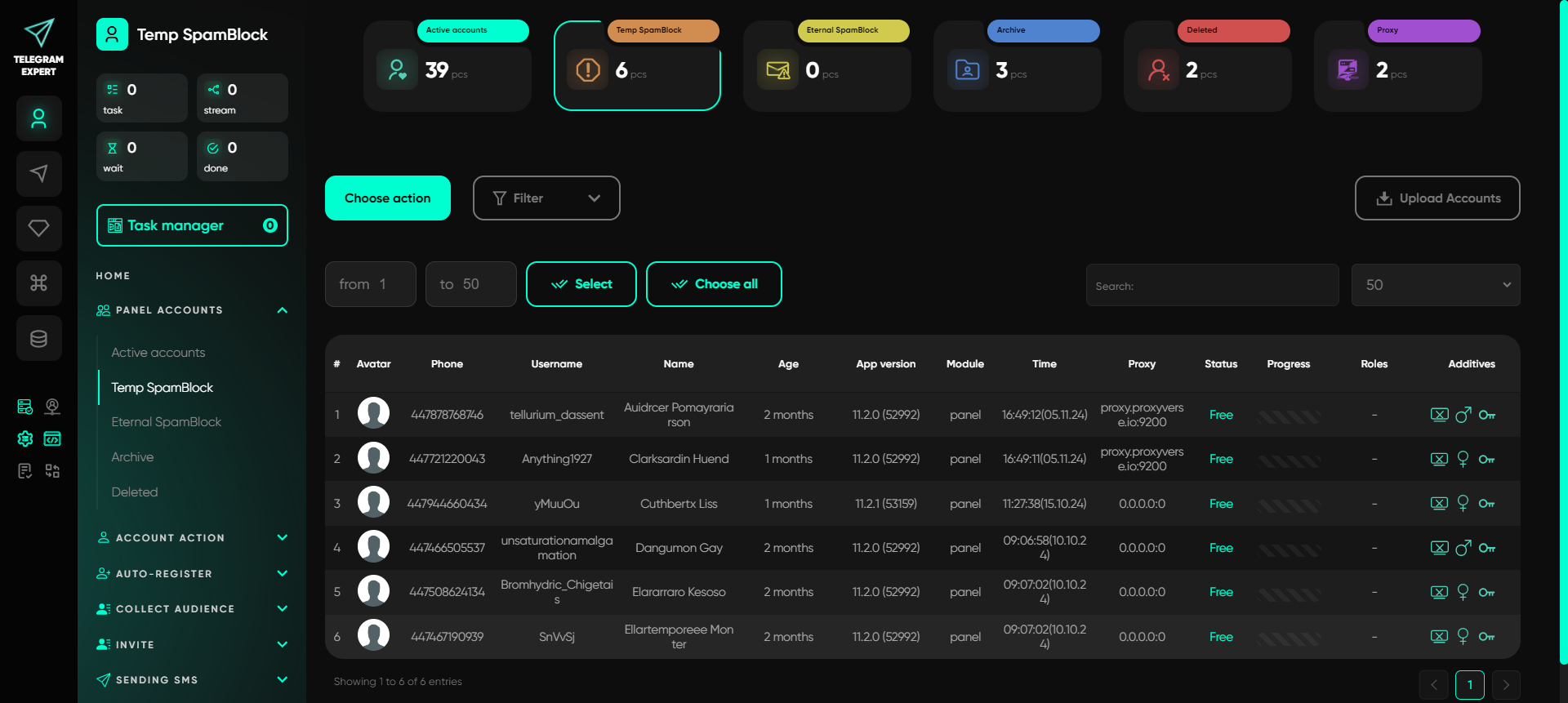
The Temporary Spam Block is a folder where the user independently places Telegram accounts that have received a spam block for suspicious activity. Usually, this is temporary — restrictions are lifted in 3-7 days or a couple of weeks (depending on the type of restriction). In this section of Telegram Expert, you can keep such accounts under control and check when they will be back and ready for work, so you can then move them to «Active» or another folder for convenience.
The Spam Block Types
The spam block can be divided into two main types: Geo Spam Block and Standard Spam Block.
Geo Spam Block
The Geo Spam Block is automatically applied to an account upon registration. It is a restriction related to the user's region and is intended to protect against suspicious registrations. Usually, the duration of this block is 3 days, but it can last up to a week and, in rare cases, up to 14 days. This type of block is temporary and is removed without additional intervention.
Standard Spam Block
The Standard Spam Block, in turn, is divided into two categories: temporary and permanent.
Temporary Spam Block
This restriction is applied to an account for suspicious activity that raises security concerns (e.g., mass messaging or frequent IP address changes). The temporary spam block can last from several hours to several days and is automatically lifted after the specified period.
Permanent Spam Block
Unlike the temporary block, the permanent spam block does not have a fixed removal period. It is applied for more serious violations and is not removed automatically. An account can remain in this state for about 6 months, after which the block may be reviewed, though automatic removal is not guaranteed. You can attempt to lift such a restriction through the «Spam Block Removal» feature.
Viewing Account Data
To view account data, you can use a table: in addition to standard data (avatar, phone, username, etc.), there are additional account characteristics:
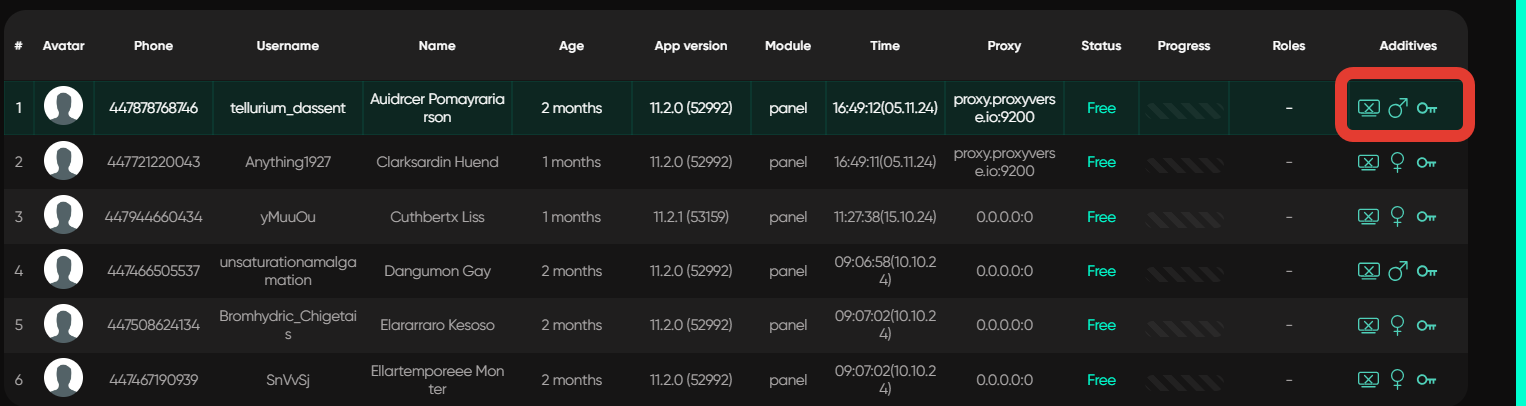
The account does not work on Telegram Desktop (has a mobile session), or it cannot be launched. This can be resolved by duplicating the session in the «Session Duplicator»;
The version in the JSON file does not match the current Telegram version. To fix this, use the «Fix Versions in JSON» action to update it. Marked with an orange triangle icon.
Account gender;
Two-factor authentication.
If you hover over any of the characteristics, you can view it. For example, if you hover over the key icon, the code used for two-factor authentication will be displayed.
Important: this website is the only official website of the Telegram Expert project. Licenses, updates, and official technical support are available only through this website. Any other websites offering Telegram Expert are not affiliated with BLB.Team and are either unofficial or fraudulent.
Discover more features of the website
Do not limit yourself to just this page - we have collected the best manuals, useful articles, answers to questions, and real user reviews for you. Go to the section you are interested in to learn more, explore new features, and make your experience on the website as effective as possible.

Download Telegram Expert - software for Telegram promotion
Telegram Expert is professional software for fast channel growth and sales in Telegram. Launch mass mailings and invites, warm up accounts without bans, consolidate dialogs in one place, and scale your team. All in one window - fast, safe, and tailored to your tasks.
What it can do:
- TDATA Converter - массово переводит session+json в TDATA.
- Booster - account warm-up via smart dialogs to increase trust.
- Registrar - account creation via any SMS services with the sms-activate standard.
- Duplicator - a second session for existing accounts for transfer and protection.
- Forwarder - routes incoming replies to a working group and sends replies to clients.
- Interceptor - catches messages by keywords from chats/channels and forwards them to you.
- Invite via admin - invitations even to restricted groups.
- Channel and chat cloner - full copies, including protected content.
- Reporter - mass complaints about messages/users/channels.