
Exporting from an account
Exporting from an account allows you to quickly retrieve all information from any of your accounts — for example, dialogs, usernames, bios, chats, channels, and more. The setup process is very straightforward. The key advantage of the module is that it can extract information even from blocked accounts to which you no longer have access. However, the main condition for such functionality is that the account must have been active in the software for some time so that data is formed in the session file. If the account hasn't worked in the software, extracting information from it won't be possible.
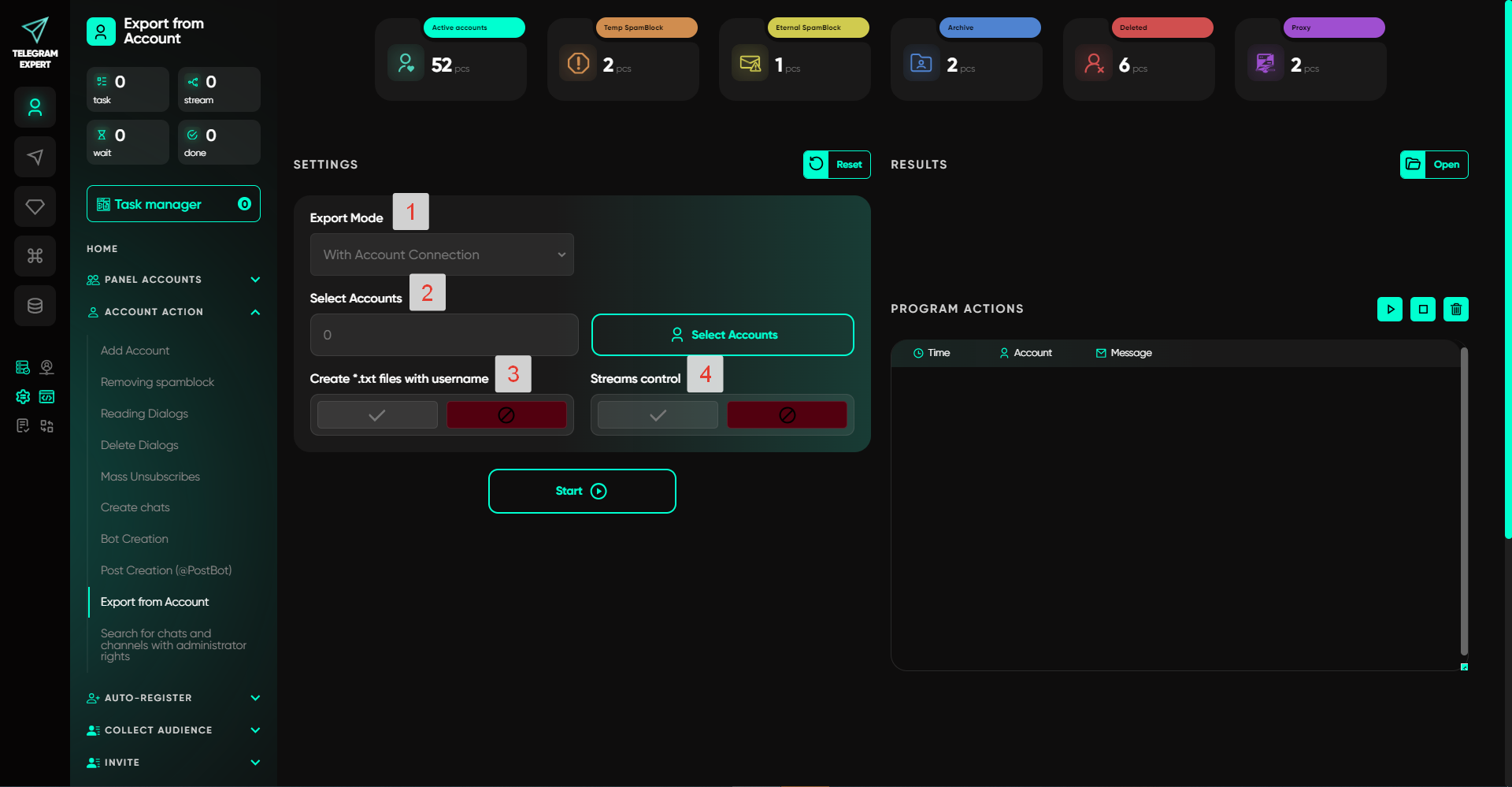
Setup Stages:
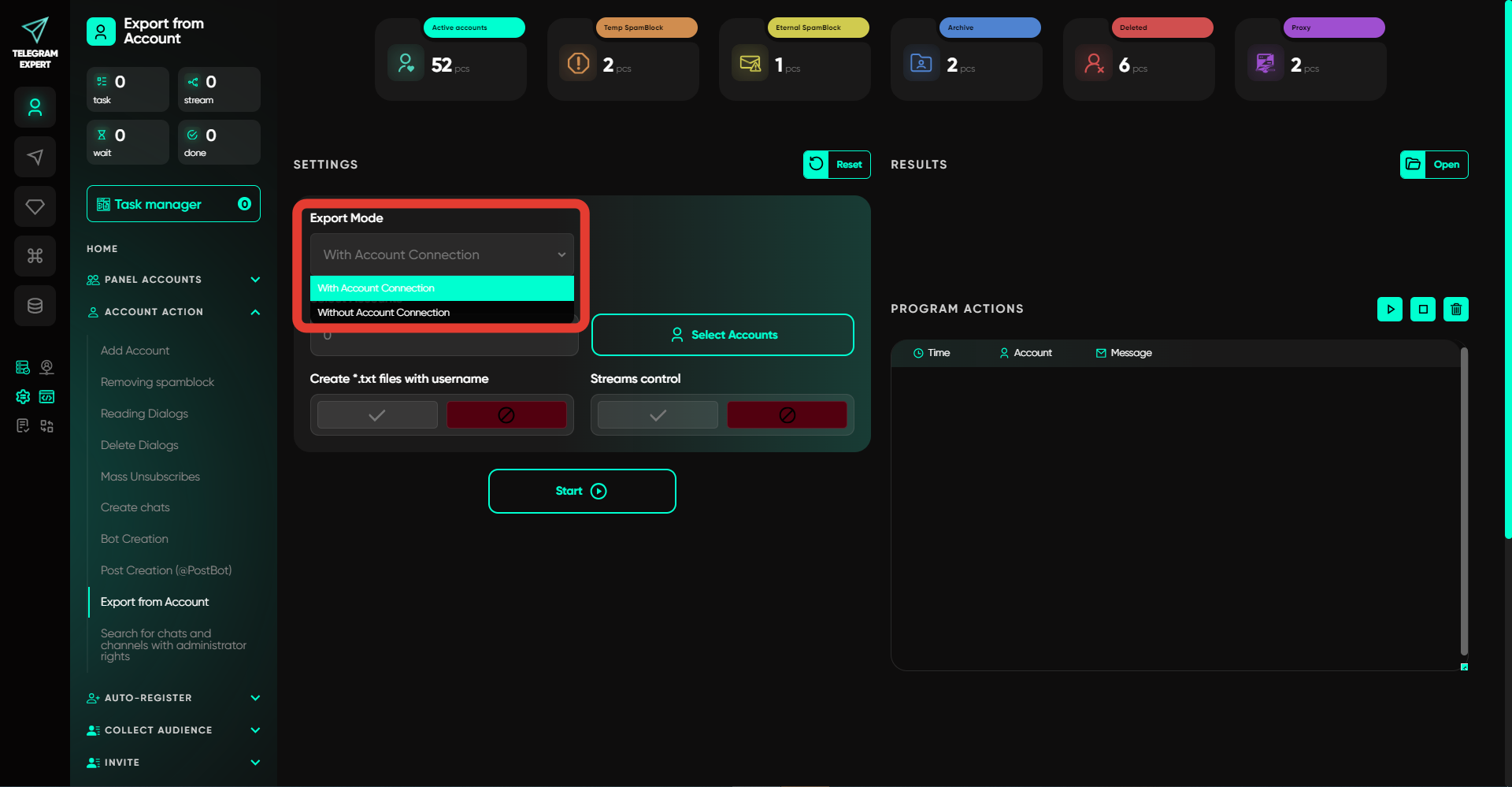
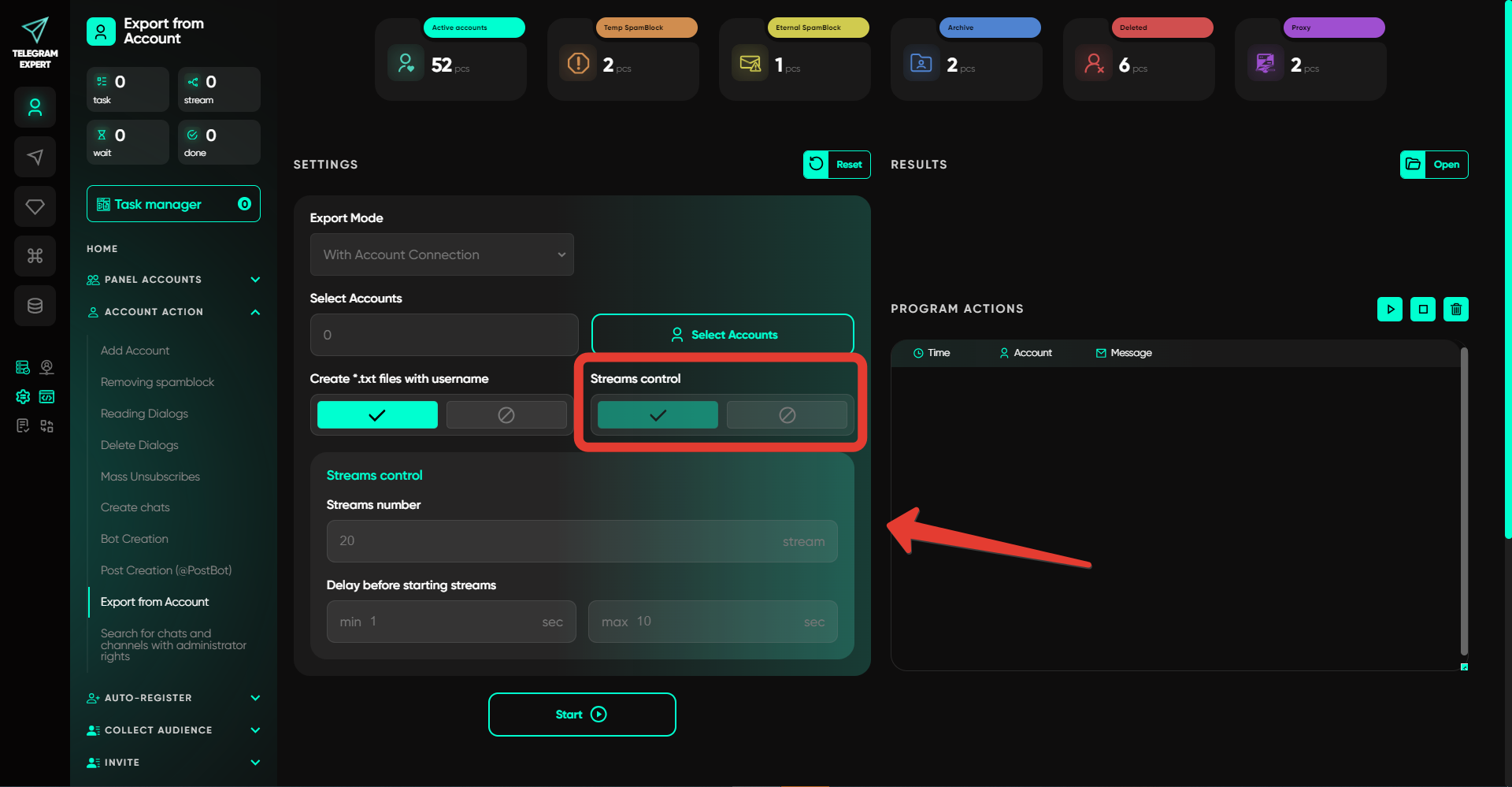
Export Mode
In this mode, you can choose between two options — with or without connecting to the account. The difference between the modes is that when connected, information is collected in live mode — all new data will be saved during the export. If no connection is made, the software will gather accumulated information from the files.
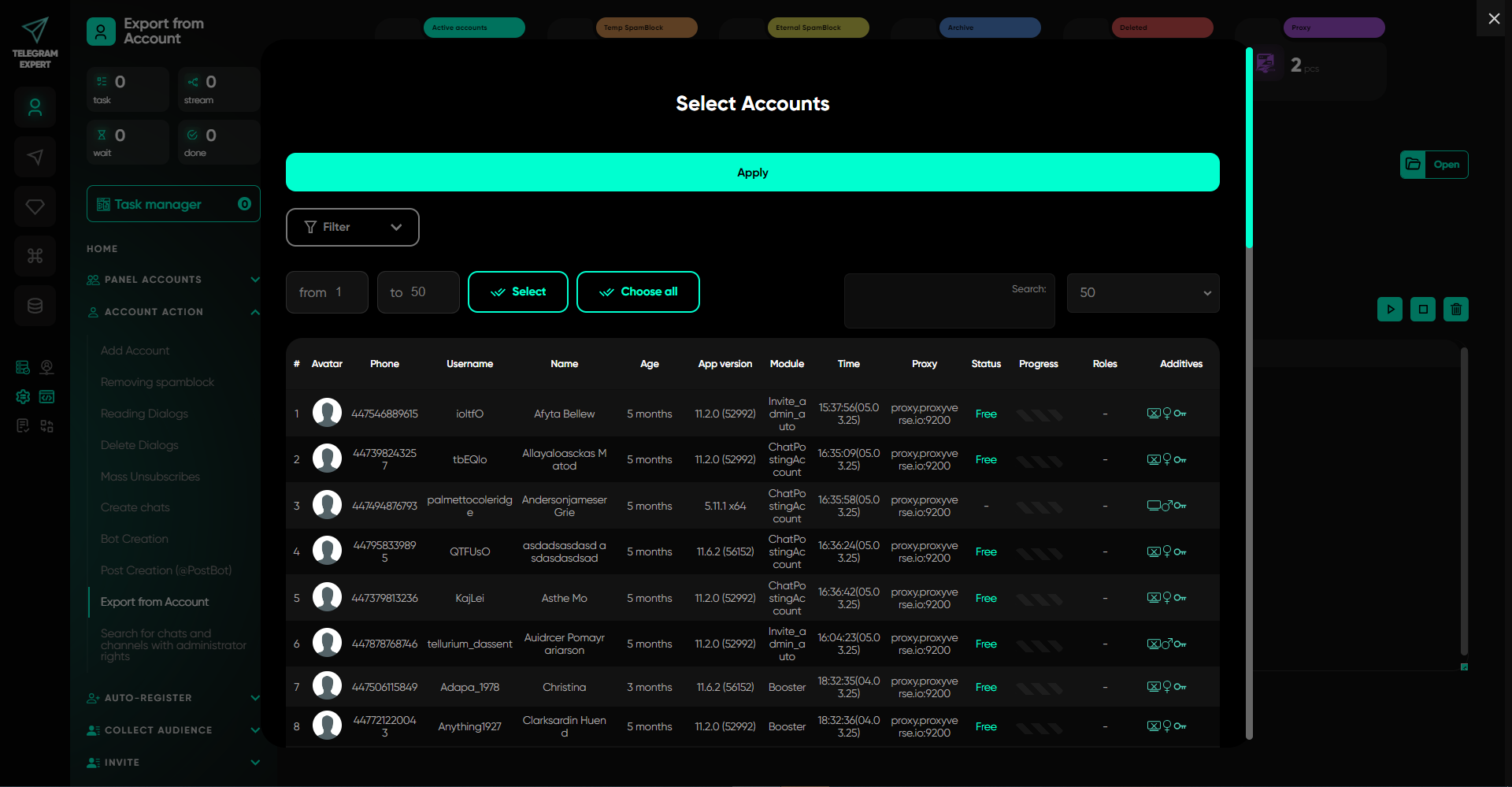
Select Account
In this section, select the accounts from which the data export will be performed. The selection is typically made from the accounts located in the "Active" folder.
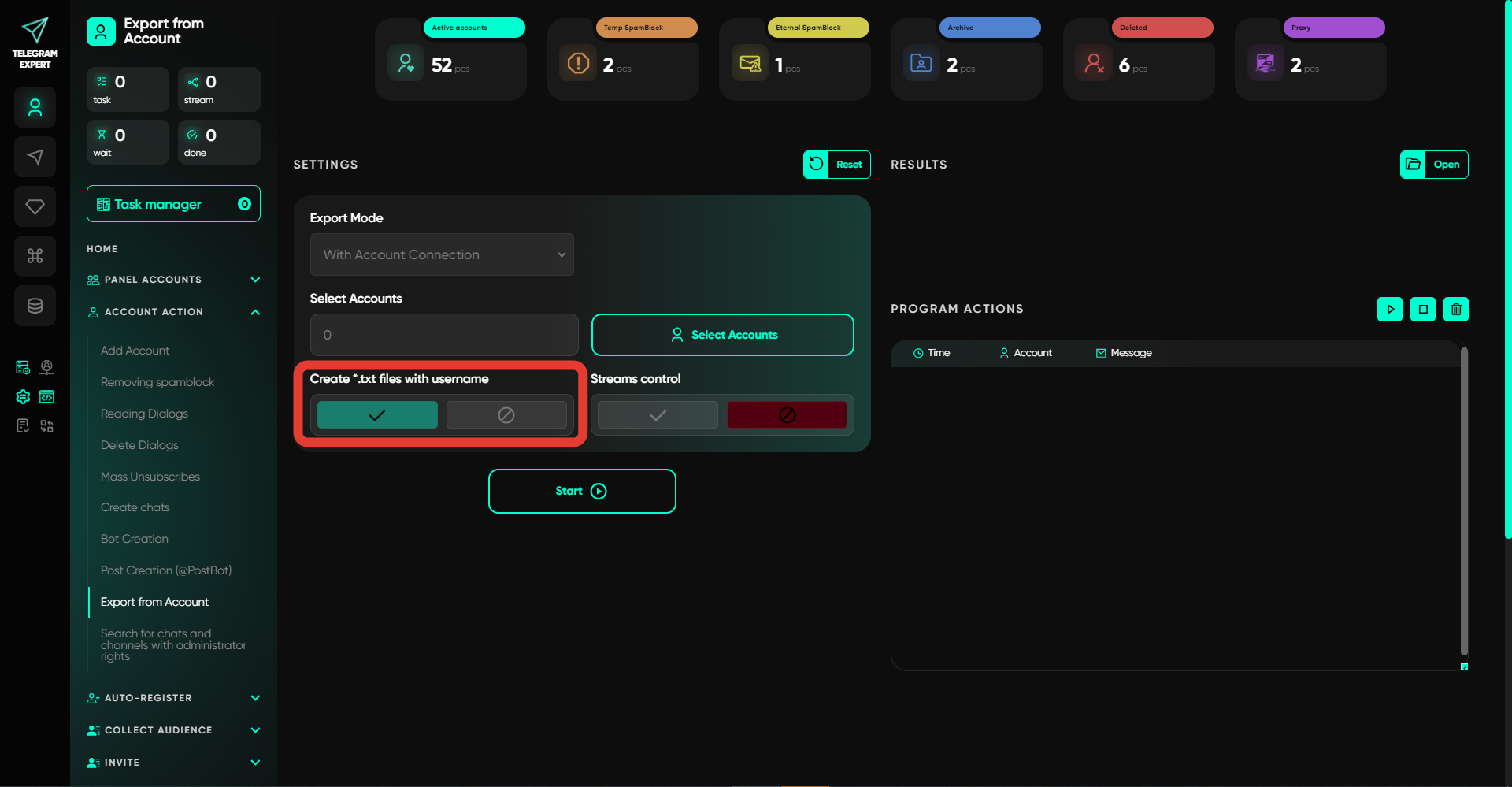
Create a txt File with Usernames
This option allows you to generate a text file where the software will include the usernames of users from the dialogs.
Thread Management
This option allows you to configure multi-threaded operation — you need to specify the number of threads and the delay. The number indicates how many accounts will be processed during one period. After finishing work with one account, the software will take the next one in the queue after waiting for the specified time. The time is randomly selected from the range you provide.
Important: this website is the only official website of the Telegram Expert project. Licenses, updates, and official technical support are available only through this website. Any other websites offering Telegram Expert are not affiliated with BLB.Team and are either unofficial or fraudulent.
Discover more features of the website
Do not limit yourself to just this page - we have collected the best manuals, useful articles, answers to questions, and real user reviews for you. Go to the section you are interested in to learn more, explore new features, and make your experience on the website as effective as possible.
Download Telegram Expert - software for Telegram promotion
Telegram Expert is professional software for fast channel growth and sales in Telegram. Launch mass mailings and invites, warm up accounts without bans, consolidate dialogs in one place, and scale your team. All in one window - fast, safe, and tailored to your tasks.
What it can do:
- TDATA Converter - массово переводит session+json в TDATA.
- Booster - account warm-up via smart dialogs to increase trust.
- Registrar - account creation via any SMS services with the sms-activate standard.
- Duplicator - a second session for existing accounts for transfer and protection.
- Forwarder - routes incoming replies to a working group and sends replies to clients.
- Interceptor - catches messages by keywords from chats/channels and forwards them to you.
- Invite via admin - invitations even to restricted groups.
- Channel and chat cloner - full copies, including protected content.
- Reporter - mass complaints about messages/users/channels.