
Network Limits in Telegram Automation: How Many Accounts per IP
Contents
Why network limits are not Telegram limits
How many accounts to run on one IP
Rotation or static IP: what each stage requires
How much traffic account operations actually use
Geo consistency: phone number, IP, time zone, and language
Five network mistakes that kill accounts
Where SotaProxy fits in
Conclusion
Important caveat: there are no universal numbers
FAQ
Network Limits in Telegram Automation: How Many Accounts per IP
Key takeaways
Telegram limits and the limits of your network setup are two different things. You can follow messaging limits perfectly and still lose accounts because multiple profiles overlap on the same IP.
Residential IPs cover most use cases. They are the default choice for account warming, bulk messaging, and day-to-day activity because they look like ordinary consumer connections.
Traffic is not the main cost driver. Warming one account rarely uses more than about 1 MB. Media attachments, not text, consume most of the bandwidth.
The most expensive part is not traffic, but starting over. Losing a warmed-up account costs more than a month of running it through a high-quality gateway endpoint.
Why network limits are not Telegram limits
When an account gets a Flood Wait or spam restriction, the first reaction is usually to recount messages: how many were sent, at what intervals, and whether the limits were exceeded. That is the right first step, but it only covers half the picture.
Any “software + accounts” setup has two independent layers of limits.
The first is behavioral. How many messages are sent per day, to whom, at what pace, how many new conversations are started, and how many complaints are received. Telegram Expert manages this layer through per-account limits, intervals, text randomization, and scheduling.
The second is network-related. Which connection an account uses, how many other profiles share the same address, whether the address changes between sessions, and whether the connection region matches the phone number region.
The key point: these layers do not replace each other. Careful timing does not compensate for ten profiles sharing one address. Likewise, a clean gateway endpoint will not save an account that sends the same message to people it does not know.
This is why teams that only count messages often hit a ceiling as they scale: behavior looks fine, yet account losses keep rising. At that point, the problem is no longer the software.
How many accounts to run on one IP
There is no universal number—it depends on what the accounts are doing. The figures below are practical starting points that should be adjusted to your own workflow.
Stage | Accounts per endpoint | Why | What happens when you exceed it |
|---|---|---|---|
New account registration | 1 | The most sensitive operation; registering several profiles in a row from one address is easy to detect | Some phone numbers fail; accounts get restricted within the first day |
Account warming (Booster) | 1–2 | The account history is being established at this stage; unnecessary overlaps hurt it from the start | The warming process technically runs, but trust in the profile does not increase |
Bulk messaging and invites | 1–3 | An active phase with the highest risk of complaints | A restriction on one account can affect other accounts sharing the same IP |
Channel work, receiving replies, Forwarder | 3–5 | Low-intensity activity; overlap risk is minimal | Usually no noticeable issues |
Storage and maintenance of “sleeping” accounts | 5–10 | Profiles are not performing active actions | Risk appears when many accounts are reactivated at the same time |
The logic is simple: the higher the risk of a specific action, the fewer profiles should share one address. Registration and account warming are the foundation; cutting corners here often comes back as losses two weeks later.
It is also worth checking actual IP overlaps rather than relying only on the planned allocation. Telegram Expert includes an address validator and overlap analysis, which are best used before every major launch rather than after the first losses.
Rotation or static IP: what each stage requires
A common misconception is that changing the IP more often makes an account safer. For Telegram, the opposite is true: the platform favors consistency, not variety.
Stage | Connection mode | Rationale |
|---|---|---|
Registration | A new IP for each account | A fresh profile should not inherit the history of other registrations |
Account warming | Sticky session, no rotation | The account is building its history, so that history should remain continuous |
Day-to-day activity | Sticky session | A regular user does not change ISP every hour |
Bulk messaging and invites | Sticky session, with accounts distributed across different endpoints | Separate accounts from one another instead of rotating the IP within one account |
Long sessions, receiving replies | Static IP | Maximum stability and minimal reconnects |
Recovery after a restriction | Change the IP once, not repeatedly | Constant switching only makes the connection history more inconsistent |
A practical rule: rotate between accounts, not within the same account. One hundred profiles on one hundred endpoints is a healthy setup. A single profile appearing in ten different cities in one day is an anomaly, even if every endpoint is clean.
How much traffic account operations actually use
Most teams overestimate this, which leads them to budget several times more for network traffic than they actually need.
Telegram uses the binary MTProto protocol: text messages, service requests, and updates consume very little traffic. Meaningful bandwidth usage appears mainly when media is involved.
Activity type | Approx. per account | Comment |
|---|---|---|
Account warming (Booster) | up to ~1 MB per day | Chats, subscriptions, and service requests—text uses almost no traffic |
Registration | A few MB, one time | One-time operation per account |
Text bulk messaging / invites | A few MB per day | Usage grows with the number of actions, not the length of the text |
Parsing and audience collection | Depends on the amount of data collected | The one task where traffic should be calculated separately |
Bulk messaging with media | Attachment size × number of recipients | The main source of traffic usage—this is what you need to calculate |
Let’s translate that into cost. With residential traffic starting at $1 per GB:
Pool size | Account warming, ~1 month | Approximate traffic cost |
|---|---|---|
100 accounts | ~3 GB | ~3 $ |
500 accounts | ~15 GB | ~15 $ |
1,000 accounts | ~30 GB | ~30 $ |
Traffic is purchased in packages: the remaining balance, used traffic, and package validity period are shown in the SotaProxy dashboard.
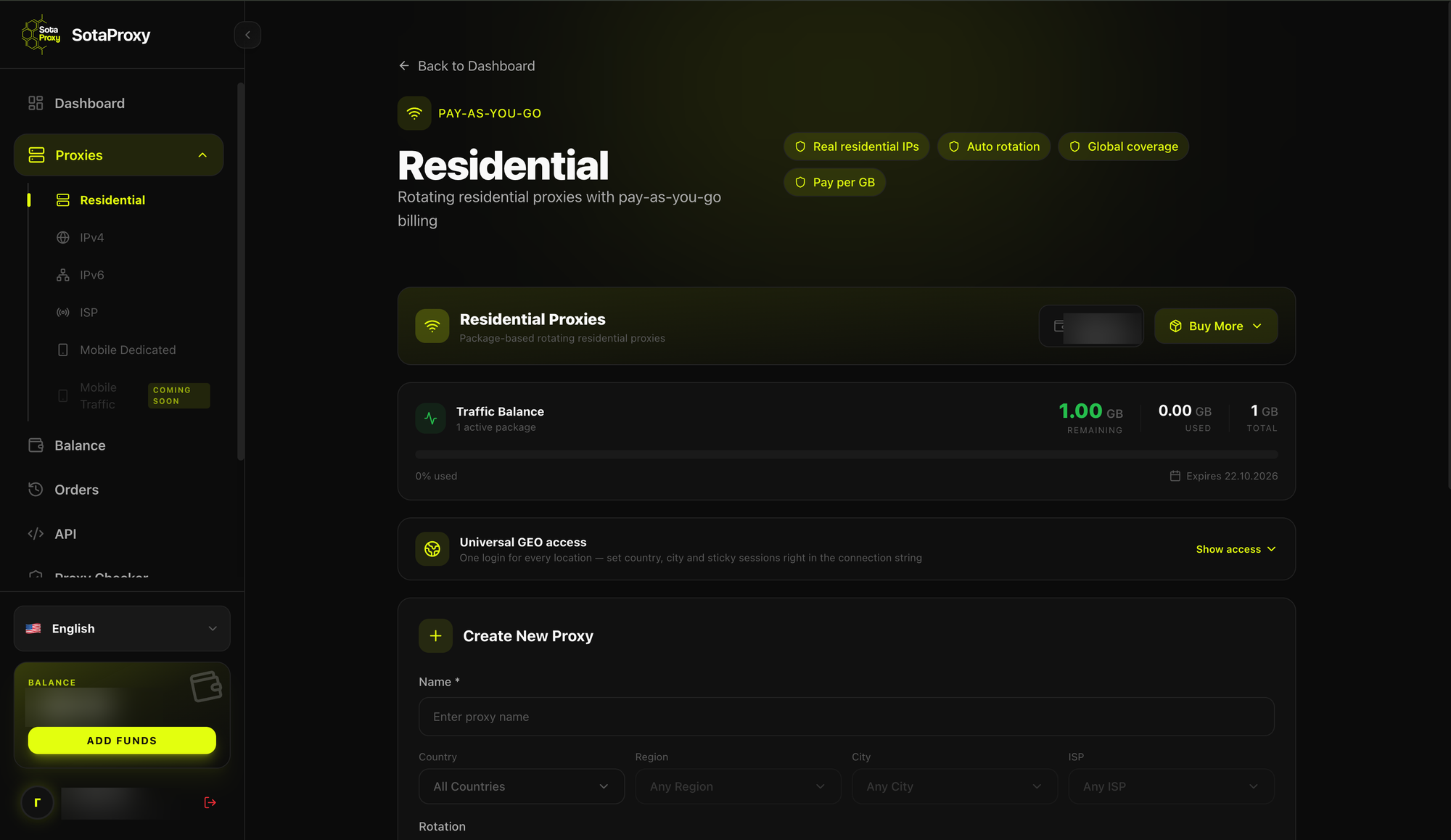
Traffic balance in the SotaProxy dashboard
The figures are approximate and depend on the workflow, but the order of magnitude is accurate. This leads to the main practical conclusion: for text-based workflows, saving money on gateway quality makes little sense. For a pool of 500 accounts, the difference between cheap and high-quality traffic is only tens of dollars per month. Losing a single warmed-up account with its phone number can cost about the same. Losing ten can already exceed an annual network budget.
Traffic becomes a serious cost consideration in only two cases: large-scale messaging with images or video, and intensive parsing.
Geo consistency: phone number, IP, time zone, and language
The connection region by itself matters little. What matters is consistency between the parameters.
Parameter | Should be consistent with | Typical mistake |
|---|---|---|
Phone number country | Connection country | Phone number from one country, connection from another continent |
Connection region | Activity time zone | A “European” account whose activity peaks at 4 a.m. local time |
Interface language | Region and audience | All profiles use the same language while targeting different markets |
Connection type | Account profile | A “regular user” account connecting through a datacenter IP |
One more point for multi-region teams: do not mix IP pools between projects. If some accounts operate in one market and others in another, their IP addresses should not overlap. Otherwise, the projects can become visibly linked through their network footprint even if their content never intersects.
A practical sequence is: first determine the phone number geolocation, then choose IPs for that geography, and finally set the time zone and activity schedule for the same region—not the other way around.
Five network mistakes that kill accounts
1. One pool for everything. Registration, account warming, and bulk messaging all run through the same endpoints. A restriction appears during messaging and affects everything that used the same address, including accounts that have not even been launched yet.
2. Rotation instead of stability. The IP changes automatically every few minutes. That can make sense for parsing, but not for an established account: the profile looks as if it is physically moving across the country throughout the day.
3. Cutting costs during account warming. Starting with cheap, overloaded endpoints. The warming process may technically complete and the account may stay alive, but its trust remains low—and the first serious workload finishes it off.
4. No pre-launch verification. The allocation looks correct in a spreadsheet, but an import error has actually put several accounts on the same IP. Verification takes a few minutes; skipping it can cost weeks of work.
5. Going full speed immediately in a new environment. Accounts are moved to new endpoints and immediately given a full workload. A network change combined with a sudden spike in activity is one of the most noticeable combinations possible. After a migration, workload should be increased gradually.
Where SotaProxy fits in
SotaProxy is a residential, mobile, ISP, and datacenter gateway service covering more than 220 countries and regions. For the workflows described above, it addresses several specific needs.
Residential IPs as the primary workhorse. This is the gateway type we recommend for most Telegram workflows: registration, account warming, day-to-day activity, and bulk messaging. These connections match the profile of a regular user, support sticky sessions, and do not force a trade-off between stability and authenticity. The price of residential gateways starts at $1 per GB at volume. As the calculations above show, in text-based workflows this makes network costs almost negligible compared with the cost of the accounts themselves.
When creating a connection in the dashboard, you can choose the rotation mode: a new IP for every request, a sticky session, or timer-based rotation using one of the available intervals. Sticky sessions are appropriate for established accounts, while timer-based rotation is useful for parsing and one-off tasks.
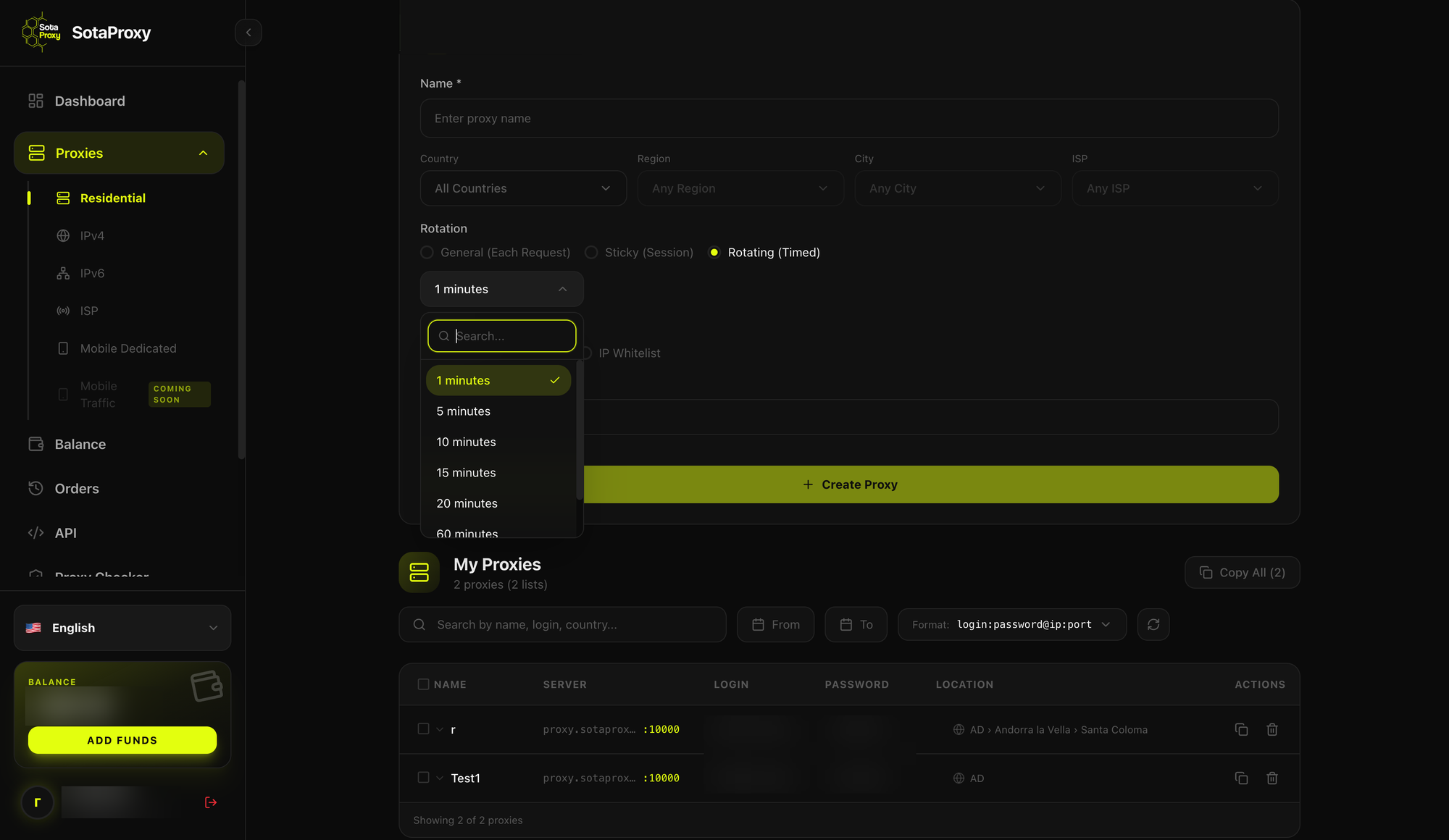
Rotation modes and IP-change interval when creating a SotaProxy connection
Geo coverage for multi-region projects. Coverage across 220+ countries and regions lets you choose connections to match the geography of your phone numbers instead of adapting phone numbers to whatever locations are available. Country, region, city, and ISP can be selected directly when creating a connection. For teams working across several markets, this removes the need to maintain multiple providers.
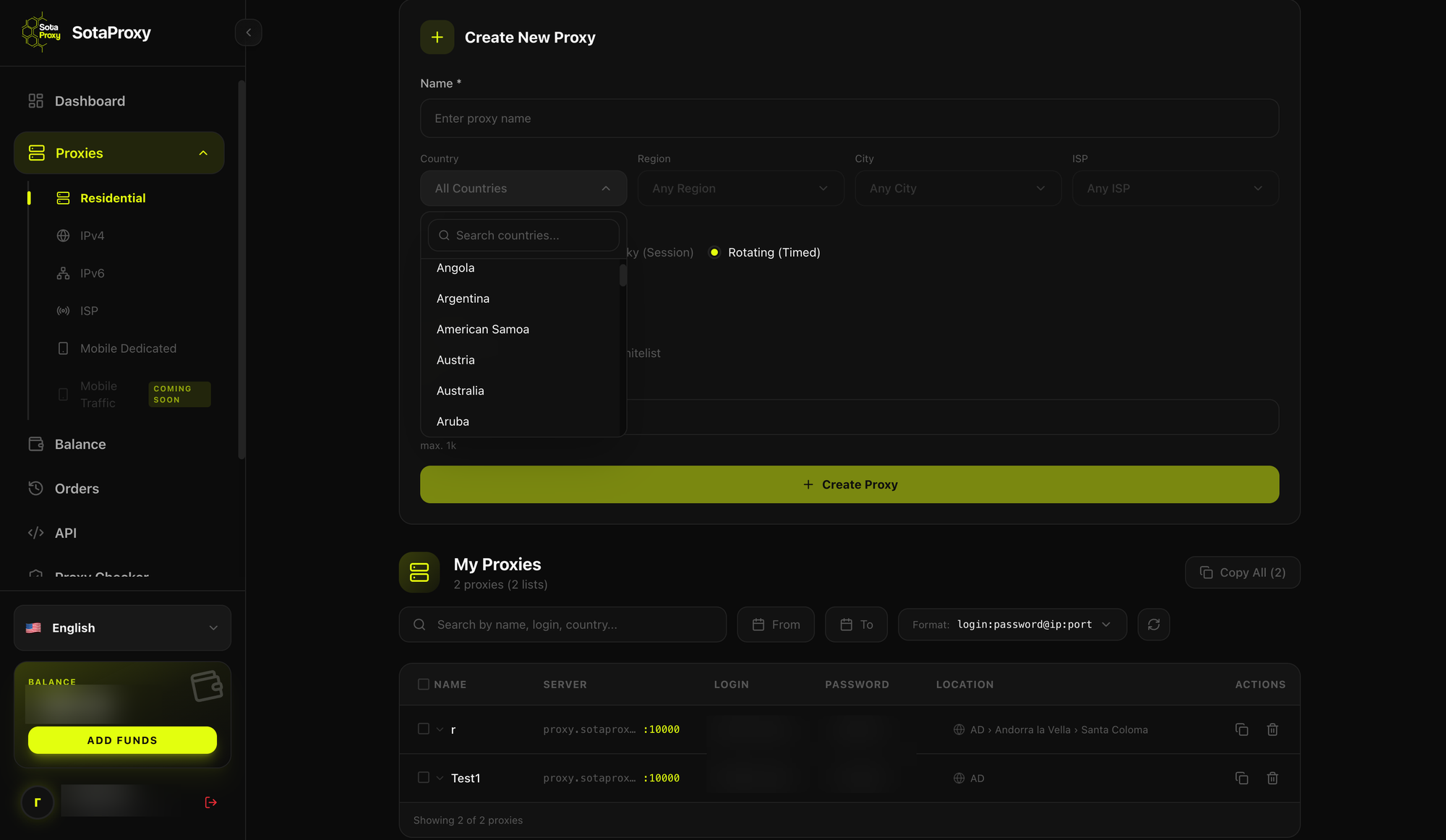
Selecting the connection country in the SotaProxy dashboard
Gateway endpoints are selected automatically. Pool Manager and Route Optimizer assess route stability and filter out problematic addresses before they are assigned. No configuration is required: filtering happens on the service side rather than through manual list cleanup on your side.
Mobile and ISP gateways for specific tasks. Mobile IPs make sense for the most sensitive operations, while ISP gateways are suitable for accounts with long-lived sessions where keeping the same address for months is important.
Connections can be managed through the dashboard or the REST API: the API key provides access to the catalog, price calculation, and ordering. For most Telegram Expert workflows, the dashboard is enough because endpoints are assigned to accounts once rather than recreated constantly.
Use promo code TGEXPERT for a 15% discount for Telegram Expert users.
Conclusion
Account stability in Telegram depends on keeping three things consistent: what the account does, where it connects from, and how consistent that pattern looks over time. Telegram Expert handles the first part—limits, intervals, randomization, and scheduling. The network layer handles the second and third.
A practical minimum worth implementing:
separate pools by stage: registration, account warming, and active use;
keep no more than 1–2 accounts per endpoint during sensitive stages;
do not rotate the IP within one account—distribute accounts across different IPs instead;
align phone number geography, connection geography, and time zones;
check actual IP overlaps before every major launch;
increase workload gradually, especially after changing the environment.
The cost picture is simpler than it may seem: in text-based workflows, traffic costs very little, so the sensible strategy is to use high-quality connections rather than save a few dollars per month at the expense of your accounts.
Important caveat: there are no universal numbers
All figures in this article are guidelines, not constants. Actual thresholds depend on the account source, phone number age, niche, geography, warming quality, and many other factors that cannot be reduced to a single table. The same workflow can produce different results on two different pools, and that is normal.
The only way to learn your own working limits is to measure them. A practical approach is to take a small test group of accounts, start with deliberately conservative settings, record account losses over two weeks, then increase the workload by one step and repeat. After two or three cycles, you will have figures that apply to your own workflows rather than market-wide averages.
One important condition: change only one parameter at a time. If you change the connection type, the number of accounts per endpoint, and messaging intensity at the same time, the test will tell you nothing about the cause. You will get a result, but you will not know which change produced it.
Testing takes time, but it is cheaper than drawing conclusions from someone else’s tables—including this one.
FAQ
How many Telegram accounts can you run on one gateway? It depends on the activity. For registration and account warming, use one account per endpoint. For bulk messaging and invites, up to 2–3. For low-intensity tasks such as receiving replies or working with channels, 3–5 may be acceptable. “Sleeping” accounts can be grouped more densely.
Which gateway types are best for Telegram? In most workflows, residential gateways: they match the profile of a regular user and support stable sessions. Mobile IP relays make sense selectively for the most sensitive operations. ISP gateways are useful where a fixed address is required for a long period. Datacenter gateways are not recommended for account-based work.
Do you need to keep changing an account’s IP address? No. Constant rotation within a single account creates an inconsistent connection history. Change the address when moving to a new environment or after a restriction, but do it once rather than on a schedule.
How much traffic does account warming use? Very little: typically no more than about 1 MB per account per day. A pool of 100 accounts warmed for a month uses roughly 3 GB. Exact usage depends on the workflow and activity level.
Why do accounts get restricted even when messaging limits are respected? Messaging limits are only one layer of restrictions. The second is network-related: shared IPs, inconsistent geography, and unstable connections. Following behavioral limits does not compensate for problems at the network level.
Does the phone number country have to match the connection country? There is no strict requirement, but consistency reduces risk. What matters is not one parameter in isolation but the combination: phone number, connection region, activity time zone, and interface language should form a coherent picture.

Download Telegram Expert - software for Telegram promotion
Telegram Expert is professional software for fast channel growth and sales in Telegram. Launch mass mailings and invites, warm up accounts without bans, consolidate dialogs in one place, and scale your team. All in one window - fast, safe, and tailored to your tasks.
What it can do:
- TDATA Converter - массово переводит session+json в TDATA.
- Booster - account warm-up via smart dialogs to increase trust.
- Registrar - account creation via any SMS services with the sms-activate standard.
- Duplicator - a second session for existing accounts for transfer and protection.
- Forwarder - routes incoming replies to a working group and sends replies to clients.
- Interceptor - catches messages by keywords from chats/channels and forwards them to you.
- Invite via admin - invitations even to restricted groups.
- Channel and chat cloner - full copies, including protected content.
- Reporter - mass complaints about messages/users/channels.
No one has left a comment yet

Channel Cloner
Do you want to fill your marketing Telegram channel with a minimum of effort? Then you need a Channel Cloner.Advertise on telegram! The module is very effective for filling channels with interesting information; in a matter of minutes you can fill a channel by cloning. It is used masse if you need to increase your network of channels and attract an audience. Examples of the work of this module can be seen everywhere in Telegram. You have probably seen channels where posts are published with a ce...

Telegram Bots: automation that saves time and keeps respect
A bot in Telegram is needed wherever the same steps repeat: onboarding, navigation, file delivery, short requests, reminders, and opt-in broadcasts. A good bot speaks clearly, avoids unnecessary questions, and always leaves a path to a human. Where a bot brings maximum value Onboarding: introduce yourself, clarify the goal, offer 2–3 short paths. Content navigation: categories, quick search, “best of the month”. Requests/appointments: minimal fields, confirmation, reminde...
How to Exclude Already Processed Users from a Telegram Expert Database
When collecting an audience in Telegram again, you may get users you have already worked with. For example, you collected members from several niche chats, sent them messages, and a week later prepared a new database. Some users appeared in both selections. Regular duplicate removal will not help here. It removes repeated records within the same database, while users from previous mailings may appear only once in the new file. To remove these users, you need to co...
Telegram Communities: The End of Standalone Chats?
In the past, organizing a project in Telegram meant creating dozens of separate groups and channels, then distributing invitations manually. Newcomers got lost, while administrators spent time managing access. Communities make all of that a thing of the past. A single community can now bring together any combination of public and private chats, news channels, and assistant bots. Members immediately see every room available to them and can join without extra steps—no links, no approvals. In th...