
Telegram Bots: automation that saves time and keeps respect
A bot in Telegram is needed wherever the same steps repeat: onboarding, navigation, file delivery, short requests, reminders, and opt-in broadcasts. A good bot speaks clearly, avoids unnecessary questions, and always leaves a path to a human.
Where a bot brings maximum value
Onboarding: introduce yourself, clarify the goal, offer 2–3 short paths.
Content navigation: categories, quick search, “best of the month”.
Requests/appointments: minimal fields, confirmation, reminder.
Broadcasts: opt-in only, with topic and frequency selection, easy opt-out.
Dialogue design: one screen — one goal
Keep buttons few and use verb-first labels (“Get the guide”, “Book a slot”, “Find a case”). If there are many steps, split them: each bot reply answers one question. This boosts conversion and reduces drop-offs.
Data and trust
Collect the minimum. Explain why you ask and how long you store it. For private topics, offer a handover to a manager. Transparency is the main reason users stay with the bot for the long term.
Typical scenarios
Media: subscribe to categories, search articles, themed selections.
Service: FAQ, tickets, task status, quality rating.
Sales: request qualification, handover to manager, meeting reminders.
Metrics without overload
Path: start → choice → request → target action.
Bottlenecks: where users “drop”— it’s too long or unclear there.
A/B tests for copy: tweak the lead and CTA in small steps.
Mistakes and fixes
Button jungle: keep 3–5 key options, move the rest to the next step.
No human handover: add a “Contact a manager” button.
Pushy broadcasts: offer topic and pace selection, make unsub easy.
FAQ
What must a bot do first? Welcome, help with navigation, and collect short requests.
Are broadcasts allowed? Yes, with consent, and with topic and frequency selection.
When to call a human? For complex issues, complaints, or non-standard requests.
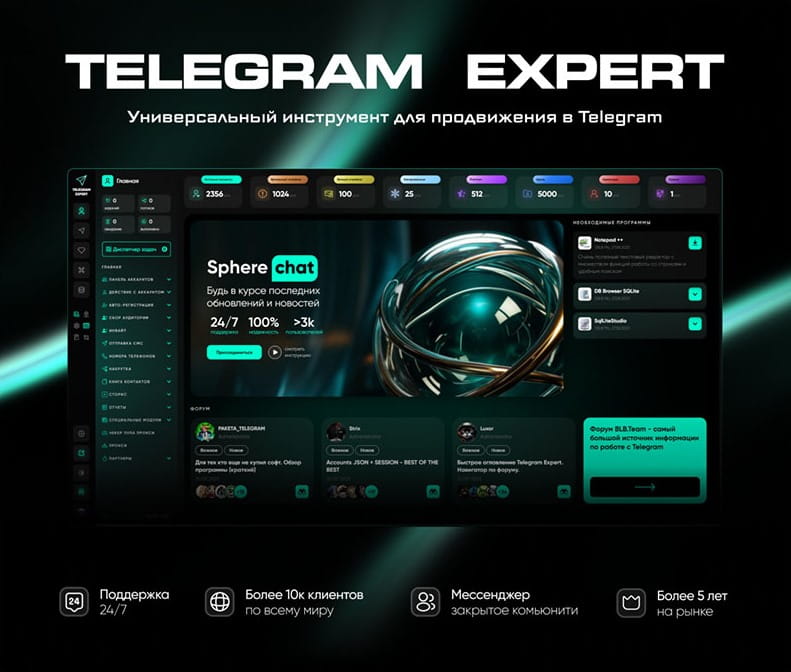
Download Telegram Expert - software for Telegram promotion
Telegram Expert is professional software for fast channel growth and sales in Telegram. Launch mass mailings and invites, warm up accounts without bans, consolidate dialogs in one place, and scale your team. All in one window - fast, safe, and tailored to your tasks.
What it can do:
- TDATA Converter - массово переводит session+json в TDATA.
- Booster - account warm-up via smart dialogs to increase trust.
- Registrar - account creation via any SMS services with the sms-activate standard.
- Duplicator - a second session for existing accounts for transfer and protection.
- Forwarder - routes incoming replies to a working group and sends replies to clients.
- Interceptor - catches messages by keywords from chats/channels and forwards them to you.
- Invite via admin - invitations even to restricted groups.
- Channel and chat cloner - full copies, including protected content.
- Reporter - mass complaints about messages/users/channels.
No one has left a comment yet
Telegram Scaling and Web Automation: How to Safely Manage Account Networks and Scrape Data<
Telegram has long evolved past being just a simple messenger. Today, it is a powerful ecosystem for traffic arbitrage, SEO, audience nurturing, and community building. However, when attempting to scale operations—whether it's mass messaging, inviting, or data parsing—specialists inevitably hit a wall of strict anti-fraud systems. Manual work quickly becomes unprofitable, while poorly configured automation leads to instant shadowbans. In this article, we will break down how to properly build...
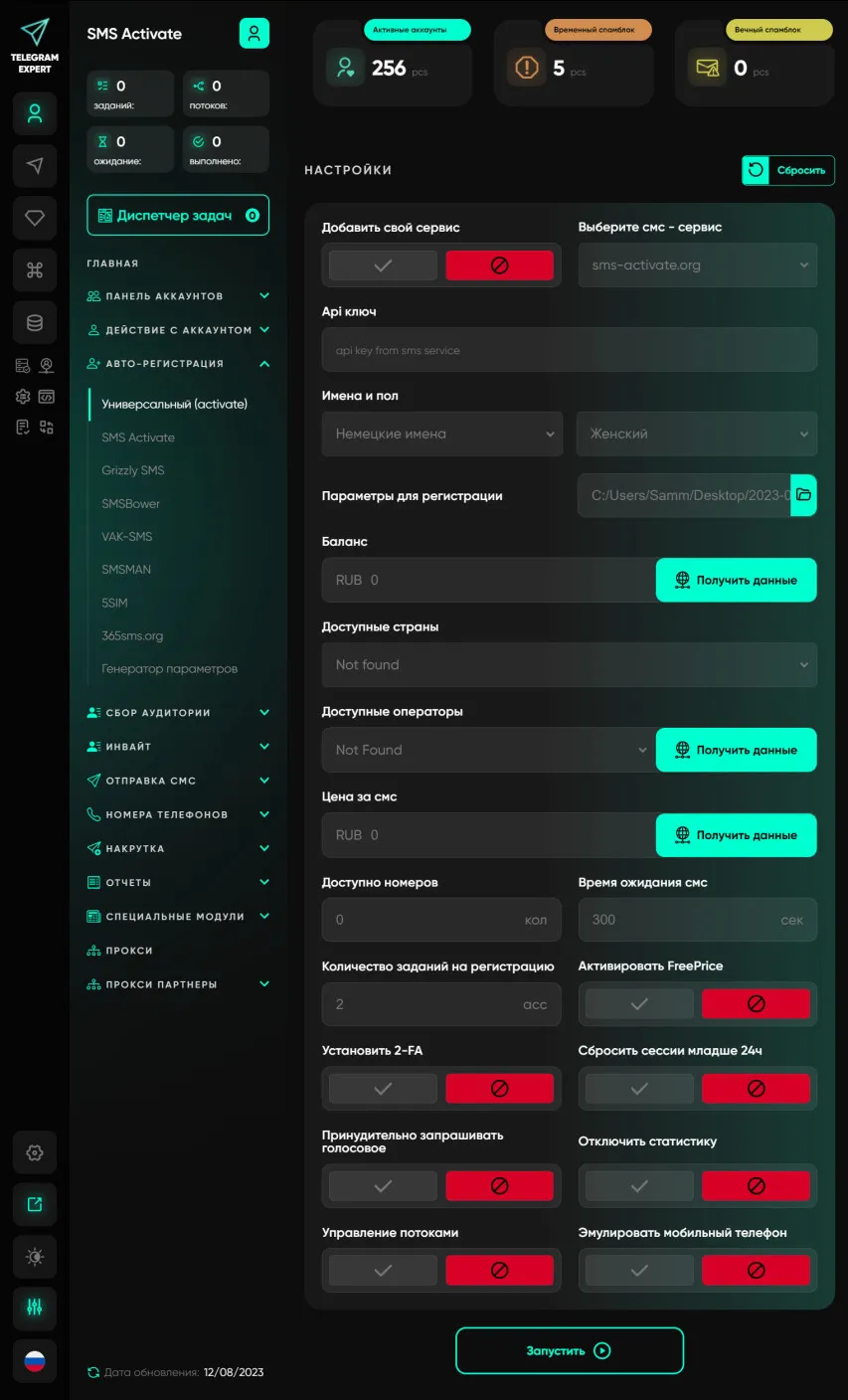
Universal registrator
The basic software module has a registrar that allows you to perform mass registrations of Telegram accounts; it is included in the price of the Basic module. The basic module only supports partner SMS services, there are no other restrictions. SMS services available in the Basic module: - SMS Activate - Grezzly SMS - SMSBower - TigerSMS - VakSMS - SMSMan - 5 SIM These SMS services are market leaders and our reliable partners. The universal registrar allows you to select any SMS service that wor...
Why Telegram Accounts Die at Scale — and What It Actually Has to Do with Sessions and Network Infrastructure
Most teams figure this out only after they've already lost dozens of accounts. Not before. After. At small volumes, Telegram behaves predictably enough. Accounts stay alive, sessions hold, distributed network nodes cycle — and the whole thing feels manageable, like a system you understand. But the moment real scaling begins — hundreds of accounts, parallel tasks, blasts and invites running simultaneously — the picture shifts. And not gradually. More like a wall. One day everything works, two ...

Channel Cloner
Do you want to fill your marketing Telegram channel with a minimum of effort? Then you need a Channel Cloner.Advertise on telegram! The module is very effective for filling channels with interesting information; in a matter of minutes you can fill a channel by cloning. It is used masse if you need to increase your network of channels and attract an audience. Examples of the work of this module can be seen everywhere in Telegram. You have probably seen channels where posts are published with a ce...