

Telegram Ad Analytics: How to Track Subscribers and Leads with Telegram Expert
After an advertising post, the channel grew and managers received service inquiries. To evaluate the placement, you need to determine which joins are connected to the publication and where the leads came from. When messages are received by several work accounts, keeping this record becomes more difficult.
This guide covers tracking advertising in third-party Telegram channels: separate invite links, confirming the source of a lead, and handling incoming messages in Telegram Expert.
First, define what action the ad should generate
Post views, clicks, subscriptions, and inquiries require different methods of verification.
User action | Where to find confirmation | What can be measured |
|---|---|---|
Saw the advertising post | Publisher's post statistics | Impressions or views according to its counting rules |
Clicked the link | Click counter, if enabled | Clicks recorded by that system |
Joined the channel | Data from a dedicated invite link | Joins associated with the link used |
Messaged a manager | Conversation and inquiry log | First qualified inquiries and their confirmed sources |
Agreed on the next step | Conversation history or order tracking | Lead quality and downstream result |
An invite link will show a channel join, but it will not reveal a later request for a commercial proposal. If the ad leads directly to a conversation, the number of subscriptions may not relate to the placement goal at all.
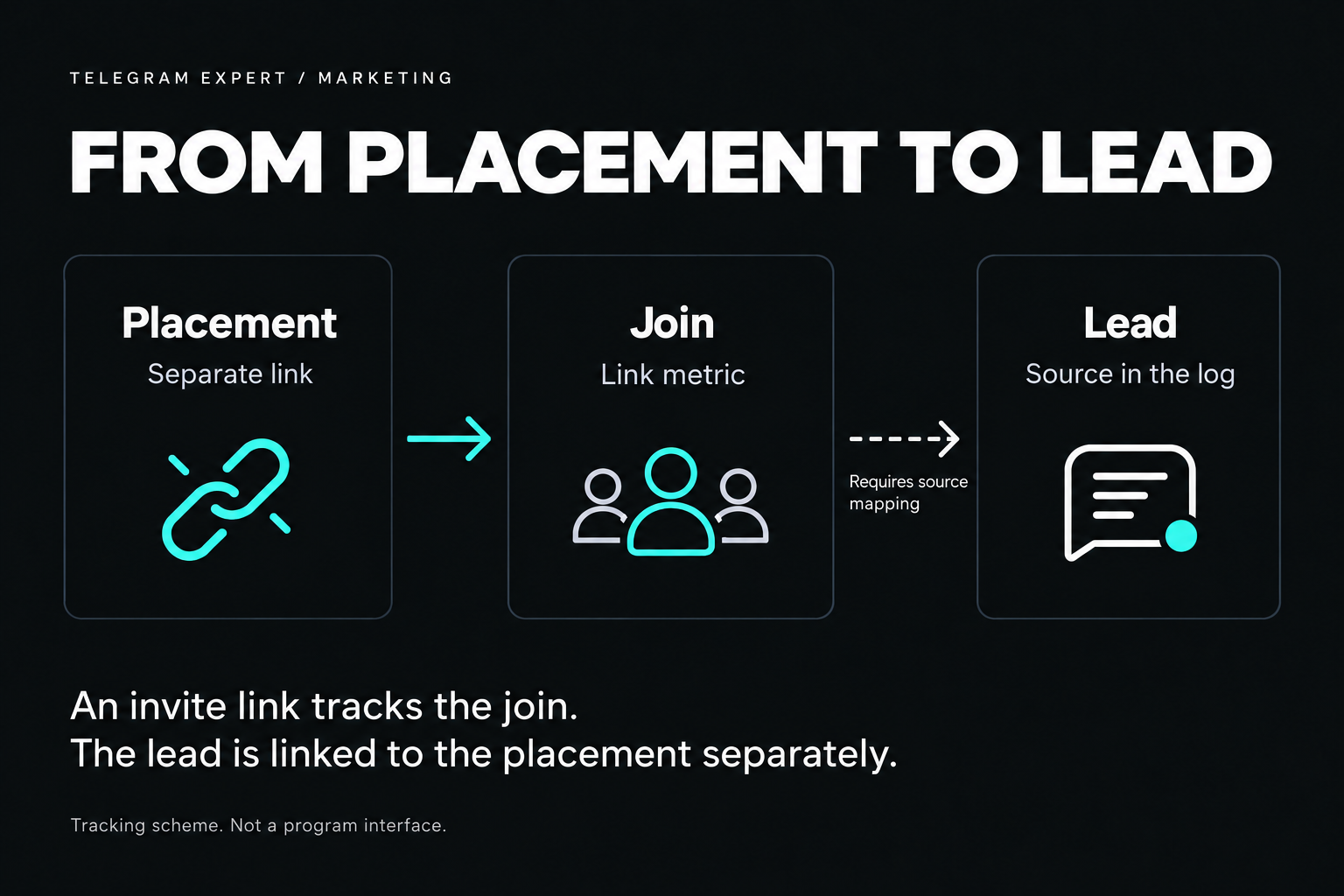
Before paying for a post, define the primary action: joining the channel or the first qualified inquiry, for example a request for pricing with a description of the task. A greeting and repeat messages from an already recorded client do not create new leads.
How to track subscribers from Telegram ads
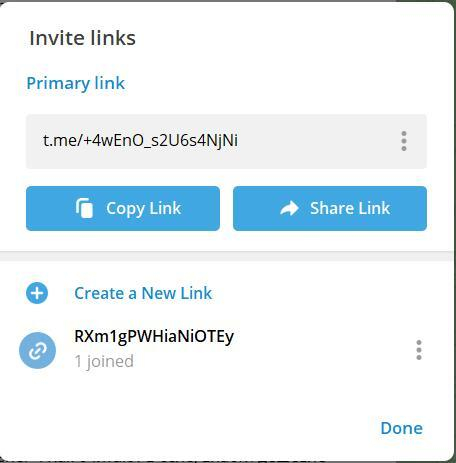
Create a separate link for every advertising post, including repeat publications with the same administrator. Telegram supports invite names, expiration dates, join limits, and join-request approval. The names are visible to administrators.
Use the following preparation process:
Open your channel invite settings from an account that has permission to create links.
Create an additional link and name it by placement, date, and specific publication, for example design_digest_14-10_post.
Save the exact address, placement cost, publication time, and link to the advertising post.
Send the prepared invite link to the publisher. After publication, open the post and verify that it contains this exact address.
Record the metric before the placement starts, then measure it at equal intervals, for example after 24 hours and seven days after publication.
Create a placement log. For each post, store the campaign code, publisher name, publication link, advertising URL, actual publication time, cost, and measurement results. This lets you return to a specific post if the statistics do not match.
Check the link expiration date and usage limit so that the invite does not stop working too early. When join requests require approval, track pending requests and completed joins separately: Telegram stores these metrics separately.
How to read invite-link statistics
Save the value and time of every measurement. Compare publications after equal intervals from the time they go live. For a link that has already been used, calculate the change relative to the initial value.
Joins through a link and net audience growth may differ: people leave the channel, while others join through search or the public address. A forwarded advertising link keeps its identifier even if the reader received it outside the paid placement.
Record the invite result and the channel audience size separately.
How to determine the source of a lead from Telegram ads
A service ad may lead directly to a manager, to a bot, or first to a channel. The accuracy of source attribution depends on the selected path.
Direct contact with a manager. Add an offer code to the ad and ask the user to provide it when contacting you. The manager saves the code with the inquiry. Some clients may skip the instruction.
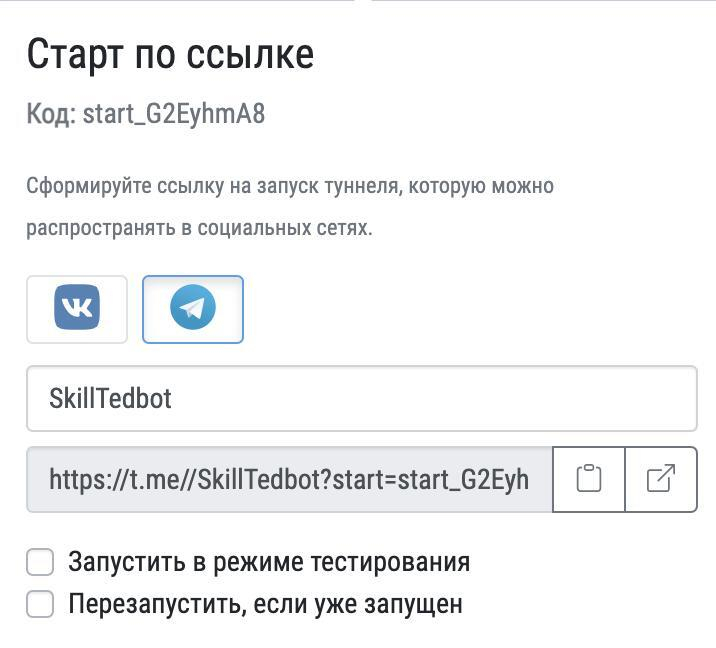
Bot link. Add a start parameter for each placement, for example https://t.me/your_bot?start=design_digest_oct. When the bot starts, it receives the code. Configure it to save the code and continue the flow according to Telegram instructions. Opening the link and starting the bot do not yet constitute a lead.
Channel invite. It lets you count joins. If the user later contacts a manager, the advertising identifier may be lost. Preserve the source using a code, a bot, or a question in the first conversation.
Using the same uncoded link in every ad makes source attribution more difficult.
Where UTM parameters help
UTM parameters are suitable for ads that lead to a website with analytics. The parameters utm_source=telegram, utm_medium=paid_placement, and utm_campaign=october_channels help group visits in Google Analytics. See Google Help for details.
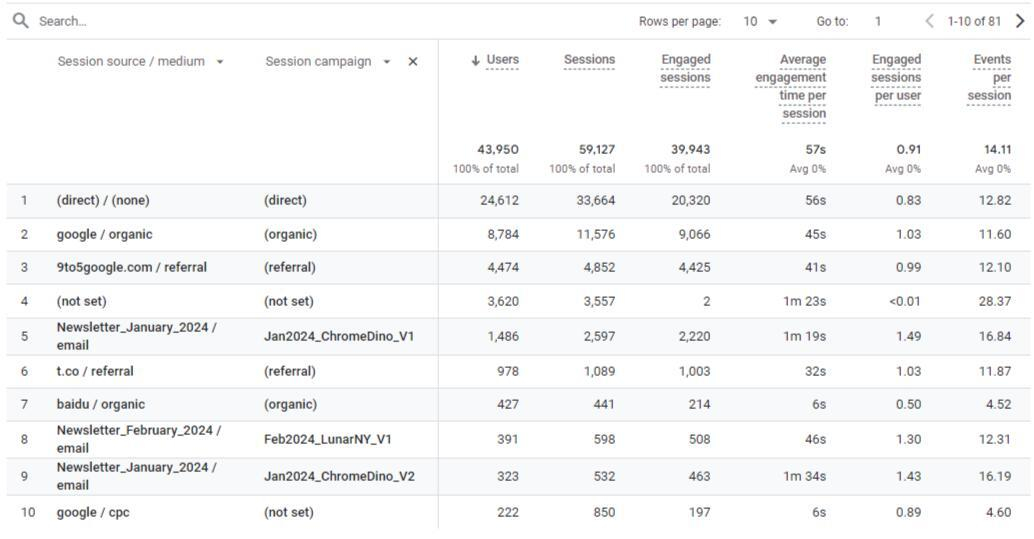
Track the transition from a website to Telegram as a separate event. Clicking the button does not yet confirm a subscription or an inquiry. UTM parameters on a channel address do not create lead statistics inside the messenger.
How to track leads when people message different accounts
Record the first qualified message, the source, and the outcome of the conversation. Several messages from one person may belong to a single lead.
The following fields are enough for the log:
Field | What to save |
|---|---|
Inquiry and client | Internal conversation number and a stable client identifier for duplicate checks |
Date of first qualified message | The moment the request first met the defined criterion |
Work account | Which account the person contacted and who handles the conversation |
Source and confirmation | Code from the ad, saved bot parameter, client response, or “unknown” |
Stage and outcome | Task clarification, proposal, agreed action, or no continuation |
Record the basis for attribution next to the source. An advertising code links the lead to a post more precisely. A reply such as “I saw you in such-and-such channel” confirms the publisher based on the client’s statement, but it may refer to another placement. If there is no confirmation, mark the source as “unknown”.
Count one client once by the first qualified inquiry within the selected period. Follow-up details extend the existing record; analyze a new order separately.
How to collect incoming messages from multiple accounts in one workgroup
When several accounts receive leads, managers have to switch between conversations and compare replies. Telegram Soft Expert combines account management with recurring operations. The Forwarder sends incoming private messages to a workgroup.
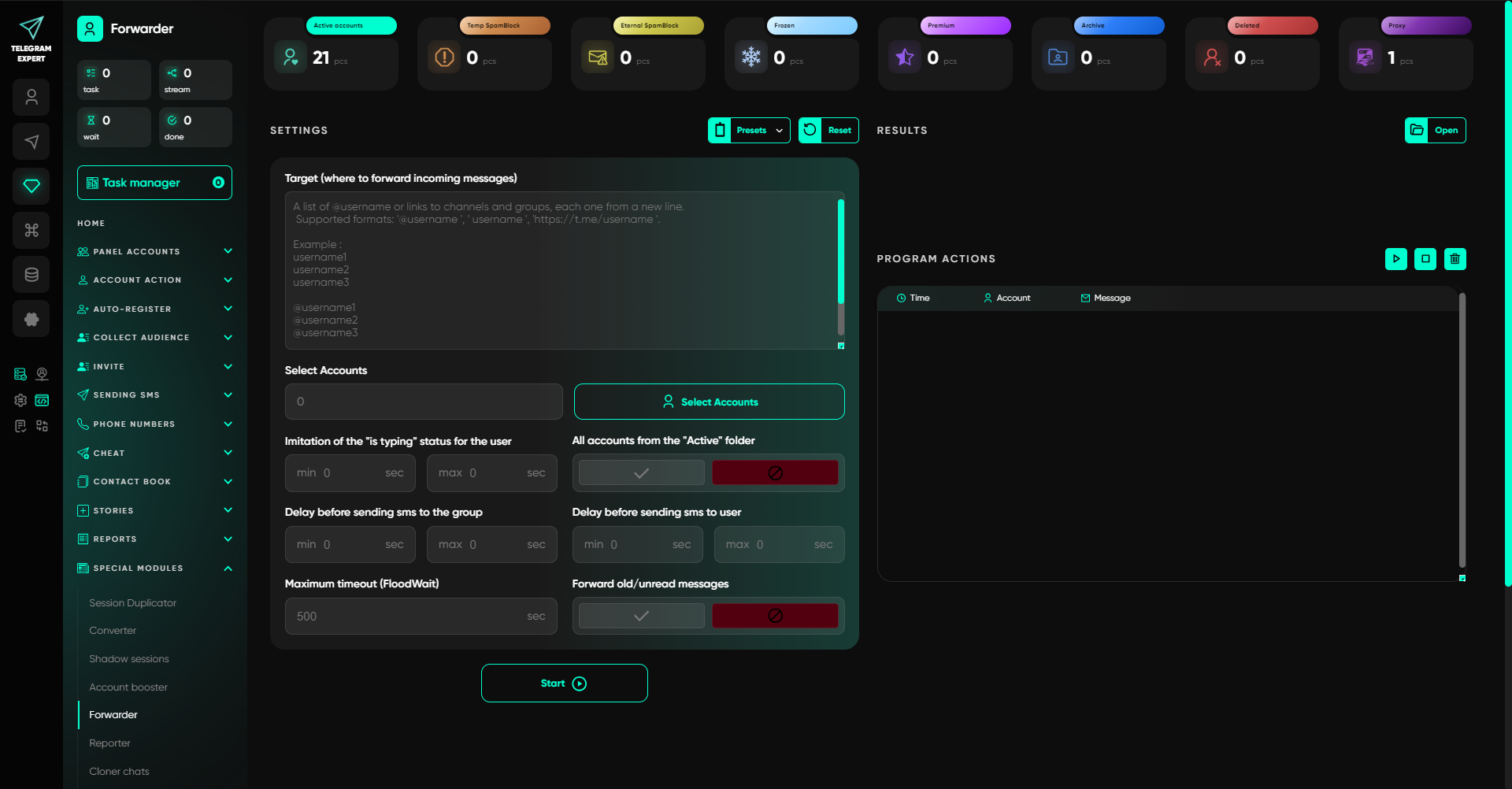
Create a supergroup, add operators, select the accounts, and specify the group in the program. An incoming message will appear there; the operator’s reply will be sent to the client from the account the message was addressed to. For different areas, you can use several workgroups and distribute selected accounts between them. Test the setup with a test conversation.
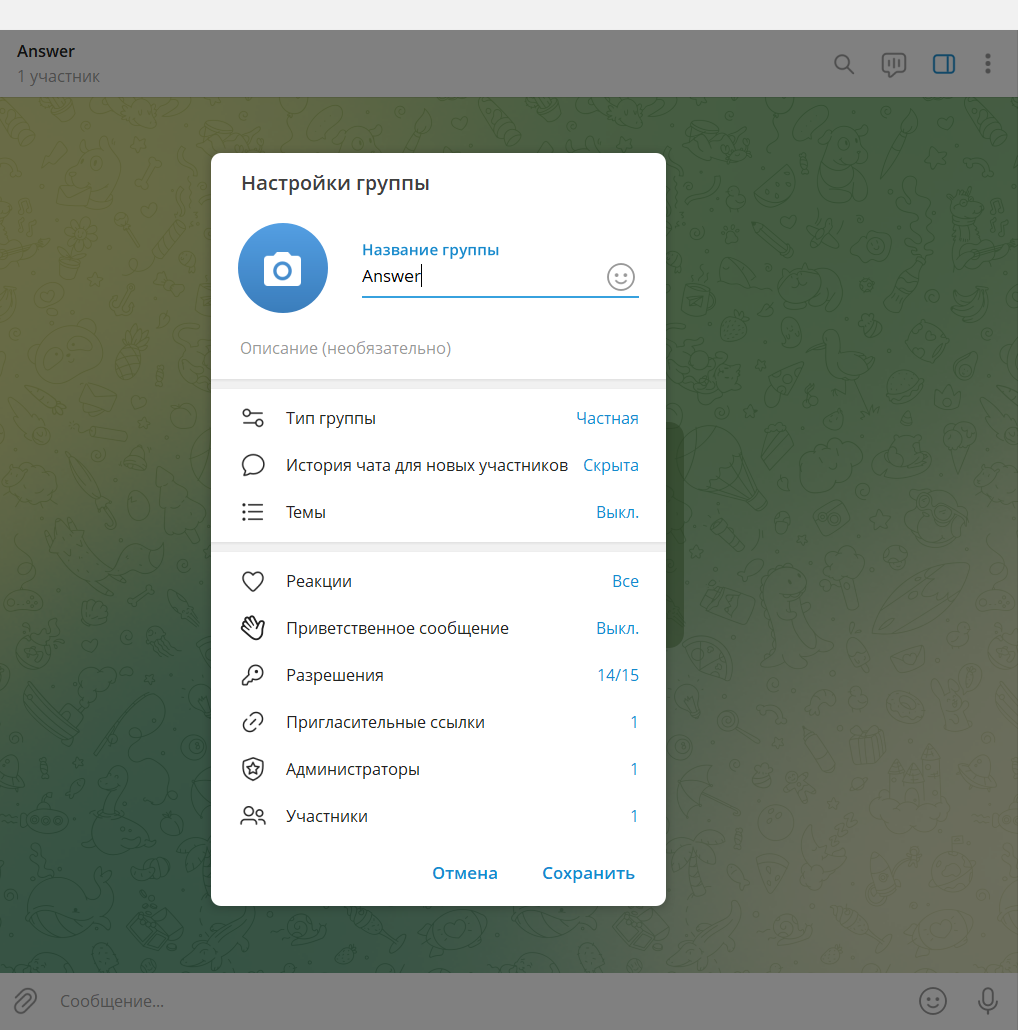
The operator clarifies the source, handles the request, and records the result. Assign someone responsible for the log so that a change of operator does not create duplicates.
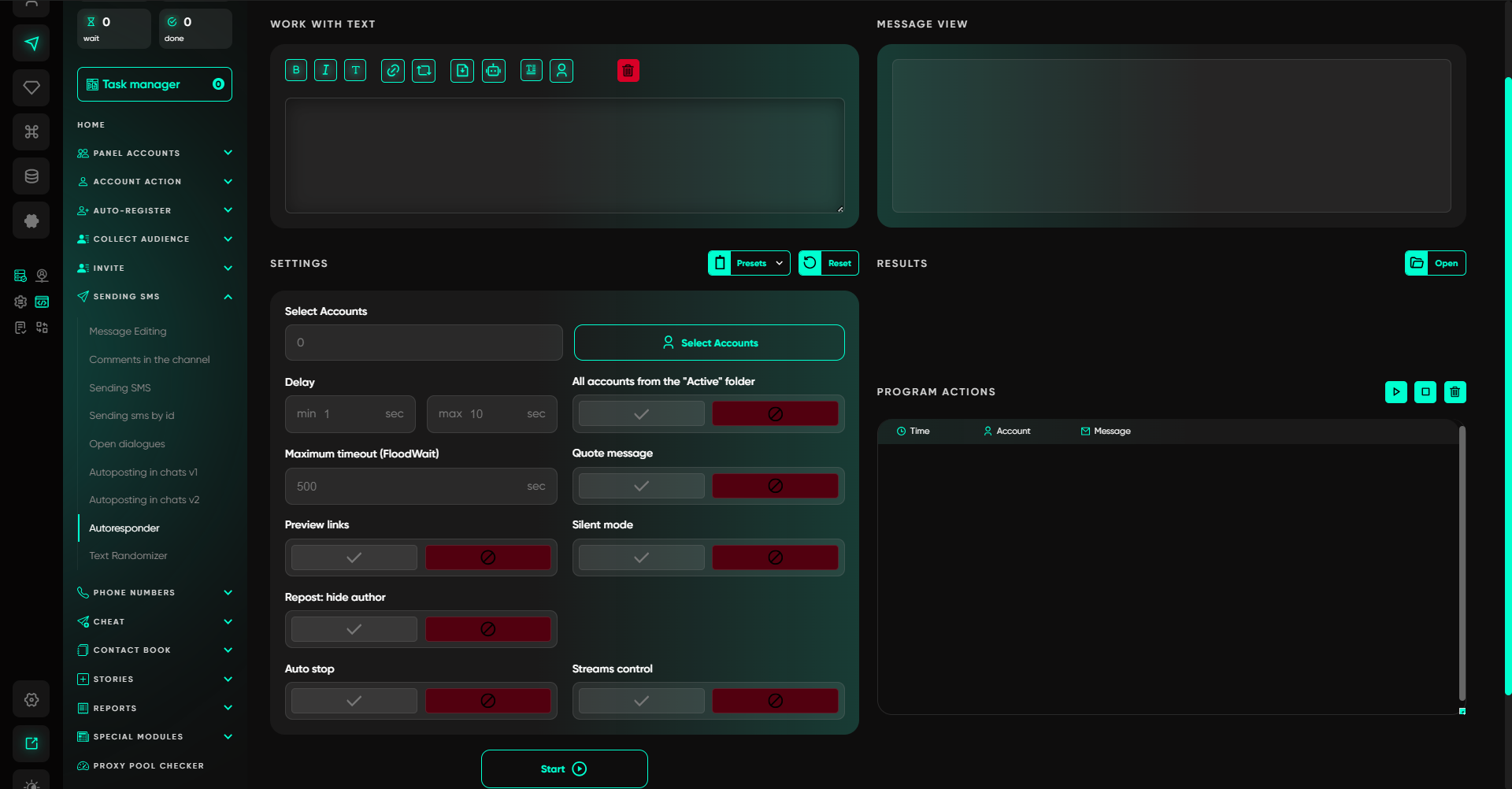
In the Telegram Expert Autoresponder, you can set a reply template for incoming messages asking users to describe their task and name the source. Select the accounts and the template. Test its combined operation with the Forwarder using a test conversation.
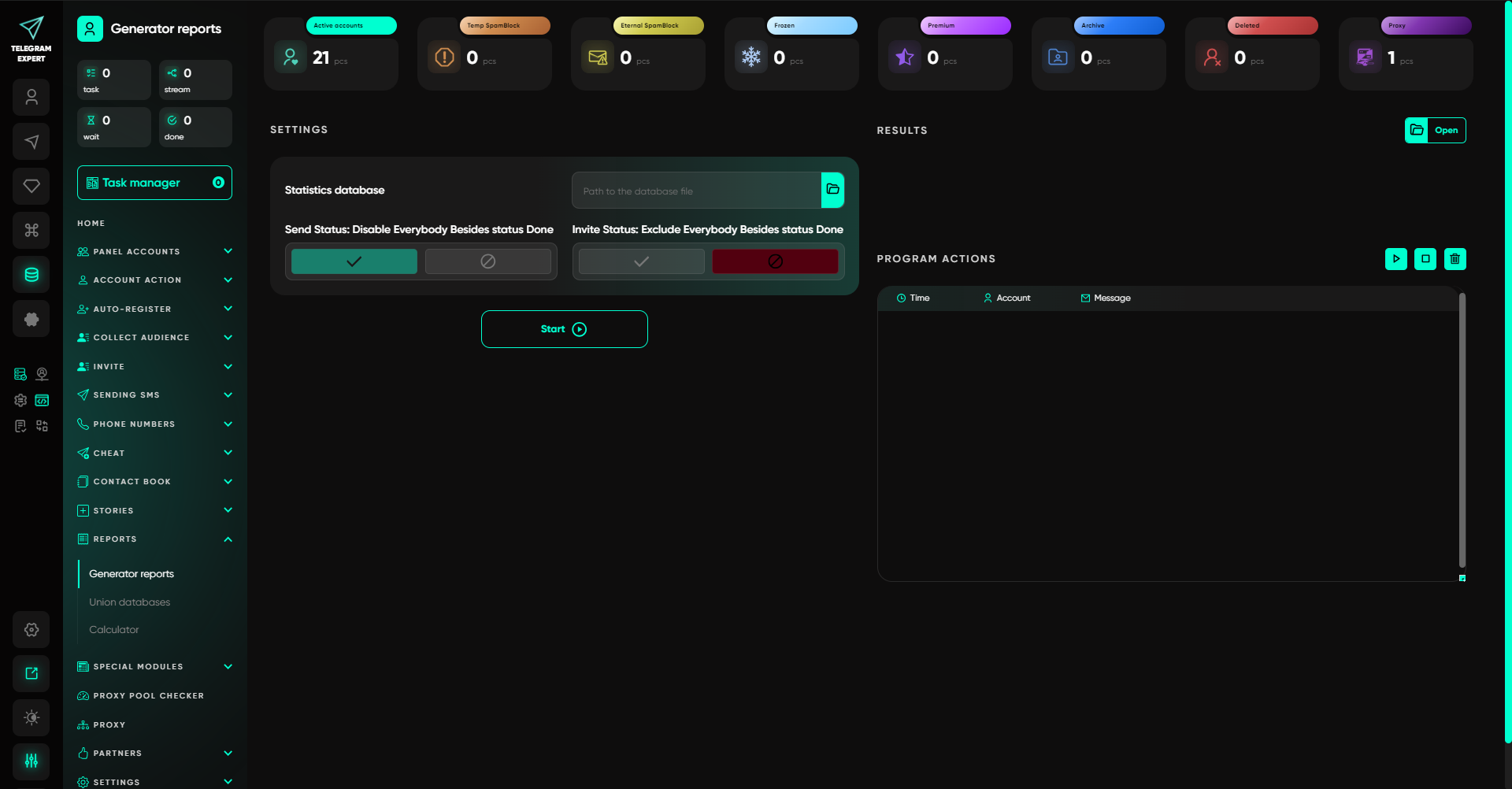
For your own mailings and invitations in Telegram Expert, result counting and HTML task reports are available.
How to compare placement performance using the collected data
Compare results after the same number of hours from the time the ad goes live. Check late inquiries separately: deciding to purchase a service may take longer than deciding to subscribe.
The comparison depends on the goal:
Subscribers: divide the placement cost by the number of joins recorded through the dedicated link during the selected period. Describe the result as the cost per join through the link.
Qualified inquiries: divide the placement cost by the number of first leads with a confirmed source during the same period. For example, with spending of RUB 12,000 and eight such leads, the cost per confirmed inquiry is RUB 1,500.
Lead quality: check how many leads reached the agreed next step. Keep the definition of that step the same for every publisher.
Consider cost, lead quality, and the share of unknown sources. Do not distribute unattributed leads among publishers. Dividing leads by joins to estimate conversion is valid only when those specific people are linked and the same observation period is used.
Why Telegram advertising statistics may not match
What you observe | What to check first |
|---|---|
Audience grew more than the advertising invite links show | Public channel address, other links, search, and forwards |
There are join requests but few new members | Whether approval is enabled and how many requests are pending |
The message log contains more messages than leads | Repeat messages and the first-qualified-inquiry rule |
The client named the publisher but is absent from its invite statistics | Direct contact from the ad, an earlier subscription, or another entry path |
The publisher generated many joins but few inquiries | Whether the channel offers a clear way to contact you and whether the offer matches expectations |
The source is unknown for a large share of leads | Whether every placement received a separate code or link and whether managers ask about the source |
Recent joins can additionally be checked against the Telegram recent actions log. For long-term history, save your measurements.
Pre-publication advertising check
Before the placement goes live, open the prepared link from a test account and verify the join or the bot launch with the code. Send a test message to the manager, receive a reply, complete a test log entry, and exclude it from the report.
Save the address of the published post and repeat measurements on schedule. These data will help you choose a publisher for the next media buy.
Frequently asked questions about tracking subscribers and leads
Can I find out where old subscribers came from?
Without separate links and historical records, it is impossible to reliably attribute earlier members to specific placements.
Can I calculate subscriber-to-lead conversion using two aggregate numbers?
Only if specific joins are linked to inquiries and a single observation period is used.
Do I need a bot for a small advertising campaign?
Invite links are enough for subscriptions, and a manual log is suitable for a small flow of leads. A bot is useful when the placement code needs to be preserved when the conversation starts.

Download Telegram Expert - software for Telegram promotion
Telegram Expert is professional software for fast channel growth and sales in Telegram. Launch mass mailings and invites, warm up accounts without bans, consolidate dialogs in one place, and scale your team. All in one window - fast, safe, and tailored to your tasks.
What it can do:
- TDATA Converter - массово переводит session+json в TDATA.
- Booster - account warm-up via smart dialogs to increase trust.
- Registrar - account creation via any SMS services with the sms-activate standard.
- Duplicator - a second session for existing accounts for transfer and protection.
- Forwarder - routes incoming replies to a working group and sends replies to clients.
- Interceptor - catches messages by keywords from chats/channels and forwards them to you.
- Invite via admin - invitations even to restricted groups.
- Channel and chat cloner - full copies, including protected content.
- Reporter - mass complaints about messages/users/channels.
No one has left a comment yet

Telegram trading, you can and you should
Trading via Telegram: It's Possible and Necessary The Telegram messenger, one of the most popular applications, is actively used by entrepreneurs, bringing high profits to channel owners. However, not all users know how to do it correctly. Let’s start with the main point. Why Should You Trade on Telegram? There are many reasons. Here are the most important ones: This messenger has an audience with high purchasing power, and it grows year by year. Telegram stands out for its intuitive, s...

How to Manage Multiple Telegram Accounts Safely (Without Mixing Sessions)
Telegram Has Become a Business Tool Telegram is no longer just a messaging app. Today it's used by affiliate marketers, crypto communities, e-commerce businesses, customer support teams, and digital agencies to communicate with customers and manage online communities. As businesses grow, so does the number of Telegram accounts they need. One account may be dedicated to customer support, another to affiliate partnerships, while others are used for regional communities or different brands. ...
What Are Telegram Gateways, How Do They Work, and How to Use Them?
Telegram network gateways route the app’s connection through an intermediary server before it reaches Telegram’s infrastructure. They can support authorized regional testing, separate work environments, and more consistent connection routes for business operations. According to Statista, Telegram’s global user base represented 11.6% of the world’s population in 2025. Such a broad international reach makes stable, location-aware connection settings relevant for teams that use Telegram across d...

Telegram as the Primary Client Acquisition Channel for Agencies: What Actually Generates Leads in 2026
Most agencies still use Telegram as nothing more than a place to chat with clients. That is a mistake. Those who figured out how to incorporate it into their outbound funnel captured 60–80% of inquiries, while everyone else continues struggling with email and VKontakte messengers. Let us take an honest look at what works, what has broken down, how to automate it, and where the conversion rate into real conversations is now highest. Why Telegram Suddenly Became the No. 1 Outbound Channel ...