
PWA Apps as a Tool for Launching Ad Campaigns in Affiliate Marketing
PWAs have long moved beyond being just an “app alternative.” In affiliate marketing, this is a separate funnel format: faster than native app development, more flexible than a regular landing page, and better suited for testing across different GEOs.
In this article, we’ll break down why affiliate teams use PWAs, what problems this format solves, and where Comsign PWA fits into the process.

What a PWA Is and Why This Format Took Off in Affiliate Marketing
A PWA, or Progressive Web App, is a web application that behaves almost like a regular mobile app. The user opens the landing page, installs the PWA on their phone’s home screen, and from then on interacts with it through an icon, just like a native app.
The key difference from a native app: a PWA doesn’t need to be published in the App Store or Google Play. It runs through the browser but delivers a native-app feel: a dedicated icon, instant access, push notifications, and a more familiar flow for the mobile user.
For affiliate marketing, this is a convenient format. The team doesn’t have to build a full app every time, wait for a release, pass store reviews, or depend on a long dev cycle. A bundle can be put together in a couple of days, a test launched, and tweaks made on the first data.
PWAs fill the niche between a regular landing page and a full-fledged app. From the landing page, they take speed and flexibility; from the app, native user experience and the ability to bring the audience back through push notifications.
Where PWAs Beat the Regular Landing Page
A regular landing page works well for one-off tests, but it has its limits. The user lands on the page, looks around, closes the tab — and from that point, the team relies almost entirely on retargeting, pixels, and repeat touches through ad sources.
PWAs give you more options inside the funnel itself. After install, the user has an icon on their screen, and the team gets an extra communication channel through push notifications. This matters especially in verticals where the decision isn’t made on the first touch.
For the media buyer, this isn’t a replacement for the landing page — it’s another way to package an offer. It’s useful when you need to boost engagement, make the user journey feel more familiar, or test a push-driven format without doing full app development.
run tests at scale on different offers;
adapt the funnel to a specific GEO;
change visuals and copy without long development cycles;
bring users back through push notifications;
collect more behavioral data on the audience;
scale winning bundles without losing pace.
What to Check Before Launching a PWA
A PWA on its own doesn’t make a bundle strong. It only works alongside a solid offer, a clear landing page, proper analytics, and a stable technical setup.
Before launching, it’s worth checking:
does the PWA match the offer and the creatives;
is the install flow clear to the user;
do all buttons, forms, and events work;
does the mobile version display correctly;
are pixels and analytics set up;
is the copy adapted to the target GEO;
are there clear policies, contacts, and terms;
does the funnel look too templated or aggressive.
If you skip these basics, a PWA can bring losses inside the funnel instead of growth. The format matters, but in the end, it’s the overall bundle quality that decides everything.
Comsign PWA: A Tool for Building PWA Apps
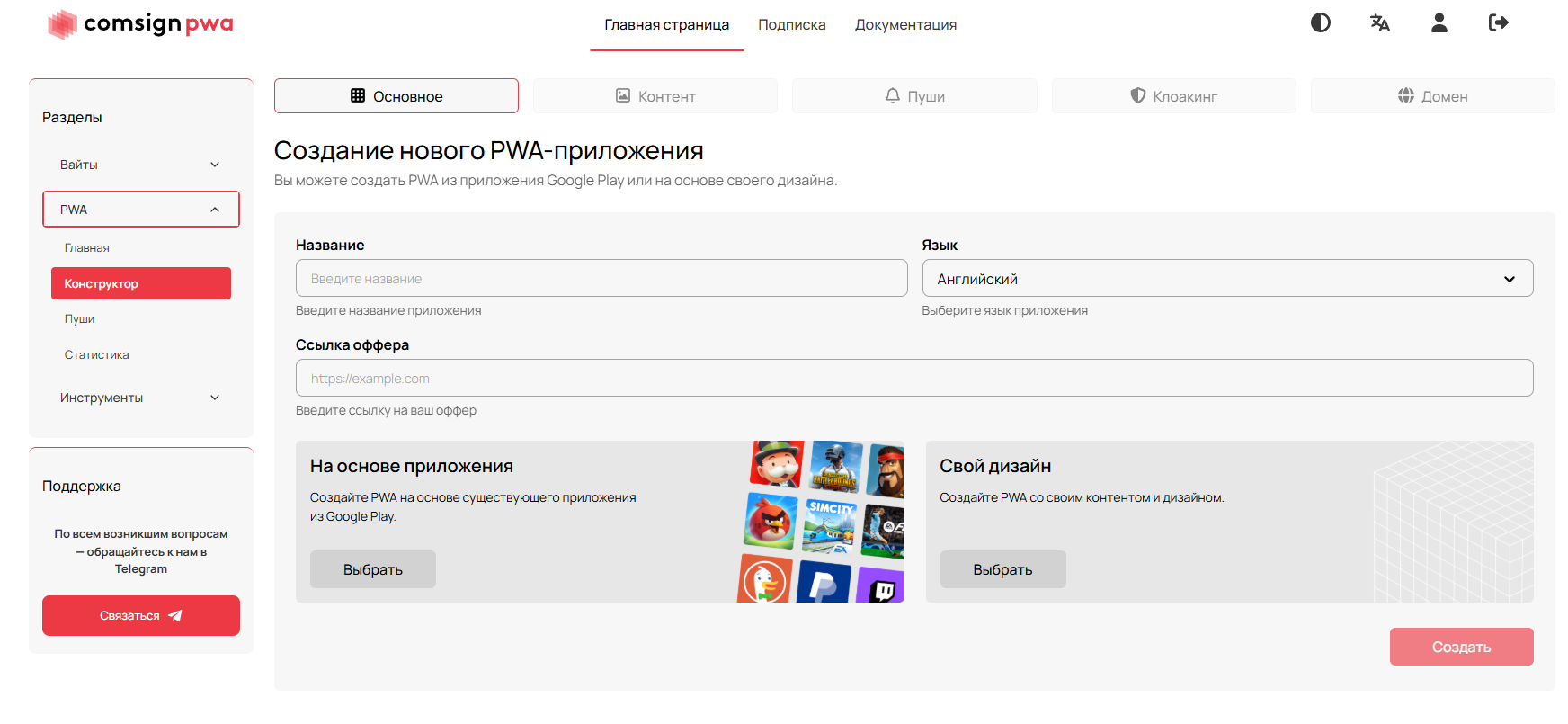
Comsign PWA isn’t just a page generator — it’s a workspace for preparing PWAs for affiliate campaigns. It packs together the main building blocks you’d normally have to configure separately: appearance, domain, localization, analytics, pixels, pushes, and stats.
For the team, this shortens the path from idea to launch. Instead of pulling in a developer every time, building a page, setting up tracking, and manually preparing localizations, you can assemble a PWA for a specific offer and jump straight into testing.
This shows up especially clearly for teams running at volume: testing different creatives, GEOs, angles, and offers, then quickly iterating on what shows potential.
Service Features
Comsign PWA includes a feature set built for paid traffic:
Google Play-style landing pages;
app cloning from Google Play;
flexible design and content customization;
push notifications;
traffic stats and analytics;
automatic translation into 48 languages;
built-in white page from Comsign;
integration with cloaking from Adspect;
custom domain connection;
Meta Pixel, Google Ads, and GA4 integration.
A Google Play-style landing page makes installation more intuitive: the user sees a familiar pattern, similar to an app store page. For mobile traffic, this can be a meaningful factor, because the flow looks more familiar than a typical web form.
App cloning speeds up visual prep. It’s convenient when you need to put together a test for a specific niche or GEO without starting from a blank template every time.
Analytics and Pixels
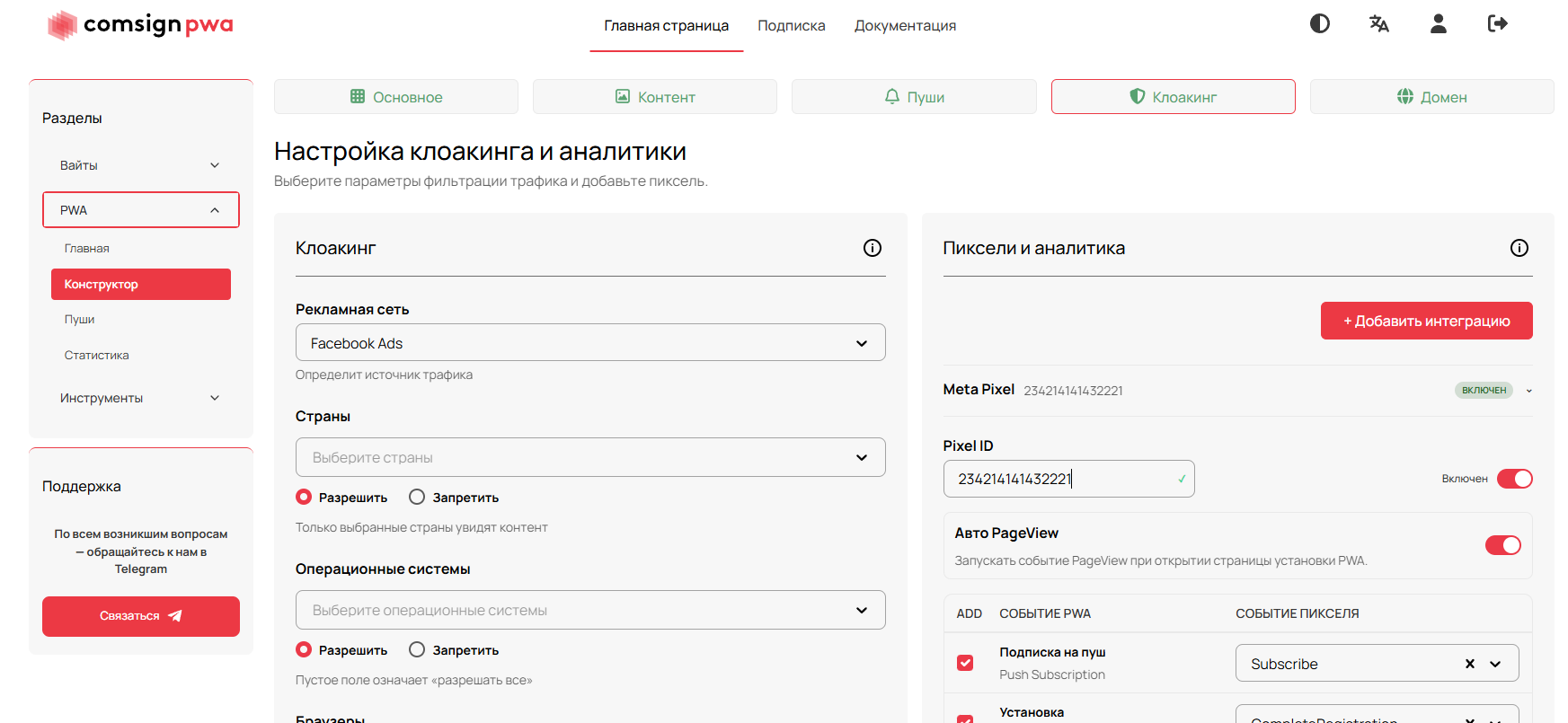
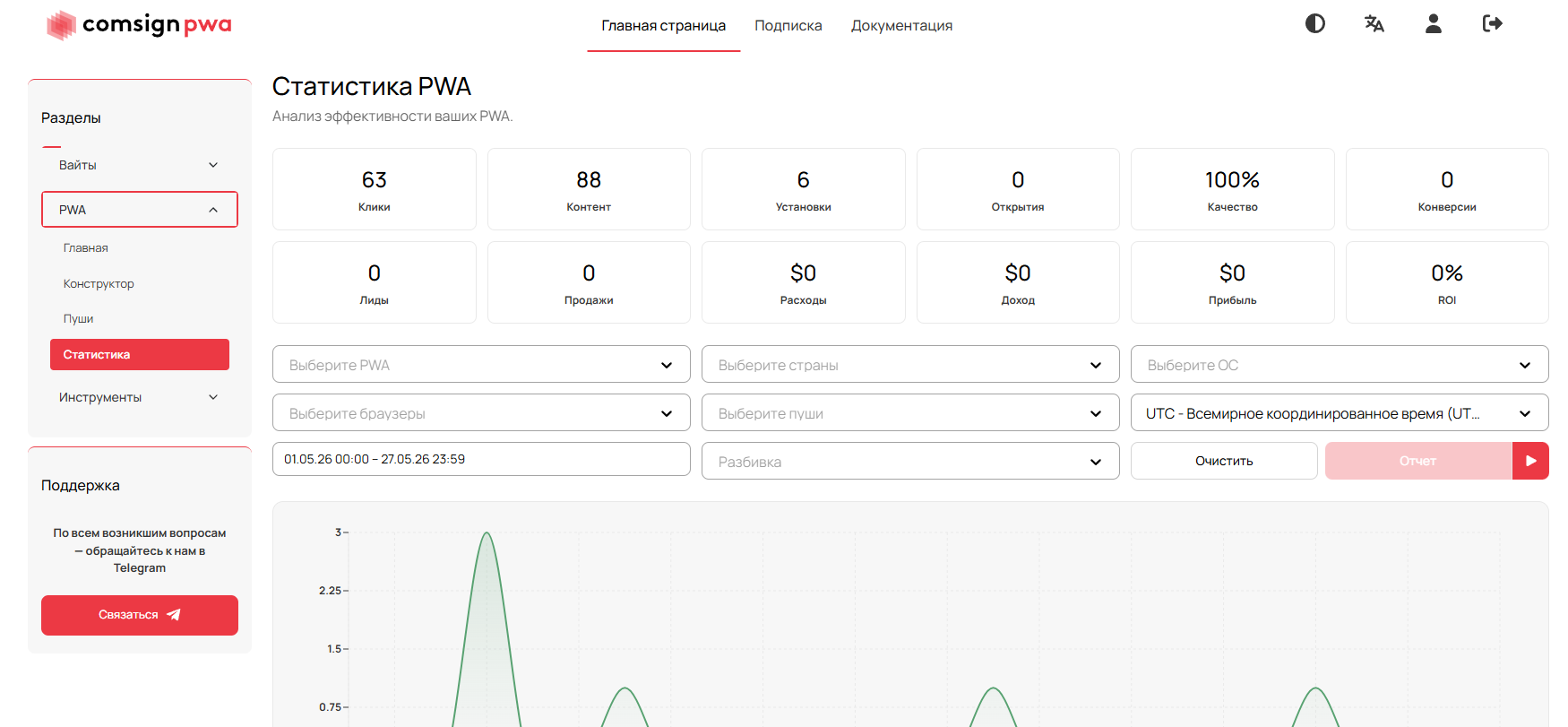
Without analytics, a PWA turns into a black box. The team sees the final result but doesn’t know exactly where the funnel is leaking: in the creative, the source, the landing page, install, pushes, or the offer itself.
Inside Comsign PWA, you can connect Meta Pixel, Google Ads, and GA4. This helps track events, evaluate traffic quality, and make decisions based on data instead of gut feeling.
For media buying, this is critical. The sooner the team sees where the bundle is losing users, the faster you can rework the creative, switch the angle, refresh the lander, or kill an underperforming test.
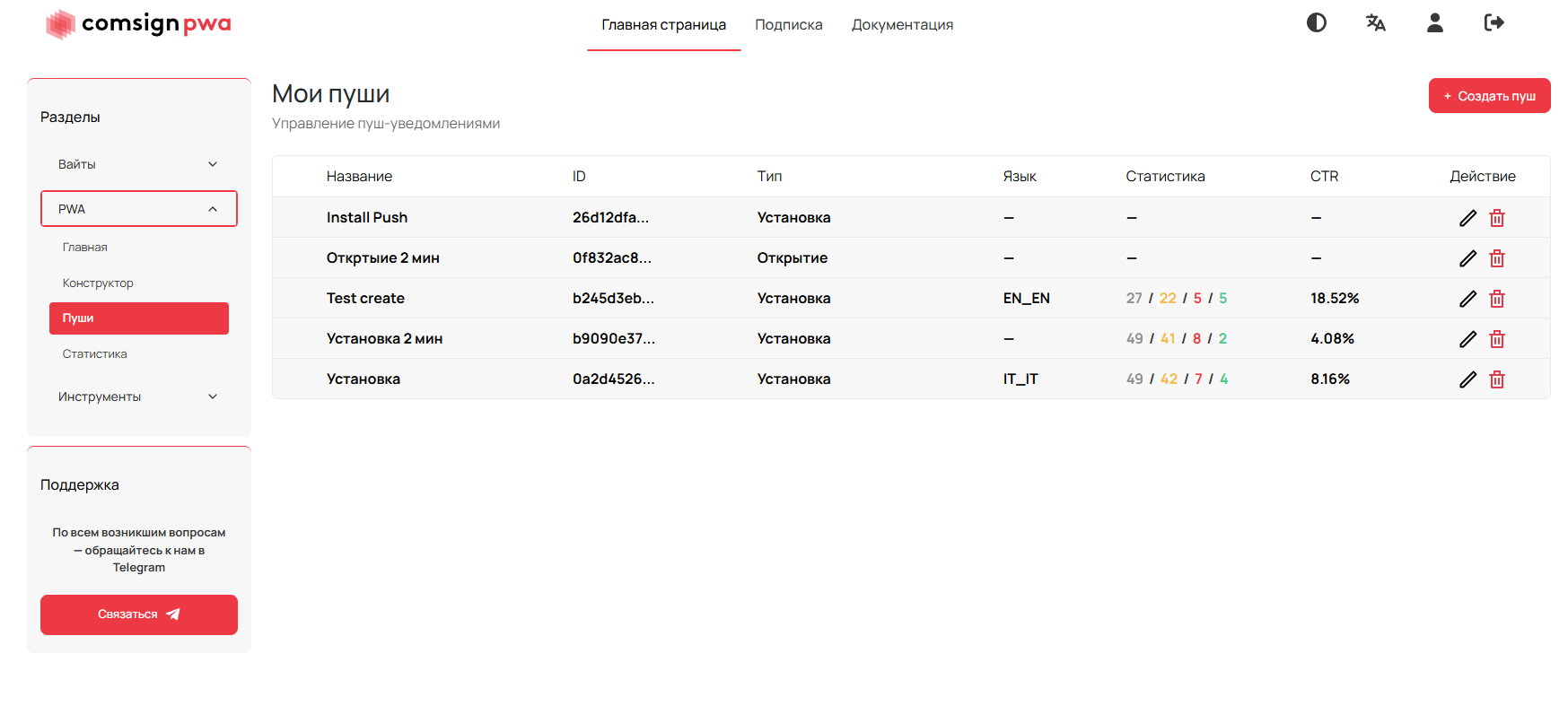
Push Notifications as Part of the Funnel
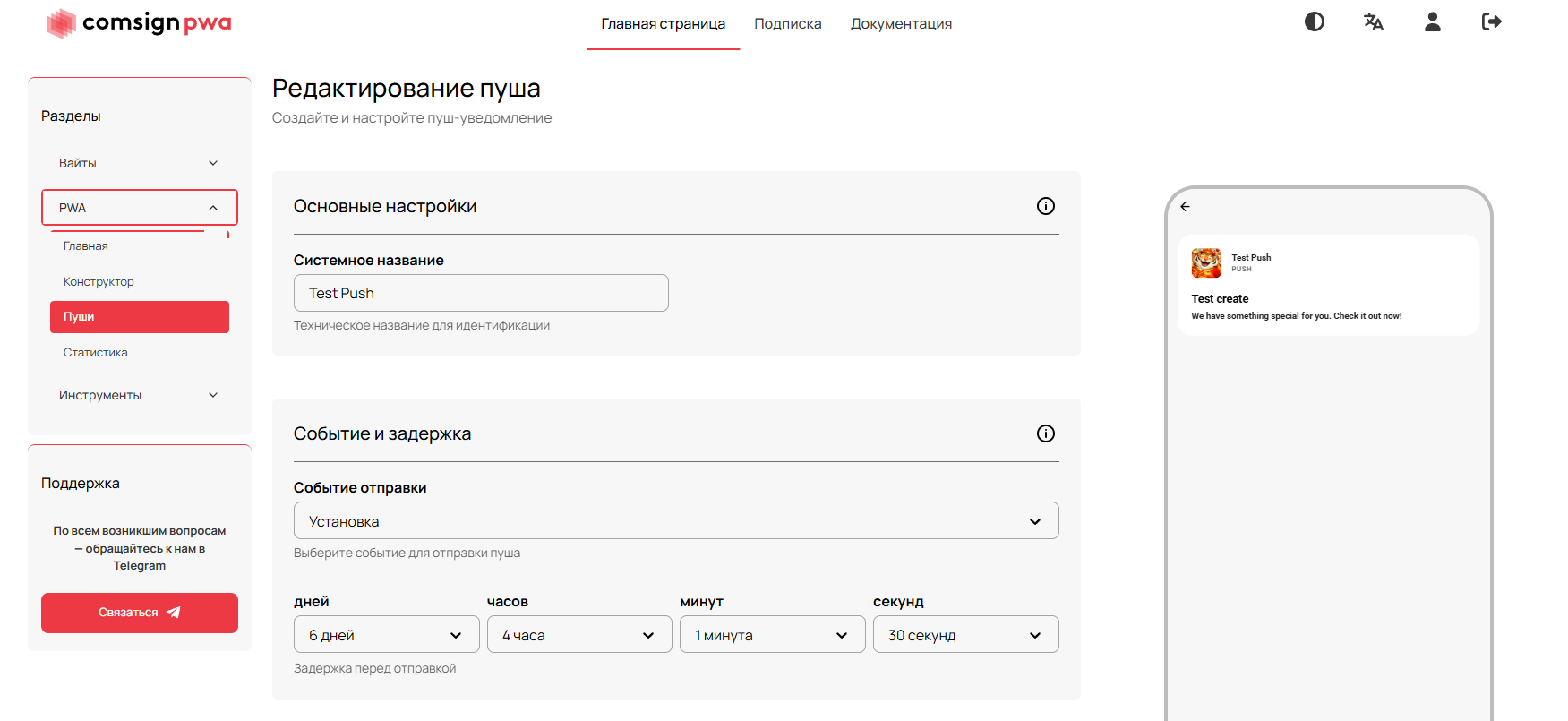
Pushes are one of the key differences between a PWA and a regular landing page. They let you come back to the user after the first contact, even if they didn’t convert right away.
Inside the affiliate funnel, pushes can be used for reminders, additional nurturing, repeat touches, or testing different messages after install. This doesn’t replace a strong offer, but it adds another layer of communication with the audience.
The key thing: don’t turn pushes into spam. If notifications come across as aggressive or don’t bring value to the user, they kill trust and hurt overall funnel performance.
Who Comsign PWA Is For
The service is most useful for teams that work with PWAs regularly and don’t want to assemble the infrastructure manually every time.
gambling and betting teams;
media buyers who frequently test new offers;
projects running across many GEOs;
teams that need fast edits after launch;
solo buyers who need a ready-made tool without separate dev work;
affiliate teams that want to keep PWAs, analytics, and domains inside a single workflow.
The main value of Comsign PWA shows up not in a one-off launch, but in regular work. When the team is running a lot of tests, what matters isn’t just assembling the first version — it’s updating bundles, switching GEOs, editing copy, and reviewing stats without extra friction.
Bottom Line
Comsign PWA is a tool for affiliate teams and solo buyers that need to quickly build, launch, and update PWAs for ad campaigns.
The service covers the main tasks around PWAs: Google Play-style landings, appearance setup, localization, push notifications, analytics, pixels, domains, and integrations with your working stack.
The main upside of the tool is speed — and the fact that everything is gathered in one place. It helps test hypotheses faster, adapt bundles to different GEOs more easily, and reduce dependence on manual technical prep.
For gambling, betting, and other verticals where fast tests and a flexible funnel matter, PWAs can be a strong format. And Comsign PWA is the way to bring this whole process into a single dashboard and stop wasting time on routine work.
Important: this website is the only official website of the Telegram Expert project. Licenses, updates, and official technical support are available only through this website. Any other websites offering Telegram Expert are not affiliated with BLB.Team and are either unofficial or fraudulent.
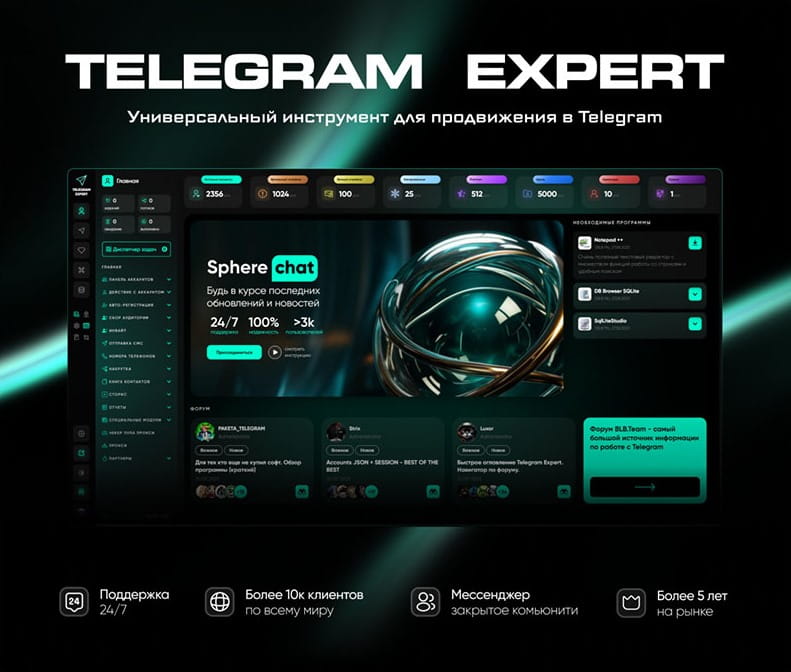
Download Telegram Expert - software for Telegram promotion
Telegram Expert is professional software for fast channel growth and sales in Telegram. Launch mass mailings and invites, warm up accounts without bans, consolidate dialogs in one place, and scale your team. All in one window - fast, safe, and tailored to your tasks.
What it can do:
- TDATA Converter - массово переводит session+json в TDATA.
- Booster - account warm-up via smart dialogs to increase trust.
- Registrar - account creation via any SMS services with the sms-activate standard.
- Duplicator - a second session for existing accounts for transfer and protection.
- Forwarder - routes incoming replies to a working group and sends replies to clients.
- Interceptor - catches messages by keywords from chats/channels and forwards them to you.
- Invite via admin - invitations even to restricted groups.
- Channel and chat cloner - full copies, including protected content.
- Reporter - mass complaints about messages/users/channels.
No one has left a comment yet
Telegram as the Primary Client Acquisition Channel for Agencies: What Actually Generates Leads in 2026
Most agencies still use Telegram as nothing more than a place to chat with clients. That is a mistake. Those who figured out how to incorporate it into their outbound funnel captured 60–80% of inquiries, while everyone else continues struggling with email and VKontakte messengers. Let us take an honest look at what works, what has broken down, how to automate it, and where the conversion rate into real conversations is now highest. Why Telegram Suddenly Became the No. 1 Outbound Channel ...

Telegram via IP infrastructure: Q&A with the Astro team
[media mw=100]3386[/media] Astro provides access to web data through residential, mobile, and datacenter IP relays. The team broke down what matters when working with Telegram: choosing the IP type; connecting over SOCKS5; IP-change modes; running multiple accounts. Free test and bonuses Free test – $3 to your balance after registration. Discounts up to 25% and special corporate terms apply, as well as a referral program. Key infrastructure facts...
How to Manage Multiple Telegram Accounts Safely (Without Mixing Sessions)
Telegram Has Become a Business Tool Telegram is no longer just a messaging app. Today it's used by affiliate marketers, crypto communities, e-commerce businesses, customer support teams, and digital agencies to communicate with customers and manage online communities. As businesses grow, so does the number of Telegram accounts they need. One account may be dedicated to customer support, another to affiliate partnerships, while others are used for regional communities or different brands. ...
How to attract users to your Telegram channel: a repeatable 14‑day plan
Acquisition is a sequence: prepare the channel, segment the audience, invite gently, respond fast, retain with value. Here’s a standard, repeatable playbook. Prepare the channel Readable avatar/name, human description with value and cadence, pinned welcome with a starter resource and subscribe CTA. Tag rubrics for navigation. Segment the audience Source users from relevant chats/channels, then segment by topic, country and experience level. Alignment beats volume. Content magnets Pub...