
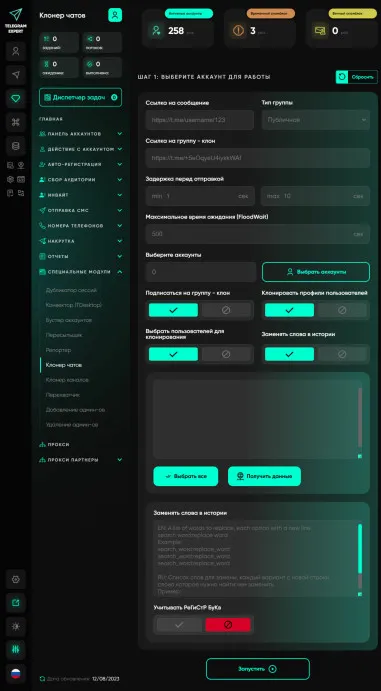
Chat cloner
Chat cloning is used to increase activity in a group. Suppose you need to create a chat for 10,000 participants, you have collected an audience from other groups using Telegram Expert, and filtered it correctly. You understand - these are your potential buyers and consumers of your product. You have a goal - to create a group with 10,000 participants, possibly more, therefore you need to use Inviter (included in the basic Telegram Expert module).
An inviter can invite and fill the group, but Telegram will react very sharply to this, most likely your group will fall under restrictions, and you will not be able to invite more than 250-300 people a day at a time, BUT if there is activity in the group, then there are limits on invitations there will be more because this Telegram group will be trusted.
Chat Cloner solves this problem! With a chat cloner, you can easily clone other groups, create fake activity and make the chat live. Using this module, people bypass telegram limits and restrictions by cloning their competitors' chats, replacing links and making a profit!
Our chat cloner has great functionality, including copying protected content, replacing words, copying member profiles and much more!
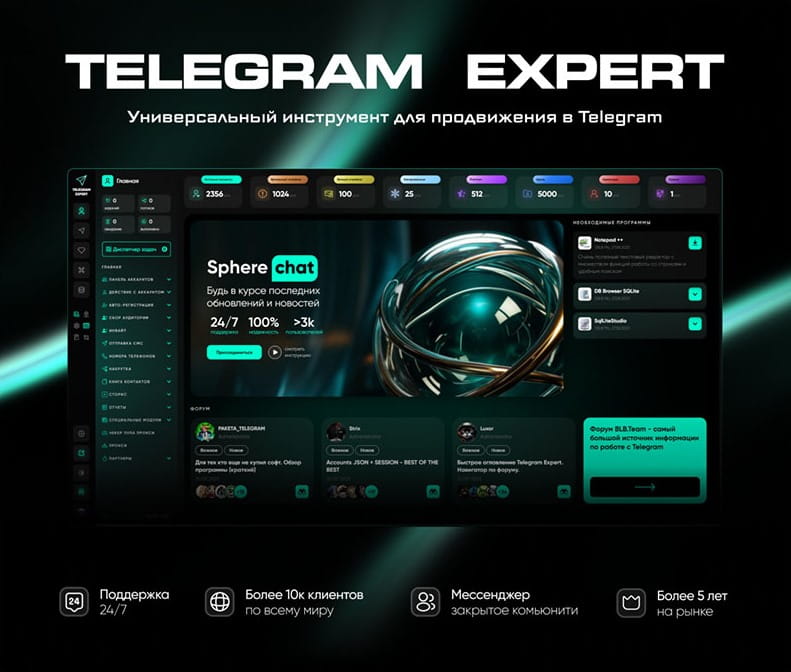
Download Telegram Expert - software for Telegram promotion
Telegram Expert is professional software for fast channel growth and sales in Telegram. Launch mass mailings and invites, warm up accounts without bans, consolidate dialogs in one place, and scale your team. All in one window - fast, safe, and tailored to your tasks.
What it can do:
- TDATA Converter - массово переводит session+json в TDATA.
- Booster - account warm-up via smart dialogs to increase trust.
- Registrar - account creation via any SMS services with the sms-activate standard.
- Duplicator - a second session for existing accounts for transfer and protection.
- Forwarder - routes incoming replies to a working group and sends replies to clients.
- Interceptor - catches messages by keywords from chats/channels and forwards them to you.
- Invite via admin - invitations even to restricted groups.
- Channel and chat cloner - full copies, including protected content.
- Reporter - mass complaints about messages/users/channels.
No one has left a comment yet
Geotargeting in Telegram: how to work with Europe and Asia without bans
[media mw=100]3230[/media] Telegram has long outgrown the role of a simple messenger. For businesses, affiliate marketers, and SMM specialists, it is a powerful channel for driving traffic and sales. But once you move beyond the CIS and start targeting audiences in Germany, the UAE, or Singapore, many people run into an unexpected problem: accounts get banned immediately after login or after just a few days of activity. Why does this happen? Because Telegram is tightly tied to geolocation....

Telegram Promotion: Software for Channel and Business Growth
Telegram as the Main Promotion Tool Today, Telegram has become one of the most popular platforms for communication and business. People create sales channels, launch online stores, promote personal brands, and run advertising campaigns here. But with rising competition comes the key question: how to effectively promote a Telegram channel and attract subscribers, clients, and orders? Traditional methods are no longer enough. Simply posting occasionally or sending rare newsletters will not bri...
Telegram in Marketing: How to Scale Without Bans with MostLogin and Telegram Expert
Telegram is no longer just a messenger. Today, it is a powerful marketing ecosystem that companies use to attract and retain customers. But as the platform grows in popularity, so do the risks: account bans, action limits, and difficulties with scaling. How can you work in Telegram professionally without losing accounts? The answer lies in combining specialized automation software with an anti-detect browser. Let’s take a closer look at how MostLogin and Telegram Expert help build a stable promo...
Top 8 Cloaking Mistakes in 2026 and How to Avoid Them. Tips from leading cloaking service Adspect.ai
[media mw=100]3382[/media] In 2026, moderation across many advertising networks has become more sophisticated, and even experienced media buyers can lose accounts because of common mistakes. In this guide, we have compiled the 8 most common mistakes media buyers make when launching their campaign setups — based on real cases, current advertising-network policies, and feedback from active users. 1. Using weak cloaking The number-one cause of bans in 2026. Many people still rely on ...