
What is Unlimited Residential Network Intermediary
Pay-per-GB residential services become expensive as you scale. Unlimited residential connections flip the model: one fixed price, real home IPs, and no meter running in the background. Here's how they work, who they're for, and how to pick the right plan.
What Is an Unlimited Residential Connection?
Definition
An unlimited residential connection routes your internet traffic through real residential IP addresses and charges a fixed price for a throughput tier (measured in Mbps) instead of charging for every gigabyte you use.
Break the term down and it makes sense:
Residential – the IPs belong to real household connections (broadband, fiber, mobile networks, mobile-home routers), so websites see your requests as ordinary visitors rather than servers in a datacenter.
Network gateway – an intermediary that forwards your request, so the target site sees the residential IP instead of your own.
Unlimited – there is no cap on total traffic. You can transfer 50 GB or 5 TB in a month and the price stays the same.
Providers like Arealproxy build their unlimited residential connection plans exactly this way: you pick a speed tier, and traffic is never counted against you.
"Unlimited" means unlimited traffic, not unlimited speed. Every unlimited plan is built around a throughput limit such as 10 Mbps or 100 Mbps. You never pay per GB, but the amount of data you can move per second is set by your tier. Choosing that tier correctly is the whole game, and we cover it step by step below.
How Does an Unlimited Residential Connection Work?
From your side, it works like any other managed network gateway. Behind the scenes, this is what happens:
You connect to a gateway. Your scraper, bot, or browser sends requests to a single network endpoint (host + port + credentials) over HTTP(S) or SOCKS5.
The gateway picks a residential IP. Depending on your settings, it assigns a new IP for every request (rotating) or keeps the same IP for a set time (sticky session). You can usually target a specific country.
Your request exits from a real home connection. The target website sees a normal residential visitor, which means far fewer blocks and CAPTCHAs than datacenter IPs.
Your throughput is shaped, not metered. Instead of counting gigabytes, the provider limits your line to the Mbps you paid for. Run it at full capacity 24/7 and you still pay the same price.
Rotating vs sticky sessions
Rotating – a fresh IP on each request. Best for scraping large numbers of pages, search results, and product listings where you want to spread requests across many IPs.
Sticky – the same IP for several minutes. Best for logins, checkouts, multi-step forms, and managing accounts where an IP change mid-session looks suspicious.
Unlimited vs Pay-per-GB Residential Connections
Most residential network providers sell traffic by the gigabyte. That works for small jobs, but costs explode as soon as your workload grows. Here's how the two models compare:
Feature | Unlimited Residential | Pay-per-GB Residential |
|---|---|---|
How you pay | Fixed price per Mbps tier, per billing period | Per gigabyte transferred |
Traffic cap | None | Whatever you've prepaid |
Speed limit | Set by your Mbps tier | Usually no fixed cap |
Cost predictability | Same bill every period | Grows with every retry and heavy page |
Heavy pages (JS, images) | No extra cost | Every MB billed |
Best for | Continuous, high-volume, 24/7 workloads | Small, occasional, bursty jobs |
The math that makes unlimited worth it
A 10 Mbps line can move up to about 4.5 GB per hour. Run it around the clock and that adds up to roughly 108 GB per day, or over 3 TB per month.
On a pay-per-GB plan, 3 TB of residential traffic is a serious monthly bill even at the cheapest bulk rates. On an unlimited plan, it's one fixed price. The more continuously you run, the more you save.
⚡
Arealproxy
No GB counter, ever. Arealproxy's Unlimited Residential plans are priced only by throughput, from 5 Mbps up to 1 Gbps. Retries, heavy JavaScript pages, and failed requests cost you nothing extra.
Unlimited Residential vs Datacenter vs ISP Connections
Feature | Unlimited Residential | Datacenter | ISP / Static Residential |
|---|---|---|---|
IP source | Real home connections | Cloud / hosting servers | ISP-registered IPs hosted in datacenters |
Blocks | Low | High on protected sites | Medium |
IP rotation | Rotating or sticky, huge pool | Fixed list or small pool | Same IP for weeks/months |
Raw speed | Moderate (home connections) | Very fast | Fast |
Best for | Scraping protected sites at scale, geo data | Unprotected targets, bulk speed tasks | Long-lived accounts needing one stable IP |
If your targets use anti-bot protection and you need volume, unlimited residential gives you the trust of home IPs with the cost structure of datacenter plans. That combination is why Arealproxy focuses its unlimited lineup on residential IPs rather than datacenter ranges.
Top Use Cases for Unlimited Residential Connections
Unlimited plans shine whenever traffic is high and continuous. These are the workloads where they deliver the biggest advantage:
🕷️ Large-Scale Web Scraping
Crawl e-commerce catalogs, directories, listings, and news sites around the clock. Retries and failed pages don't add to your bill. Typical: 20–100 Mbps
💰 Price & Inventory Monitoring
Track competitor prices, stock levels, and promotions across thousands of SKUs and multiple countries, refreshed every few minutes. Typical: 10–50 Mbps
🔎 SEO & SERP Tracking
Check keyword rankings from real local IPs in different cities and countries without search engines serving CAPTCHAs or skewed results. Typical: 10–20 Mbps
📢 Ad Verification
See ads exactly as real users in each region see them, catch fraud, and confirm placements. Ad pages are media-heavy, which makes per-GB plans expensive. Typical: 20–50 Mbps
👥 Social Media Management
Run multiple accounts through sticky residential IPs, ideally paired with an antidetect browser, so each profile keeps a consistent, natural-looking connection. Typical: 50–200 Mbps
🤖 AI & LLM Training Data
Collect large text and image datasets from the open web. These jobs move terabytes, which is exactly where unlimited traffic pays off most. Typical: 100 Mbps – 1 Gbps
✈️ Travel & Fare Aggregation
Pull flight, hotel, and rental prices that change by location and time. Geo-targeted residential IPs return the real local price. Typical: 20–100 Mbps
🛡️ Brand Protection
Scan marketplaces and websites for counterfeits, unauthorized sellers, and trademark misuse across many regions without being blocked. Typical: 20–50 Mbps
🏠 Real Estate & Market Research
Aggregate listings, reviews, and public business data to power dashboards and competitive intelligence reports. Typical: 10–50 Mbps
🧪 Geo-Testing & QA
Test how your website, app, checkout, or content looks to visitors in other countries before launching campaigns there. Typical: 5–10 Mbps
When unlimited residential connections are used for Telegram-focused social media workflows, Telegram Expert can serve as the Telegram automation software layer for centralized work with multiple accounts, chats, and channels. The residential network routing infrastructure remains the network layer for routing and session stability, while Telegram-side operations are managed separately in one workflow.
Tier ranges are typical starting points for a single team. Your actual need depends on request volume and page size; use the calculator section below to size it precisely.
🎯
Matching a plan to your use case
Every tier range above maps directly to an Arealproxy Unlimited Residential plan. Start with the lower end of your range; if you outgrow it, you can raise your Mbps on the same plan instead of buying a new one.
When Unlimited is NOT the Right Fit
Unlimited is the best value for most automation workloads, but not for everyone. Consider pay-per-GB if:
You only use a few GB per month for occasional checks or manual browsing.
Your jobs run in short bursts (an hour a week) rather than continuously.
You need a single burst of very high speed for a few minutes, then nothing.
You need ultra-clean IPs for highly secured targets; premium pay-per-GB residential plans are a better fit for this.
Rule of thumb: if your network connections will be busy for several hours every day, unlimited almost always wins. If they sit idle most of the month, pay-per-GB is usually cheaper.
What Can Each Mbps Tier Actually Handle?
Mbps measures megabits per second. Divide by 8 to get megabytes per second. Here's what that means in real terms:
Plan | Per Second | Per Hour | Per Day (24h) | Per Month (30d) |
|---|---|---|---|---|
5 Mbps | 0.625 MB | ~2.25 GB | ~54 GB | ~1.6 TB |
10 Mbps | 1.25 MB | ~4.5 GB | ~108 GB | ~3.2 TB |
20 Mbps | 2.5 MB | ~9 GB | ~216 GB | ~6.5 TB |
50 Mbps | 6.25 MB | ~22.5 GB | ~540 GB | ~16 TB |
100 Mbps | 12.5 MB | ~45 GB | ~1.1 TB | ~32 TB |
200 Mbps | 25 MB | ~90 GB | ~2.2 TB | ~65 TB |
500 Mbps | 62.5 MB | ~225 GB | ~5.4 TB | ~162 TB |
1 Gbps | 125 MB | ~450 GB | ~10.8 TB | ~324 TB |
* Theoretical maximum at 100% utilization. Real-world usable capacity is lower once you account for retries, handshakes, and idle time.
Requests per day by workload type
Data volume is easier to picture as requests. The table below assumes you use about 70% of your line (leaving a 30% buffer) running 24 hours a day:
Plan | API calls / day | HTML pages / day | Full browser loads / day |
|---|---|---|---|
5 Mbps | ~945,000 | ~378,000 | ~19,000 |
10 Mbps | ~1.9 million | ~756,000 | ~38,000 |
20 Mbps | ~3.8 million | ~1.5 million | ~76,000 |
50 Mbps | ~9.5 million | ~3.8 million | ~189,000 |
100 Mbps | ~19 million | ~7.6 million | ~378,000 |
200 Mbps | ~38 million | ~15 million | ~756,000 |
500 Mbps | ~95 million | ~38 million | ~1.9 million |
1 Gbps | ~189 million | ~76 million | ~3.8 million |
Notice the gap: a browser page can be 100× heavier than an API call. If you run Puppeteer, Playwright, or Selenium, size your plan by browser loads, not API calls. Blocking images, fonts, and video in your automation can cut bandwidth per page dramatically.
How to Check Your Current Network Usage
Tables and formulas give you an estimate, but the most accurate way to size a plan is to measure your real workload. Here's how to check your bandwidth consumption on each operating system.
Option 1: Windows Task Manager
Press Ctrl + Shift + Esc to open Task Manager.
Click the Performance tab.
Select Wi-Fi or Ethernet from the left sidebar.
Look at the Send + Receive speeds (shown in Mbps).
Run your network tasks and watch the usage in real time.
💡 Tip# In the Processes tab, the "Network" column shows per-app usage,# so you can isolate exactly how much your scraper or bot is using.
Option 2: PowerShell (Windows)
PowerShell# Total bytes received and sent per network adapter:Get-NetAdapterStatistics | Select-Object Name, ReceivedBytes, SentBytes
# Live bandwidth, refreshed every second (press Ctrl+C to stop):Get-Counter '\Network Interface(*)\Bytes Total/sec' -Continuous
Note: Bytes Total/sec is in bytes. Multiply by 8 and divide by 1,000,000 to get Mbps. For example, 1,250,000 bytes/sec = 10 Mbps.
Option 3: macOS / Linux Terminal
Terminal# Live per-connection bandwidthsudo iftop
# Simpler live in/out graphnload
# macOS built-in, per-process network usagenettop
# Total data transferred per interfaceifconfig
# Linux:ip -s link
Pro Tip: Run your typical network workload for 10–15 minutes while monitoring the average Mbps. Add a 20–30% buffer to that number and you have a real-world baseline for choosing the right Arealproxy plan.
📘
Go deeper on Mbps
Want a full breakdown of throughput vs latency, thread planning, and how browser automation changes your bandwidth needs? Read Arealproxy's companion guide: What Is Mbps in Unlimited Residential Connection?
How to Choose the Right Unlimited Residential Plan
Step 1: Identify your workload type
API / JSON endpoints – lightest, often 5–50 KB per response.
Plain HTML scraping – usually 50–300 KB per page.
Full browser automation – 500 KB to 5 MB+ per page.
Step 2: Estimate your requests per second
Residential requests typically take 0.5–2 seconds to complete. A thread that takes 1.5 seconds per request makes about 0.67 requests per second. So: requests per second ≈ concurrent threads ÷ average seconds per request.
Step 3: Calculate your Mbps (or measure it)
🧮 Mbps Calculation Formula
Mbps needed = requests per second × KB per request × 8 ÷ 1,000
Example: 50 threads scraping HTML pages (~100 KB), 1.5 s per request.
50 ÷ 1.5 ≈ 33 requests/second.
33 × 100 KB × 8 ÷ 1,000 ≈ 27 Mbps.
Add a 30–40% buffer → ~35–38 Mbps → choose the 50 Mbps tier.
Already running your workload? Skip the math and use the measurement methods above instead. A measured number is always more accurate than an estimate.
Step 4: Add a buffer and round up
Retries, redirects, CAPTCHA pages, TLS handshakes, and traffic spikes all use bandwidth without giving you data. Add 30–40% on top of your calculation and pick the next tier above it.
Step 5: Start right-sized, then upgrade
You don't need to guess perfectly on day one. With Arealproxy, you can upgrade the Mbps of an active Unlimited Residential plan whenever your workload grows and pay only the prorated difference for the remaining days.
Quick decision guide
Your Profile | Typical Workload | Starting Plan |
|---|---|---|
Testing, QA, light tasks | A few hundred thousand API calls/day | 5 Mbps |
Freelancer / solo scraper | SERP tracking, price checks, small crawls | 10 Mbps |
Serious automation | 24/7 scrapers, multi-account browser setups | 20 Mbps |
Agency / small team | Several clients or projects in parallel | 50 Mbps |
Growing data business | Millions of pages daily, heavy JS targets | 100–200 Mbps |
Enterprise / AI data | Terabyte-scale collection pipelines | 500 Mbps – 1 Gbps |
Every tier in this table is available on Arealproxy's unlimited residential plans page, from the 5 Mbps starter plan up to 1 Gbps.
For teams that have already sized the network layer and are scaling Telegram operations, Telegram Soft Expert can centralize recurring account workflows such as account management, search across chats and channels, different types of broadcasts, and auto-replies. This keeps network capacity planning and Telegram automation as separate layers, which makes multi-account setups easier to maintain as workload grows.
What to Look for in an Unlimited Residential Connection Provider
Not all "unlimited" offers are equal. Before you buy, check for:
Truly unlimited traffic – no hidden "fair use" GB cap buried in the terms.
Clear Mbps tiers – you should know exactly what throughput you're paying for.
Rotating and sticky sessions – both modes, with control over session length.
Geo-targeting – at least country-level targeting for localized results.
HTTP(S) and SOCKS5 support – so it works with any tool, scraper, or browser.
Easy upgrades – scale your Mbps without buying a brand-new plan.
Ethically sourced IPs – residential IPs should come from users who opted in.
Responsive support – a real person to help when a target starts blocking.
Final Thoughts
An unlimited residential connection combines the trust of real home IPs with a flat, predictable price. Instead of watching a GB counter, you choose a throughput tier that matches your workload and let your scrapers, bots, and monitors run as long as you need.
To recap:
Unlimited means unlimited traffic, with speed set by your Mbps tier.
It's the best value for continuous, high-volume work like scraping, monitoring, ad verification, and AI data collection.
Size your plan using requests per second × page size, or measure your real usage, then add a 30–40% buffer.
Most solo users start at 10–20 Mbps; teams usually need 50 Mbps+.
Ready to stop paying per gigabyte? Explore Arealproxy's Unlimited Residential plans and pick the tier that fits your workload.
Frequently Asked Questions
Common questions about unlimited residential connections
What is an unlimited residential connection?
An unlimited residential connection routes your traffic through real residential IP addresses and charges a fixed price for a throughput tier (in Mbps) instead of charging per gigabyte. You can transfer as much data as your tier allows with no per-GB fees or overage charges.
Is an unlimited residential connection really unlimited?
Traffic is unlimited; throughput is not. You're never billed for gigabytes, but your speed is capped by your Mbps tier. A 10 Mbps plan can move up to about 4.5 GB per hour, or roughly 3 TB per month at full use.
Is unlimited cheaper than pay-per-GB?
For continuous or high-volume workloads, yes, by a wide margin. A line running 24/7 moves terabytes per month, which would be very expensive per GB. For small, occasional jobs that use only a few GB a month, pay-per-GB is usually cheaper.
How many Mbps do I need?
Use requests per second × KB per request × 8 ÷ 1,000, then add a 30–40% buffer. Most individual scraping and automation workloads fit in 10–20 Mbps; teams and enterprises typically need 50 Mbps or more.
How do I check how many Mbps my network workload uses?
Run your normal workload for 10–15 minutes and watch your throughput. On Windows, use Task Manager's Performance tab or PowerShell's Get-Counter; on macOS or Linux, use iftop, nload, or nettop. Add a 20–30% buffer to the average and pick the next tier up.
Are unlimited residential connections good for browser automation?
Yes, and they're often the best option for it. Browsers download full pages with scripts, images, and fonts, which makes per-GB billing expensive. With unlimited traffic, heavy pages cost nothing extra. Just size your Mbps for full page loads, and block images or media you don't need.
Can I upgrade my unlimited plan later?
With Arealproxy, yes. You can upgrade the Mbps of an active Unlimited Residential plan at any time and pay only the prorated difference for the remaining days, so starting small carries no risk.
⚡ Unlimited Traffic · No Per-GB Fees
Stop Paying for Every Gigabyte
Get Arealproxy Unlimited Residential Connections
from 5 Mbps to 1 Gbps — upgrade anytime as you grow.
Learn more at arealproxy.com

Download Telegram Expert - software for Telegram promotion
Telegram Expert is professional software for fast channel growth and sales in Telegram. Launch mass mailings and invites, warm up accounts without bans, consolidate dialogs in one place, and scale your team. All in one window - fast, safe, and tailored to your tasks.
What it can do:
- TDATA Converter - массово переводит session+json в TDATA.
- Booster - account warm-up via smart dialogs to increase trust.
- Registrar - account creation via any SMS services with the sms-activate standard.
- Duplicator - a second session for existing accounts for transfer and protection.
- Forwarder - routes incoming replies to a working group and sends replies to clients.
- Interceptor - catches messages by keywords from chats/channels and forwards them to you.
- Invite via admin - invitations even to restricted groups.
- Channel and chat cloner - full copies, including protected content.
- Reporter - mass complaints about messages/users/channels.
No one has left a comment yet
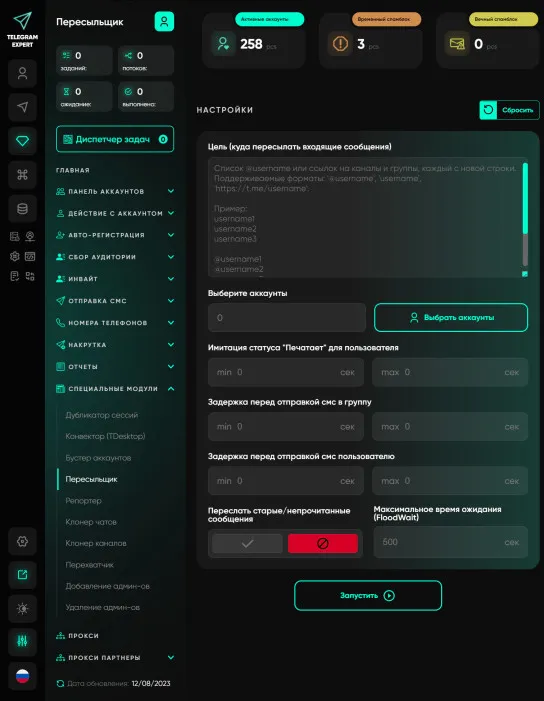
Forwarder
A unique module that works on the principle of message proxying. The principle is extremely simple, after you have sent messages from your accounts, you launch the forwarder and specify the group in which your sales managers are located. Proxy server accounts forward messages to the group, and when they see that someone from the group has responded to the message, the proxy server account forwards the response to your potential client. This allows you to communicate with a large number of people...

How to Scale Telegram in 2026 Without Bans: Multi-Accounting, Automation and the Right Gateways
Telegram in 2026 is no longer a simple messenger – it is a competitive space with one of the strictest anti-spam systems around. If you work in traffic arbitrage, affiliate marketing or audience acquisition through Telegram, you have probably noticed the old playbook has stopped working. Mailing software burns accounts after a few dozen messages, registration numbers get flagged, and parsing returns databases full of bots. Scaling Telegram traffic without bans now depends on two things working t...

GEO Promotion with Zenlink: How to Connect AI Traffic, SEO, and Telegram
A person may first discover a service outside Telegram. They compare solutions in a search engine, ask an AI tool a question, read a review, or open a professional publication. If they then move to Telegram, the channel becomes a continuation of an already started interaction with the brand. That is why promoting a Telegram project should not be viewed only within the messenger itself. First, you need to understand where the brand appears outside Telegram, what users see about it, and which p...

Complete Guide to Telegram: Channels, Groups, Bots, and Mini Apps
Telegram has long outgrown the format of «just a messenger.» It’s a place where a brand speaks in its own voice, the audience responds directly, and the entire user journey fits into a few clicks: post => chat => action. Below is a practical, lively breakdown of how to build a channel, group, bot, and mini app so that your audience stays engaged and you stay in control of growth. Channel: a voice that can be heard from any feed A channel is a promise made to your reader in the first ten seco...