
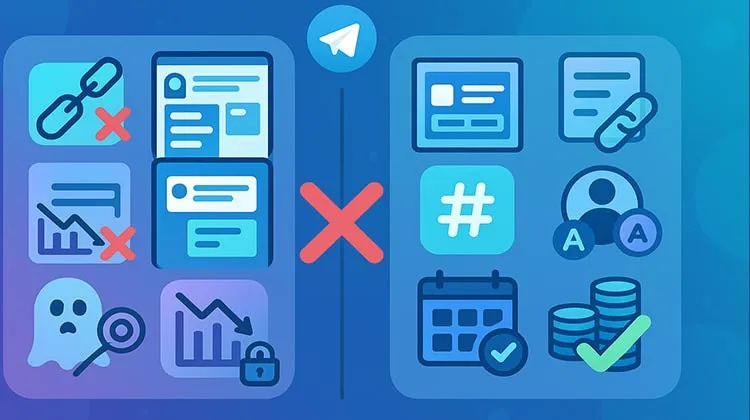
Why people don’t subscribe to your Telegram channel: standard fixes that actually work
Traffic is coming in but subscriptions stall? In most cases the leak is on the first screen, unclear value and extra friction before the subscribe button. These are practical, tool‑agnostic recommendations you can apply today.
Clarity on the first screen
One‑sentence value proposition + clear posting cadence in the description. Pin a compact offer with a starter pack (checklist, template, mini‑guide).
Name and avatar
Memorable, niche‑hinting name and a high‑contrast avatar that stays readable in dark/light modes and small chat lists.
Post structure
Write for scanning: subheads, bullets, bold highlights, a concrete “do this today” at the end. Turn topics into short series to build anticipation and retention.
Cadence over frequency
Stick to a predictable rhythm. Three quality posts per week beat ten random drops and silence.
Human tone
Share quick stories, behind‑the‑scenes and specific takeaways. Avoid inflated promises; specificity builds trust.
Social proof
Testimonials, screenshots (with permission), before/after mini‑cases. Add a rotating proof block to the pinned post.
Navigation
Hashtag rubrics (#start, #guide, #case). Monthly digests and a “Start here” guide for newcomers.
Frictionless path to subscribe
Shorten the click path from ad/post to subscription. Track with UTM, A/B‑test CTAs and headlines. Compare sources weekly.
Account hygiene
Warm up new accounts with natural dialogues and complete profiles. Sudden spikes without history can hurt delivery.
Visual quality
One idea per visual, clean typography, device‑aware crops. Cluttered banners reduce CTR and trust.
Lite checklist
Rewrite description: value + cadence + formats.
Rebuild the pinned post: offer, “start here”, signup bonus.
Restructure last five posts; add clear CTAs.
Enable UTM and a simple weekly source report.
Run a one‑question poll to surface content gaps.
To simplify the process end‑to‑end (setup, invites, analytics), consider using the Telegram Expert app.

Download Telegram Expert - software for Telegram promotion
Telegram Expert is professional software for fast channel growth and sales in Telegram. Launch mass mailings and invites, warm up accounts without bans, consolidate dialogs in one place, and scale your team. All in one window - fast, safe, and tailored to your tasks.
What it can do:
- TDATA Converter - массово переводит session+json в TDATA.
- Booster - account warm-up via smart dialogs to increase trust.
- Registrar - account creation via any SMS services with the sms-activate standard.
- Duplicator - a second session for existing accounts for transfer and protection.
- Forwarder - routes incoming replies to a working group and sends replies to clients.
- Interceptor - catches messages by keywords from chats/channels and forwards them to you.
- Invite via admin - invitations even to restricted groups.
- Channel and chat cloner - full copies, including protected content.
- Reporter - mass complaints about messages/users/channels.
No one has left a comment yet
How to Keep Bot and Junk Traffic Out of Your Telegram Funnel (and Finally Trust Your Numbers)
[media mw=100]3503[/media] You launch a campaign, the dashboard shows 5,000 clicks, and your channel gains 140 subscribers. Is that a bad creative, a bad offer, or a bad audience? Very often it is none of them. A noticeable share of those "clicks" were never people. If you drive traffic to a Telegram channel, bot, or a landing page that leads into one, cleaning your traffic is one of the cheapest ways to improve results. Not because it makes more people subscribe, but because i...

Advanced Web Scraping for SEO and Competitor Intelligence: Overcoming Anti-Bot Protocols at Scale
Introduction In modern Search Engine Optimization (SEO) and market intelligence, competitive data collection is critical. Whether monitoring real-time SERP rankings, auditing backlink footprints across millions of URLs, tracking dynamic e-commerce pricing, or analyzing content structures for programmatic SEO, automated data pipelines provide the foundation for actionable strategies. However, target websites and search engines have deployed advanced anti-bot platforms (such as Cloudflar...
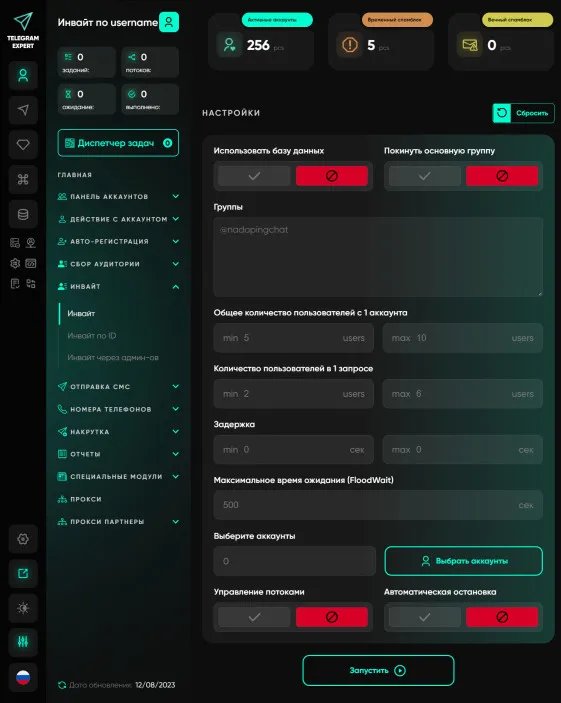
Invite
Invite is an invitation to a group or channel. Creating a large group in Telegram is not an easy task. You need to monitor advertising and content; very often this is a rather long method to get the right audience; an invite is easier and cheaper. The “Invite” module will allow you to invite people to your group by username, id and phone number. The module has excellent functionality, good and understandable statistics. You can invite your audience to several groups at the same time. As a rule, ...
How to Avoid Losing Your Telegram Data While You Still Have Access: What to Save in Advance and How Telegram Expert Helps Archive Accounts
Telegram stores the history of regular chats in the cloud. That means that after switching phones or computers, you usually only need to sign in to your account to regain access to your cloud chats. Telegram itself describes this model as a built-in solution to the problem of data backup. However, cloud storage and your own archive solve different problems. The cloud stores the current state of your data and synchronizes changes across devices. An archive preserves a separate copy as it exist...