
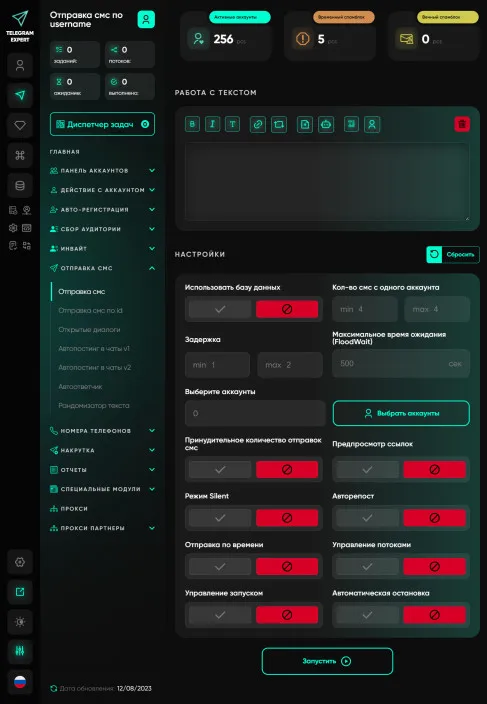
Sending messages
We understand that messaging is a critical aspect of your job, whether you're a Telegram marketer, communicating with clients, or managing groups. Our program gives you the ability to send messages to groups and users using a powerful tabular database, allowing you to work efficiently and reach your audience with maximum accuracy. Telegram Expert provides you with a wide range of settings for sending messages. You can select your audience based on various parameters such as gender, photos, premium user status and much more. This means you can create targeted campaigns that specifically target your target audience. Telegram Expert provides many ways to automate Telegram messages, including reposting, sending through private groups, voice messages, and even delayed sending. This allows you to choose the best way to deliver your message depending on your goals and audience. One of the key features of Telegram Expert is the ability to send messages not only by @username, but also by Telegram ID. This means you can deliver messages accurately and at no extra cost. You'll always be one step ahead, being able to deliver messages to chats that others can't. Telegram Expert provides the ability to send messages to various types of chats, including private messages, public and private groups, and open conversations. This means you can find new ways to engage with your audience and expand your reach. We are constantly working to improve Telegram Expert and regularly add new modules and interesting sending methods. Our goal is to provide you with the most advanced tools to automate Telegram messages. Telegram Expert provides you with maximum opportunities to work effectively on Telegram. Whether your goals are customer acquisition, audience engagement, or community management, our platform will help you achieve better results. Expand your capabilities with Telegram Expert and reach new heights in your work.
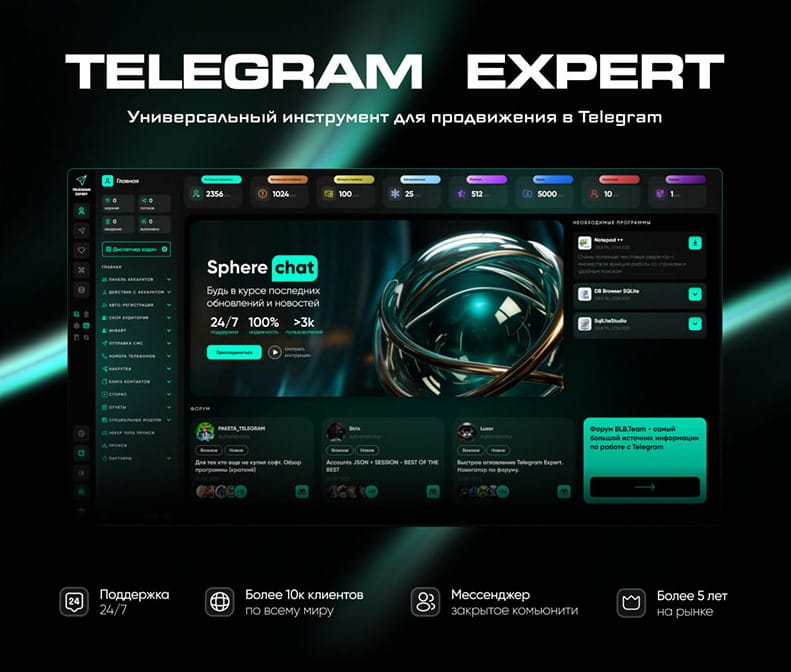
Download Telegram Expert - software for Telegram promotion
Telegram Expert is professional software for fast channel growth and sales in Telegram. Launch mass mailings and invites, warm up accounts without bans, consolidate dialogs in one place, and scale your team. All in one window - fast, safe, and tailored to your tasks.
What it can do:
- TDATA Converter - массово переводит session+json в TDATA.
- Booster - account warm-up via smart dialogs to increase trust.
- Registrar - account creation via any SMS services with the sms-activate standard.
- Duplicator - a second session for existing accounts for transfer and protection.
- Forwarder - routes incoming replies to a working group and sends replies to clients.
- Interceptor - catches messages by keywords from chats/channels and forwards them to you.
- Invite via admin - invitations even to restricted groups.
- Channel and chat cloner - full copies, including protected content.
- Reporter - mass complaints about messages/users/channels.
No one has left a comment yet

Geo QA for Marketers: How to Check Ads, Landing Pages, and Telegram Funnels in Every Country
You open a campaign report for six countries: impressions are rising, CTR is normal, but there are almost no leads from Germany and Poland. The numbers in the dashboard will not explain why. The reason is often that you have not seen what the user sees: a landing page in the wrong language, prices in the wrong currency, or a cookie banner covering the button. To see all of this for yourself, you need to open the page from an IP address in the target country, for example through PSB Proxy. ...

IP, Device, or Behavior: Which Factor Affects Telegram Account Stability Most?
.table-wrap table { border-collapse: collapse; width: 100%; } .table-wrap th, .table-wrap td { border: 1px solid #ffffff; padding: 8px; text-align: left; } A Telegram account may work normally for weeks and then suddenly encounter additional verification, interrupted sessions, or temporary messaging limits. When this happens, users often blame one recent change: a new gateway, a different device, or a sudden increase in activity. However, Telegram...
How We Run 50+ TikTok and Instagram Accounts: A Practical Setup Guide with Antidetect Browsers and Mobile Network Tools
If you are trying to drive traffic to a Telegram channel, a CPA offer, or an online store in 2026, short-form video is still the most reliable free organic channel available. Posting three clips a day on a single personal account rarely brings consistent volume. But when you manage 50 accounts posting three clips daily, you publish 150 videos every single day. Even if 40 of those videos get only 600 views, a handful will catch the algorithm and hit 50,000 to 200,000 views, sending h...

Telegram Groups: How to Turn a Chat into a Calm and Productive Lounge
A Telegram group is where your monologue turns into dialogue, and the audience forms a habit of returning not just to read but to talk. A well-organized group accelerates “Telegram promotion”: it generates topics for your channel, tests ideas, and builds trust. Rules and greetings that don’t scare people away Create a short welcome message: what the chat is about, what’s on topic, and how fast moderators reply. Explain in simple words why rules exist — to keep things comfortable, to prev...