
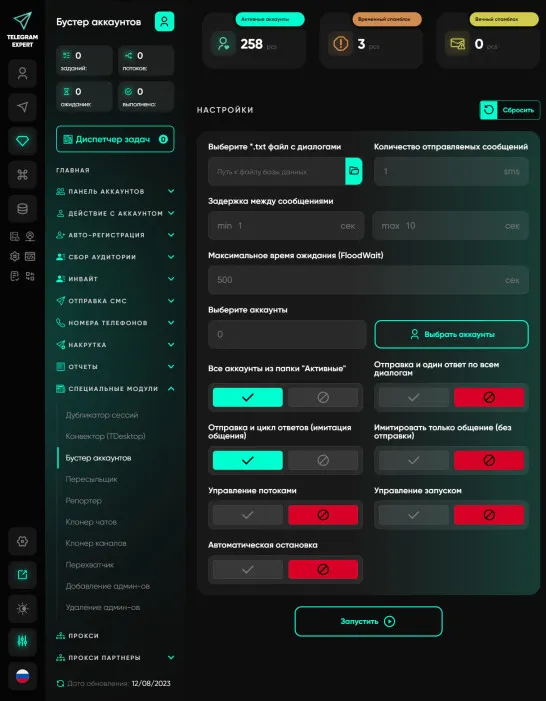
Account booster
Our unique Account Booster module, developed by the Telegram Expert team, is designed to increase trust in your accounts by simulating real communication. It has become an integral part of the strategy of many successful users. Using the Account Booster module is a process that even a beginner can master. You select a group of accounts, add a database of dialogues, and the module takes care of all the rest of the work. You no longer need to spend hours simulating activity - the module does it for you, and it does it reliably and efficiently. One of the most significant aspects of the module is reducing the risk of account bans. «Warming up» accounts by simulating real communication with other accounts makes them more reliable. You can be sure that if used correctly, the number of bans will decrease and the limits will increase. Increasing limits is the path to greater profits. Our Account Booster module is a powerful tool for increasing the credibility of your accounts and increasing the efficiency of your work. Whether you use Telegram for marketing, sales or personal communication, this module will help you achieve better results. Increase your profits and level of trust with “Account Booster” from Telegram Expert!
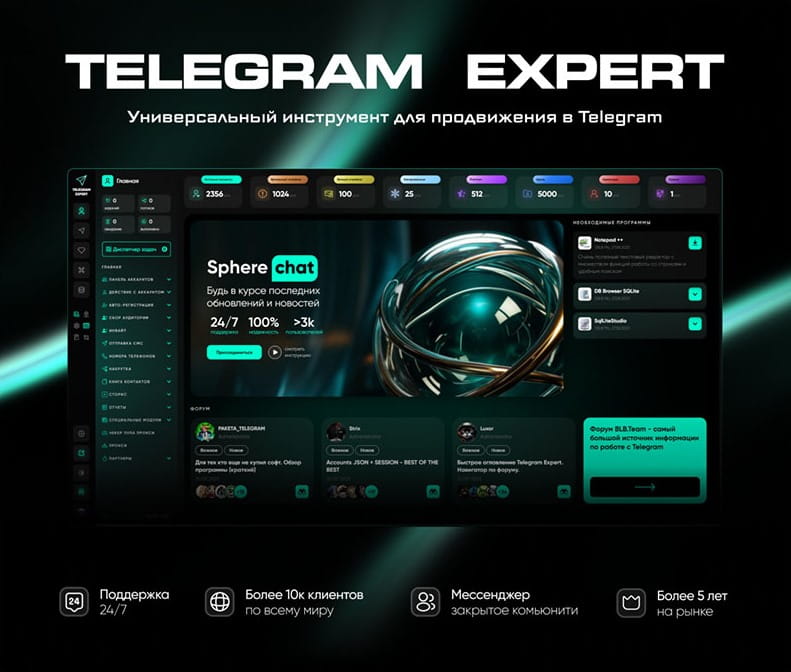
Download Telegram Expert - software for Telegram promotion
Telegram Expert is professional software for fast channel growth and sales in Telegram. Launch mass mailings and invites, warm up accounts without bans, consolidate dialogs in one place, and scale your team. All in one window - fast, safe, and tailored to your tasks.
What it can do:
- TDATA Converter - массово переводит session+json в TDATA.
- Booster - account warm-up via smart dialogs to increase trust.
- Registrar - account creation via any SMS services with the sms-activate standard.
- Duplicator - a second session for existing accounts for transfer and protection.
- Forwarder - routes incoming replies to a working group and sends replies to clients.
- Interceptor - catches messages by keywords from chats/channels and forwards them to you.
- Invite via admin - invitations even to restricted groups.
- Channel and chat cloner - full copies, including protected content.
- Reporter - mass complaints about messages/users/channels.
No one has left a comment yet
How to attract users to your Telegram channel: a repeatable 14‑day plan
Acquisition is a sequence: prepare the channel, segment the audience, invite gently, respond fast, retain with value. Here’s a standard, repeatable playbook. Prepare the channel Readable avatar/name, human description with value and cadence, pinned welcome with a starter resource and subscribe CTA. Tag rubrics for navigation. Segment the audience Source users from relevant chats/channels, then segment by topic, country and experience level. Alignment beats volume. Content magnets Pub...
How to Manage Multiple Telegram Accounts: Tools and Best Practices
Preview: Running multiple Telegram accounts for marketing? This guide covers what Telegram's anti-spam system actually detects, how to choose the right gateway type, and a step-by-step warm-up schedule that keeps your accounts alive long-term. Running multiple Telegram accounts is standard practice for any serious marketing operation. You need separate accounts for different campaigns, client projects, geographic regions, or A/B testing message strategies. A single account simply can't cover ...

SEO on Social Media: How to Increase Visibility
Search engine optimization has long gone beyond Google. Social media platforms have become full-fledged search engines in their own right—people use them to look for information, products, and answers to questions. That is why SEO principles are being applied more and more actively to TikTok, Instagram*, Pinterest, and other platforms. If you properly optimize your profiles and posts for social media search, you will become more visible not only within those platforms, but also in traditional...
How to Choose and Set Up IP Connections for Telegram Expert
When Telegram accounts develop connection errors, spam restrictions, or session problems, it is tempting to blame the network immediately. Start by separating these issues: a slow connection, an expired session, and an account restriction are different problems. Check account activity and settings alongside the connection. This guide explains how to choose residential or mobile IP access for different tasks, configure connections in Telegram Expert, and test a small batch before expanding. A ...