
How to Build a Secure Multi-Accounting Infrastructure with an Anti-Detect Browser
Almost all websites and social networks discourage multi-accounting. To combat it, they use sophisticated anti-fraud algorithms that ban accounts when they detect links through an IP address or device fingerprint. While an IP address can be changed, device fingerprint parameters (processor, graphics card, user agent, system language, number of microphones, and much more) cannot be altered without specialized software.
For any large marketing team, however, having multiple accounts—for example, on Telegram—is essential: teams need to manage client accounts, run different advertising campaigns, conduct A/B tests, and more. These accounts also need to be transferred securely between team members to protect them from bans. The most convenient way to build a reliable multi-accounting infrastructure is to use an anti-detect browser. Today, we will explain and demonstrate how to do this with Octo Browser.
How to Create Multiple Accounts with an Anti-Detect Browser
When you work with an anti-detect browser, you create a unique digital environment for each account, known as a profile. For example, to create a separate profile for a Telegram account, simply click the «Quick Profile» button, and you will get a unique digital fingerprint generated from data collected from real devices (Windows, macOS, Android). Quick Profiles are sufficient for secure multi-accounting, while advanced users can manually configure more than 50 digital fingerprint parameters—from the processor to the number of microphones and their hardware noise characteristics. However, the Octo Browser team does not recommend doing this without the necessary expertise. For everyday tasks, «Quick Profile» is the best option.
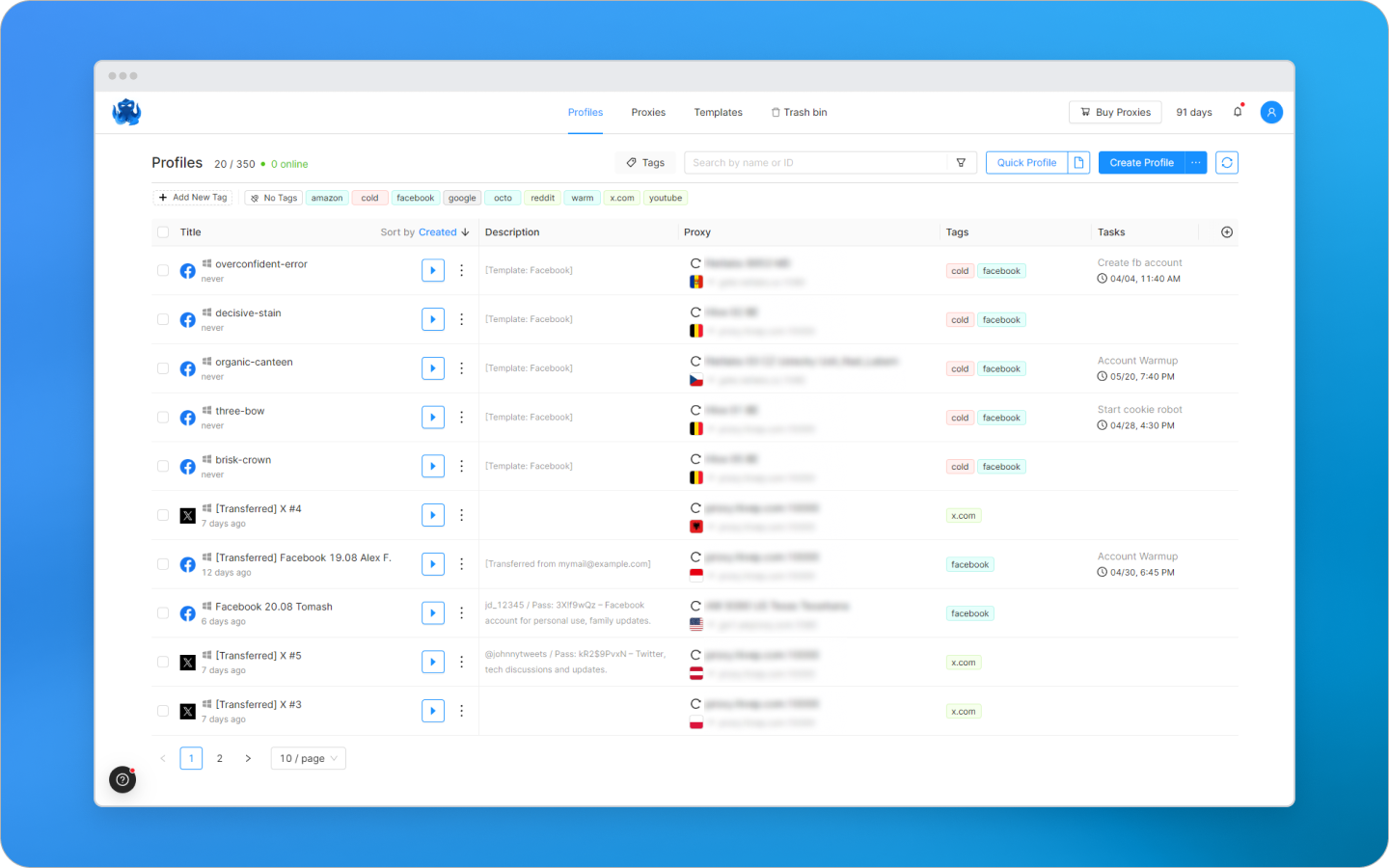
To simplify profile creation at scale, the «Template» and «Bulk Create» features are available. A template lets you save ready-made profile and proxy settings, which can then be used to create standardized profiles. With «Bulk Create», you can generate dozens of configurations at once based on saved templates.
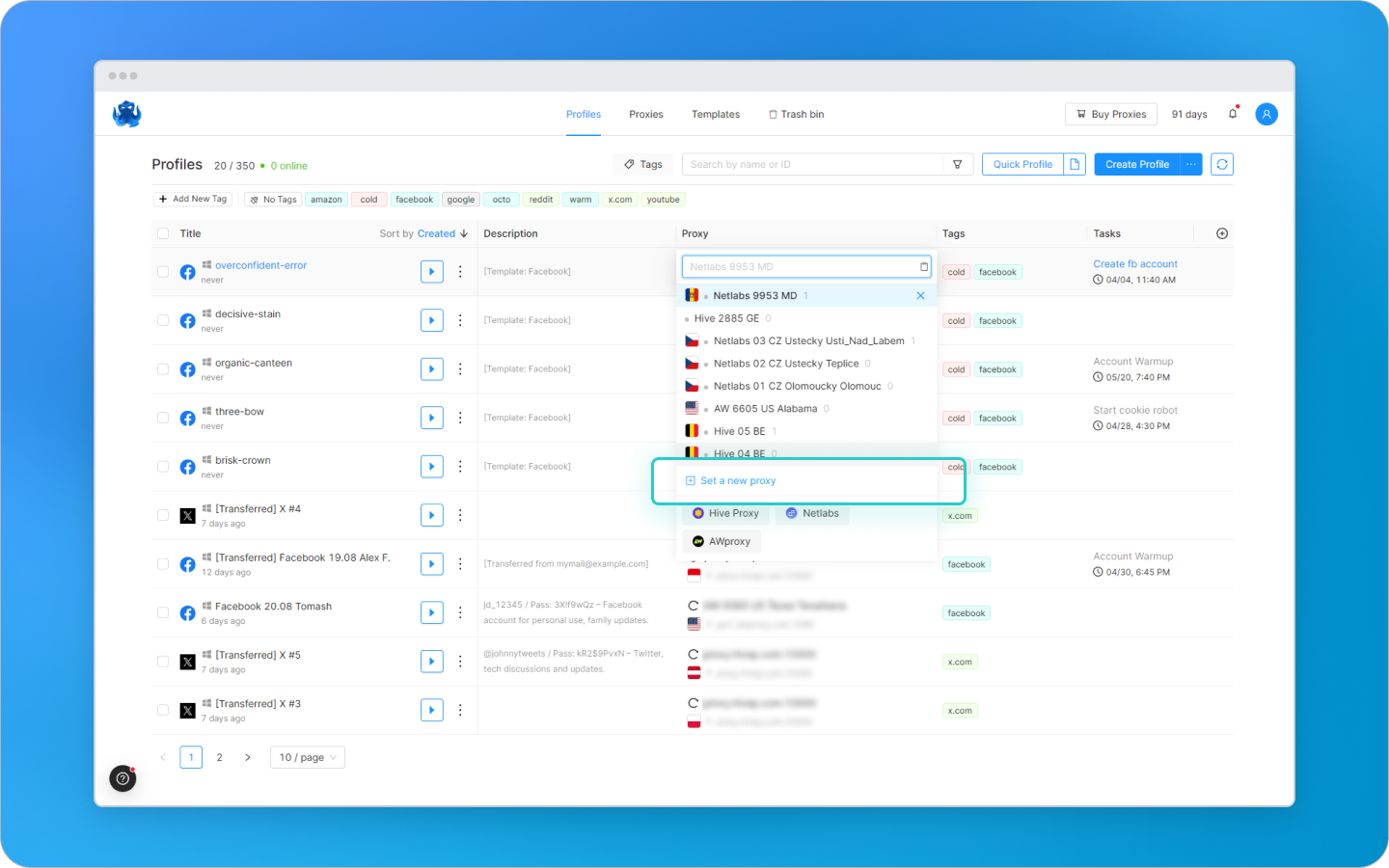
A separate proxy can be connected to each profile. Octo Browser supports all popular protocols: HTTP, HTTPS, SOCKS5, SSH, and IPv6 proxies. You can connect proxies from third-party providers or purchase them from the built-in Proxy Shop without leaving the browser. Proxies can be saved to a quick-selection list or entered manually for a specific account.
How to Manage Accounts as a Team
Octo Browser is well suited to teams that work with multiple social media accounts. For example, some employees warm up accounts, while others launch ads, run messaging campaigns, conduct A/B tests, and handle other tasks. The browser helps organize everything so that no one gets confused and the accounts are not banned:
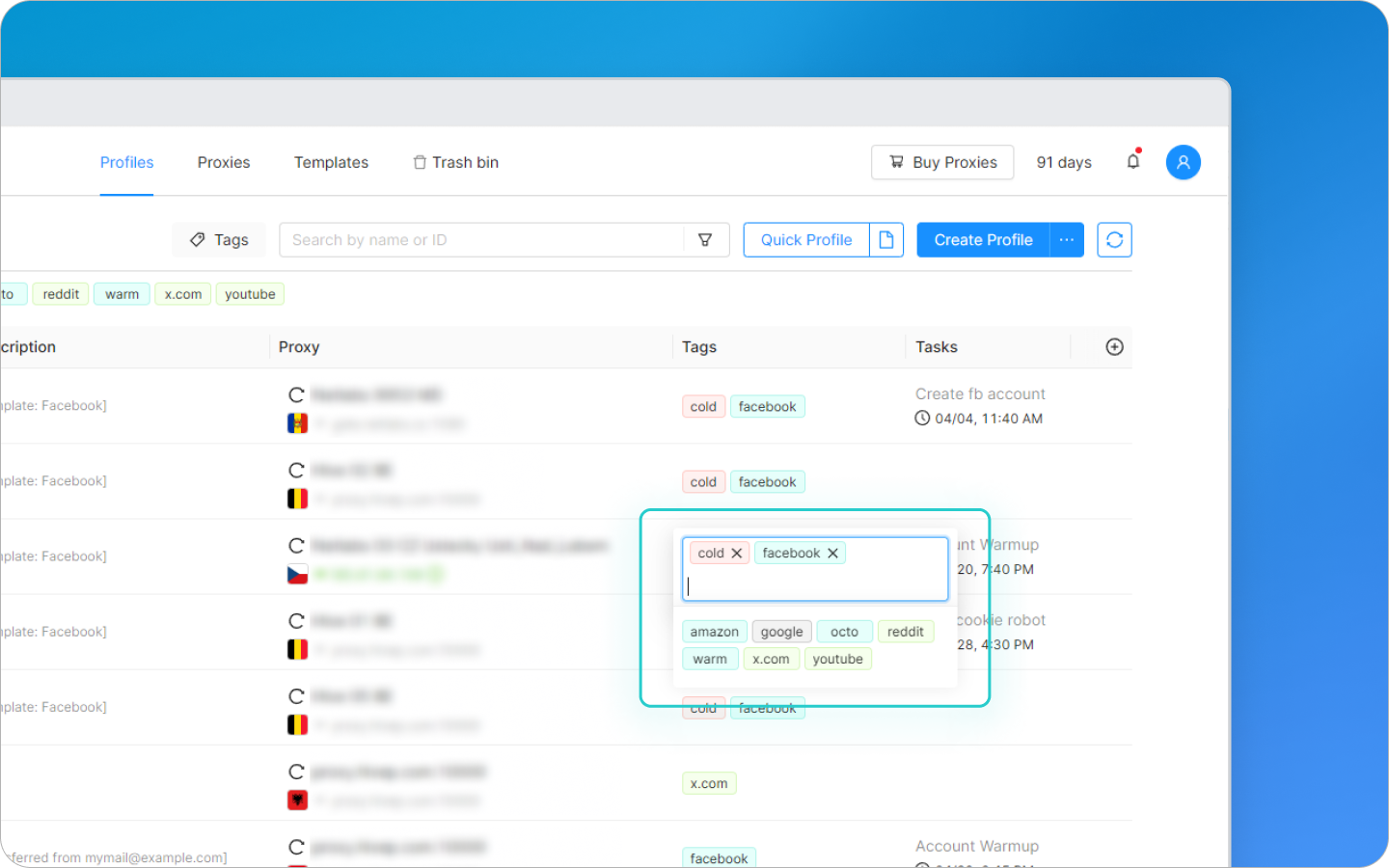
Profile Tags
Each account can be assigned a label (tag). For example:
by workflow stage: «Warming Up» or «In Progress»;
by client: «Client A», «Client B»;
by platform: «Telegram», «Facebook».
by task type: «Seeding», «Targeted Ads», «Tests».
Tags can be updated as work progresses. This helps you keep track of who owns an account and what stage of the workflow it is in.
Different Access Levels for Different Team Members
A team lead can configure which accounts each person can see, preventing anyone from accidentally accessing a client’s or colleague’s account.
Activity Log
All team activity is logged: who signed in and when, what they changed, whether they transferred an account, how much proxy traffic was used, and so on. If an account is banned, it is easy to determine why.
Team Tasks
The Team plan lets you assign tasks to profiles. For example: «launch a giveaway for Client A» or «hand over for ad launch after warming up». If a task becomes overdue, you will receive a notification.
Security of Profiles and Account Data
Profiles often store crypto wallets, access credentials for advertising accounts, client budgets, personal data, and other important information. Naturally, no one wants to lose funds or suffer a data breach. That is why Octo Browser places particular emphasis on security.
Octo is considered the most secure anti-detect browser on the market. All profile information is stored on cloud servers in Europe and protected with end-to-end encryption. This means that no one—not even Octo’s developers—can access or read your data. Only you can access it.
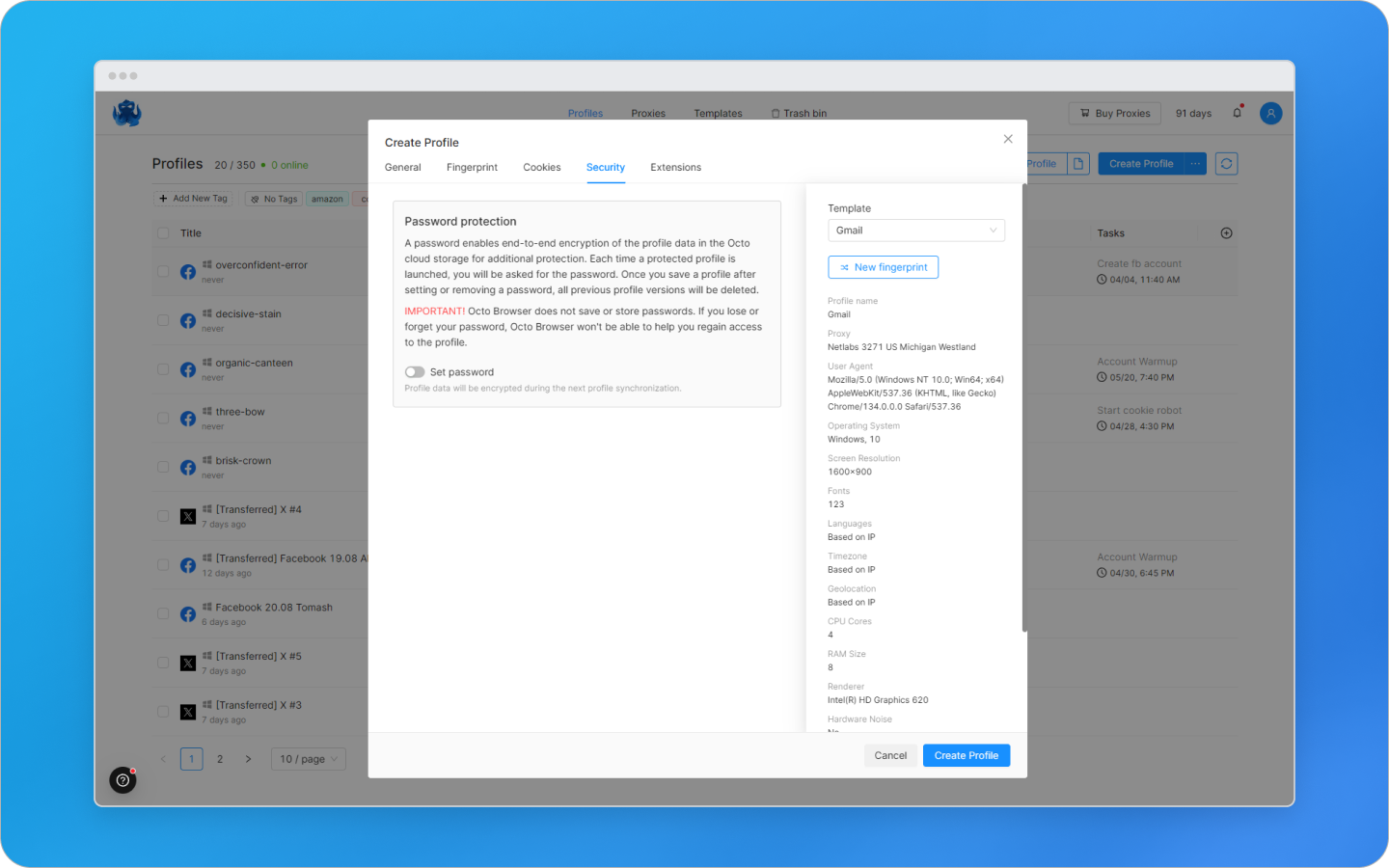
Every profile in Octo Browser is protected at several levels:
a secret key that is created automatically when the profile is generated;
a unique cipher from the internal database that encrypts all data;
the option to set a password manually for a specific profile.
Important: Octo does not store these passwords anywhere. If you lose access to your device or account, no one will be able to open a password-protected profile—even with physical access to your computer. Unless, of course, you chose something obvious such as 123456 or password.
For additional protection, you can enable two-factor authentication. Then, each time you log in to your Octo account, you will need to confirm the sign-in with a code from an authenticator app, providing reliable protection against account compromise.
How Much Does Octo Browser Cost?
Octo Browser is a premium tool. There is no free trial, and prices are slightly above average, but the investment pays off through reliable protection, high-quality fingerprints, and stability. In marketing, losing even a single account can be costly, and Octo helps protect against such risks.
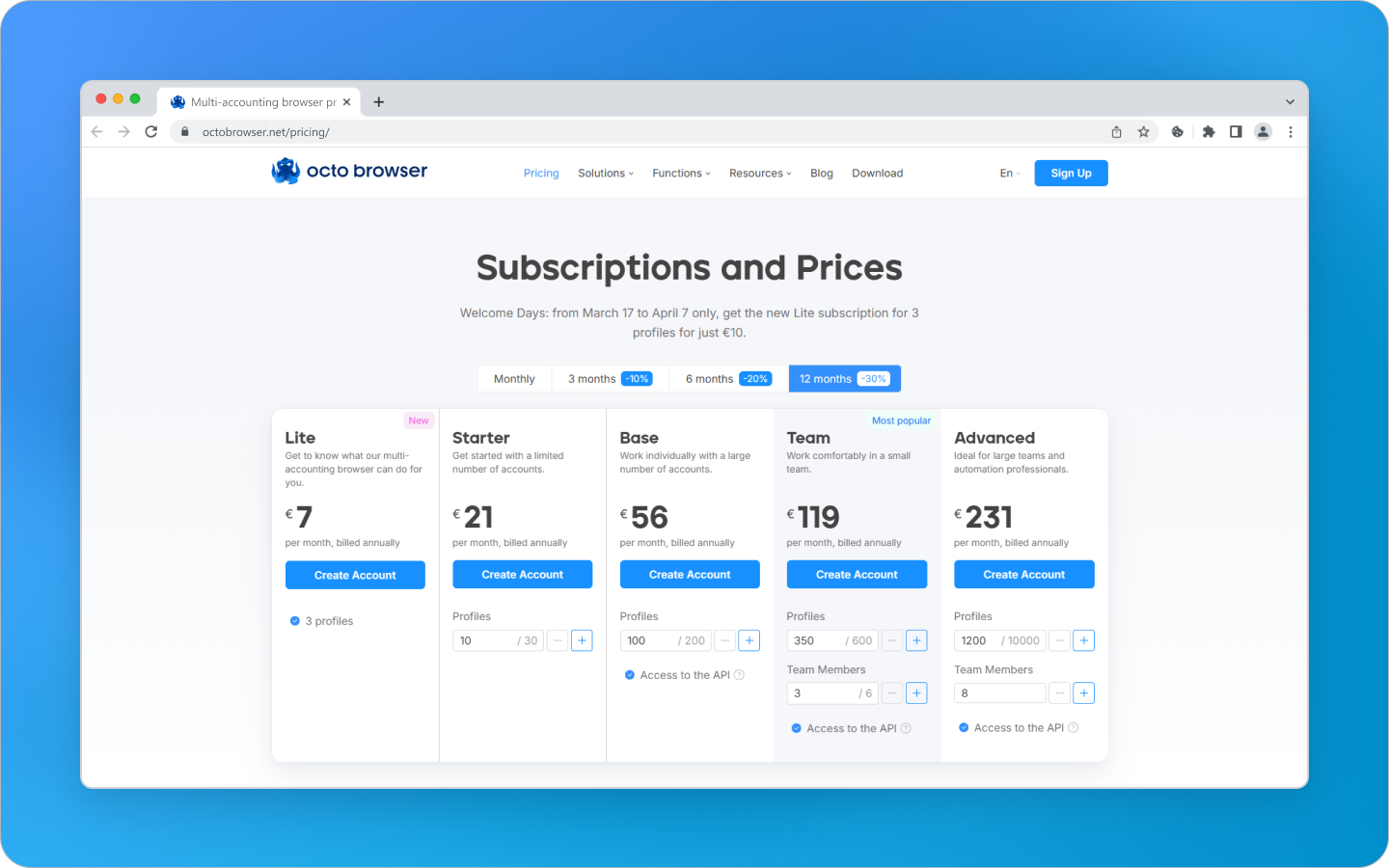
Available plans:
Lite — €10/month, 3 profiles. Ideal for getting to know the browser.
Starter — €29/month, 10 profiles. Expandable to 30. For personal use.
Base — €79/month, 100 profiles + API. Expandable to 200. For automation.
Team — €169/month, 350 profiles + 3 users. Expandable to 600 profiles and 6 users. For agencies and teams.
Advanced — €329/month, 1,200 profiles + up to 8 users. Maximum flexibility.
Savings: 10% off a 3-month subscription, 20% off a 6-month subscription, and 30% off an annual subscription.
You can also get 30% off your first Octo Browser purchase with promo code TGEXPERT30.
Why You Should Try Octo Browser
If you are tired of endless bans and restrictions, an anti-detect browser can fundamentally change the way you work online. Octo Browser is a comprehensive tool that helps you remain anonymous, safely manage any number of accounts, save time, scale your online business, or simply earn more.
Important: this website is the only official website of the Telegram Expert project. Licenses, updates, and official technical support are available only through this website. Any other websites offering Telegram Expert are not affiliated with BLB.Team and are either unofficial or fraudulent.

Download Telegram Expert - software for Telegram promotion
Telegram Expert is professional software for fast channel growth and sales in Telegram. Launch mass mailings and invites, warm up accounts without bans, consolidate dialogs in one place, and scale your team. All in one window - fast, safe, and tailored to your tasks.
What it can do:
- TDATA Converter - массово переводит session+json в TDATA.
- Booster - account warm-up via smart dialogs to increase trust.
- Registrar - account creation via any SMS services with the sms-activate standard.
- Duplicator - a second session for existing accounts for transfer and protection.
- Forwarder - routes incoming replies to a working group and sends replies to clients.
- Interceptor - catches messages by keywords from chats/channels and forwards them to you.
- Invite via admin - invitations even to restricted groups.
- Channel and chat cloner - full copies, including protected content.
- Reporter - mass complaints about messages/users/channels.
No one has left a comment yet
Which Anti-Detect Cloud Phone Is Best for Multi-Account Marketing in 2026?
In 2026, as account security and anti-fraud systems on platforms like TikTok, Instagram, and Facebook continue to evolve, cloud phones have become essential infrastructure for e-commerce and social media marketing teams. A cloud phone is an independent cloud-based Android device with unique hardware fingerprints including IMEI, MAC address, and Android ID. It provides complete isolation between accounts, solving the problems of high physical device costs and easy detection of Android emulators. ...
Telegram Infrastructure Without Weak Links: What to Check and How Telegram Expert and Pay2.House Help Cover Key Tasks
table { border-collapse: collapse; width: 100%; color: #ffffff; background-color: transparent; } th, td { border: 1px solid #666666; padding: 10px 8px; text-align: left; background-color: #1a1a1a; } th { background-color: #2a2a2a; } A Telegram advertising launch rarely fails because of one major issue. More often, the problem appears at the intersection of several small ones: an employee lacks the required access, a card fails ...

The 2026 Guide to Unlimited Residential Gateways: Scaling Data Collection Without Hitting a Wall
Data caps are the ultimate progress killer for web scraping and automation. If you manage large-scale market research or run multiple social profiles, the traditional pay-per-GB model creates unpredictable costs and sudden service interruptions. The industry has shifted dramatically. In 2026, the demand for unlimited residential IP infrastructure has skyrocketed. Businesses want predictable overhead and the freedom to scale operations without bandwidth anxiety. This guide breaks dow...

Telegram Ad Analytics: How to Track Subscribers and Leads with Telegram Expert
After an advertising post, the channel grew and managers received service inquiries. To evaluate the placement, you need to determine which joins are connected to the publication and where the leads came from. When messages are received by several work accounts, keeping this record becomes more difficult. This guide covers tracking advertising in third-party Telegram channels: separate invite links, confirming the source of a lead, and handling incoming messages in Telegram Ex...