
Telegram Software: How to Choose the Right Program for Your Tasks
Telegram software becomes useful when ordinary messaging is no longer enough: you manage several projects, prepare recipient lists, run messaging campaigns, and handle replies. When choosing a tool, go through the entire cycle—from checking profiles to saving contact history. Otherwise, before each new campaign, you will have to reconcile spreadsheets again and work out who has already been contacted.
Software for Telegram can bring these stages together in one interface. Separate utilities can also work, but they require you to transfer files, reconcile statuses, and compile results manually. Evaluate how smoothly you can move between actions, rather than simply counting modules.
We will look at when the messenger or a bot is enough, what to consider when choosing a Telegram program, and how to test the functions you need using Telegram Expert as an example.
Start by Defining the Task You Need the Program to Handle
The need to automate communication can come from different requirements: customer support, regular notifications, or community development. These determine which functions you need.
For example, a specialist handles customer inquiries. They need to answer common questions and pass complex cases to the responsible colleague. The main criterion here is how convenient it is to manage conversations.
If you regularly notify your own customers, you will need up-to-date contacts, sender selection, content settings, and a record of successful deliveries.
To develop a community, you first find a suitable audience, then compile a list and invite people to the group. This requires a dedicated invitation tool.
Before looking for a program, write down three things:
Source data. What accounts, contacts, conversations, or databases does the team already have?
Action. Do you need to reply to messages, send notifications, collect an audience, or invite users?
Result. What data should remain after the task is completed?
Suppose a small department has several work profiles, its own contacts, and a history of customer conversations. It needs to announce a service update, handle replies, and retain information for the next campaign.
There is no need to collect a new audience in this case. Checking senders, preparing recipients, and arranging reply handling is enough. This analysis helps you leave unnecessary modules out of the comparison.
When Telegram or a Standard Bot Is Enough
Not every task requires specialized software. Start by assessing what the messenger itself and bots can do.
Tool | Suitable Tasks |
|---|---|
Standard Telegram | Personal messaging, communication with your own contacts, a small number of conversations, and manual account management |
Bot | Receiving inquiries, scripted replies, notifications, and interaction with users who initiate the conversation themselves |
Multi-account software | Recurring account operations, database preparation, messaging campaigns, invitations, and saving results |
Standard Telegram for a Light Workload
Telegram lets you use several accounts in one application. For example, a specialist can keep personal and work conversations separate by switching between profiles in the settings.
This is enough for a light workload. An employee switches to the relevant profile, handles conversations, and keeps track of the communication history manually.
Automation becomes useful when manual actions take too much time: you have to keep checking restrictions, transferring spreadsheet rows, and consolidating the results of several campaigns.
A Bot for Incoming Inquiries
A standard bot handles requests according to preconfigured logic. The person initiates the conversation and then receives the responses defined by the scenario.
Telegram also supports business bots. An account owner can connect a bot and grant it permission to work with specific chats. Within those permissions, the bot can process incoming messages and reply on behalf of the business account. Its capabilities depend on the permissions granted and the terms of Telegram Business.
First assess whether a standard or business bot can handle incoming inquiries. If you also need multiple senders, list preparation, and reporting, consider a specialized solution.
Which Functions to Check When Choosing Telegram Software
Test functions in sequence: adding profiles, preparing recipients, performing the selected action, and accessing results. This makes it easier to spot where manual intervention will be needed between stages.
Stage 1. Account Management
Start with the formats used in your project. Check the import procedure, status display, and ways to organize profiles by area of activity.
For regular use, the following capabilities matter:
adding already registered profiles;
checking statuses and restrictions;
organizing profiles into folders and categories;
changing available settings in bulk;
managing authorization and sessions.
Telegram Expert supports adding accounts by phone number, Session, and TDATA. Its panel lets you check restrictions, organize profiles into folders and categories, and manage 2FA, privacy, and personal details. Before starting, select the group you need.
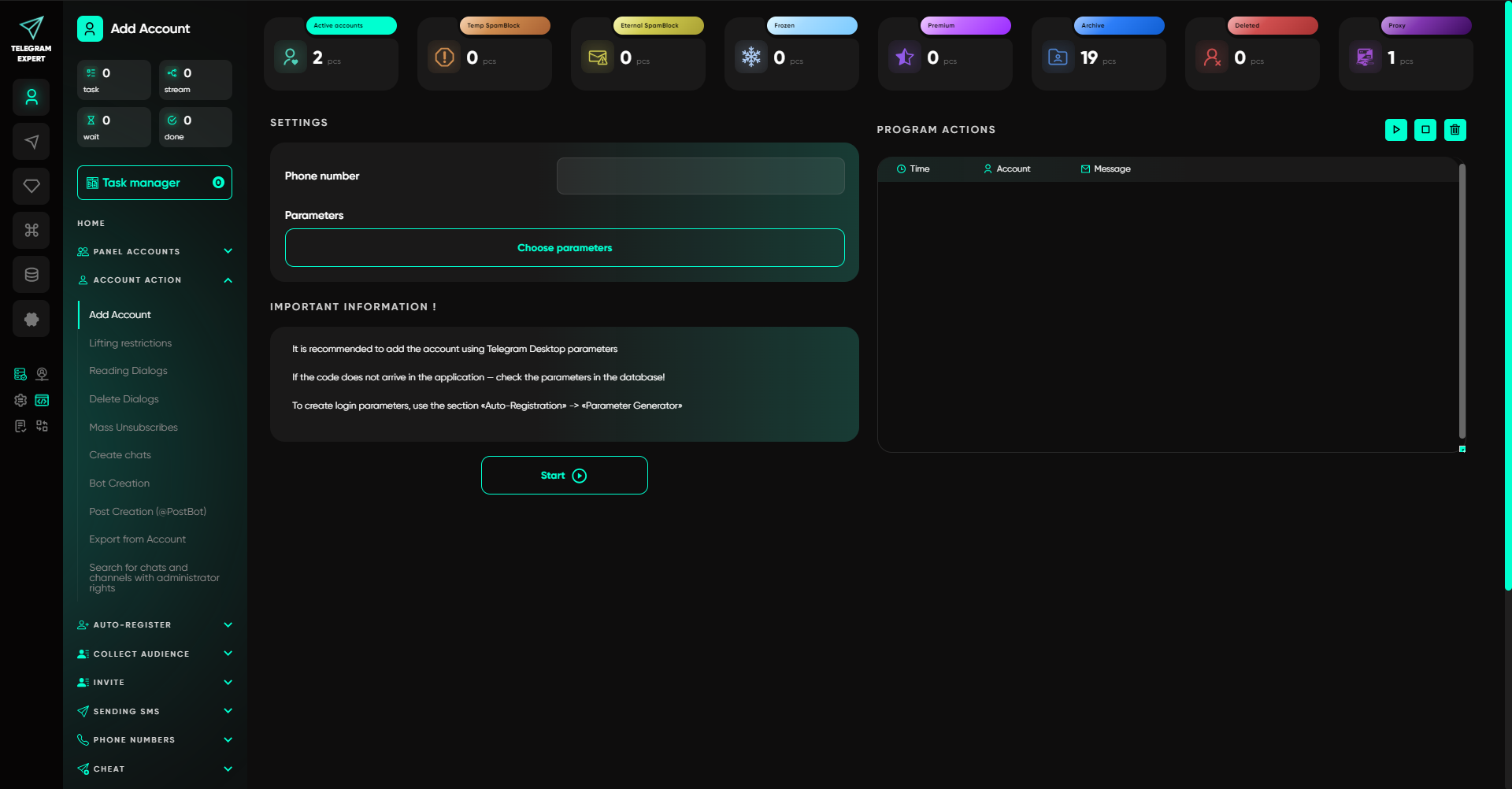
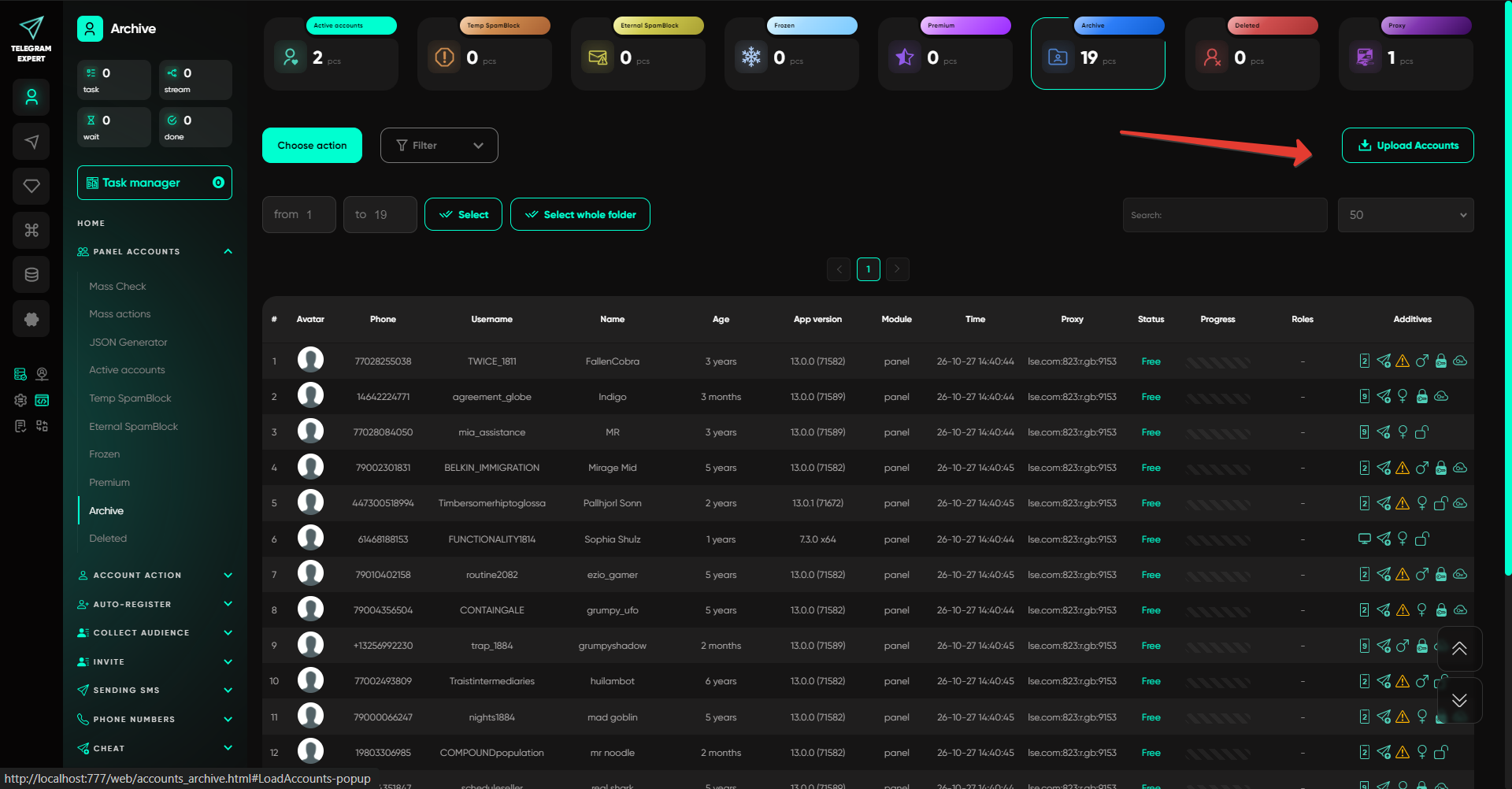
First assess the condition of the selected profiles. Based on the check, separate problematic ones from those ready for the current run.
Stage 2. Audience Source and Database Preparation
Next, assess the quality of the recipient list. Missing identifiers and numerous duplicates will prevent you from completing the task even if the available functions are suitable.
Identify the source: your own contacts, existing conversations, or relevant communities.
When collecting an audience, distinguish between three groups:
Chat or channel members. The selection includes users who belong to the chosen community.
Message authors. These are participants who have posted in a particular chat.
Commenters. Users who have left comments under channel posts.
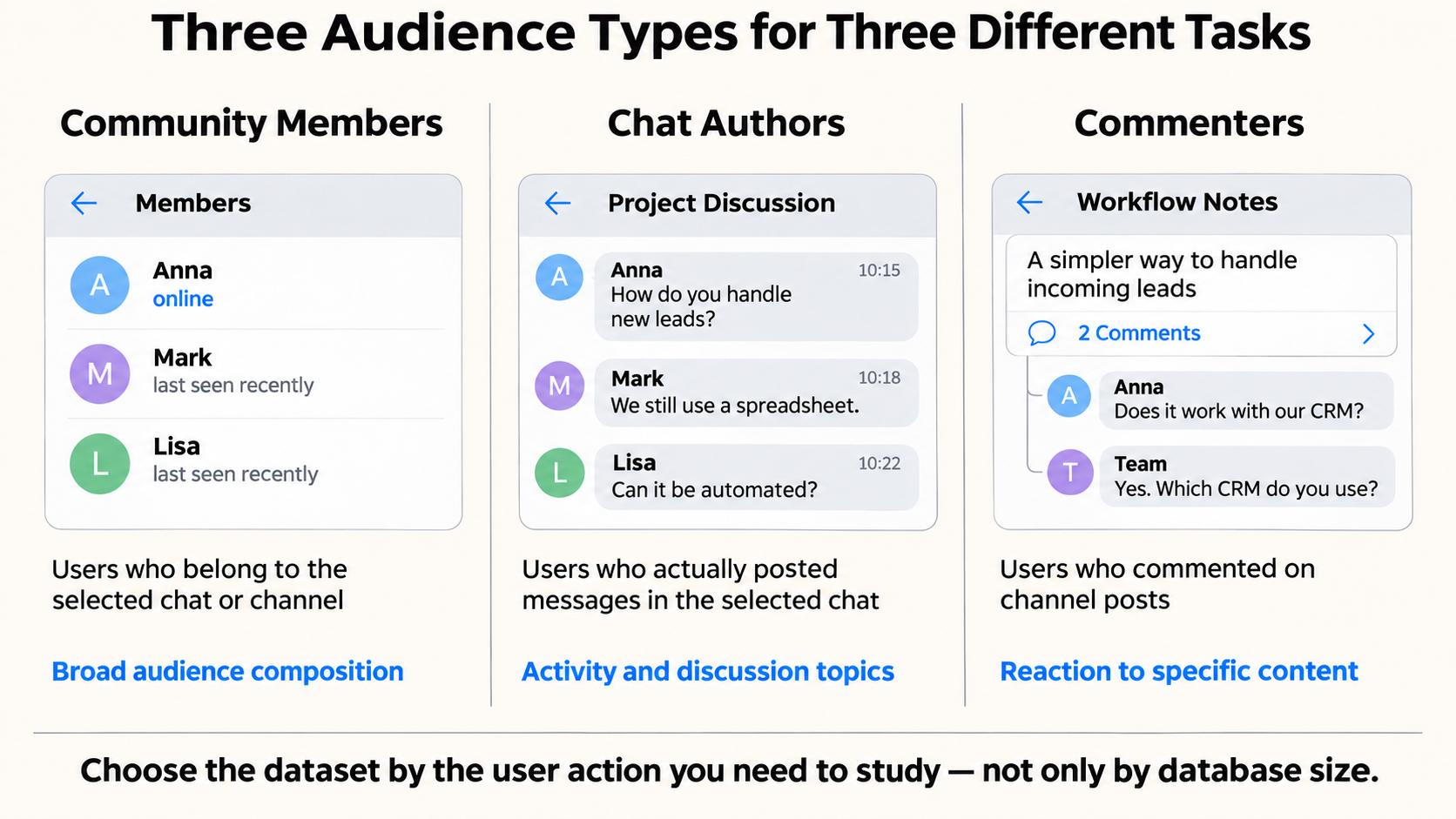
To study activity, it helps to examine post authors and commenters separately. The full community membership gives broader coverage, but does not by itself show who participates in discussions.
Audience collection is handled by the Telegram parser. It collects community members, active chat users, and commenters. After collection, you can check links and usernames, clean databases, merge selections, and remove overlaps.
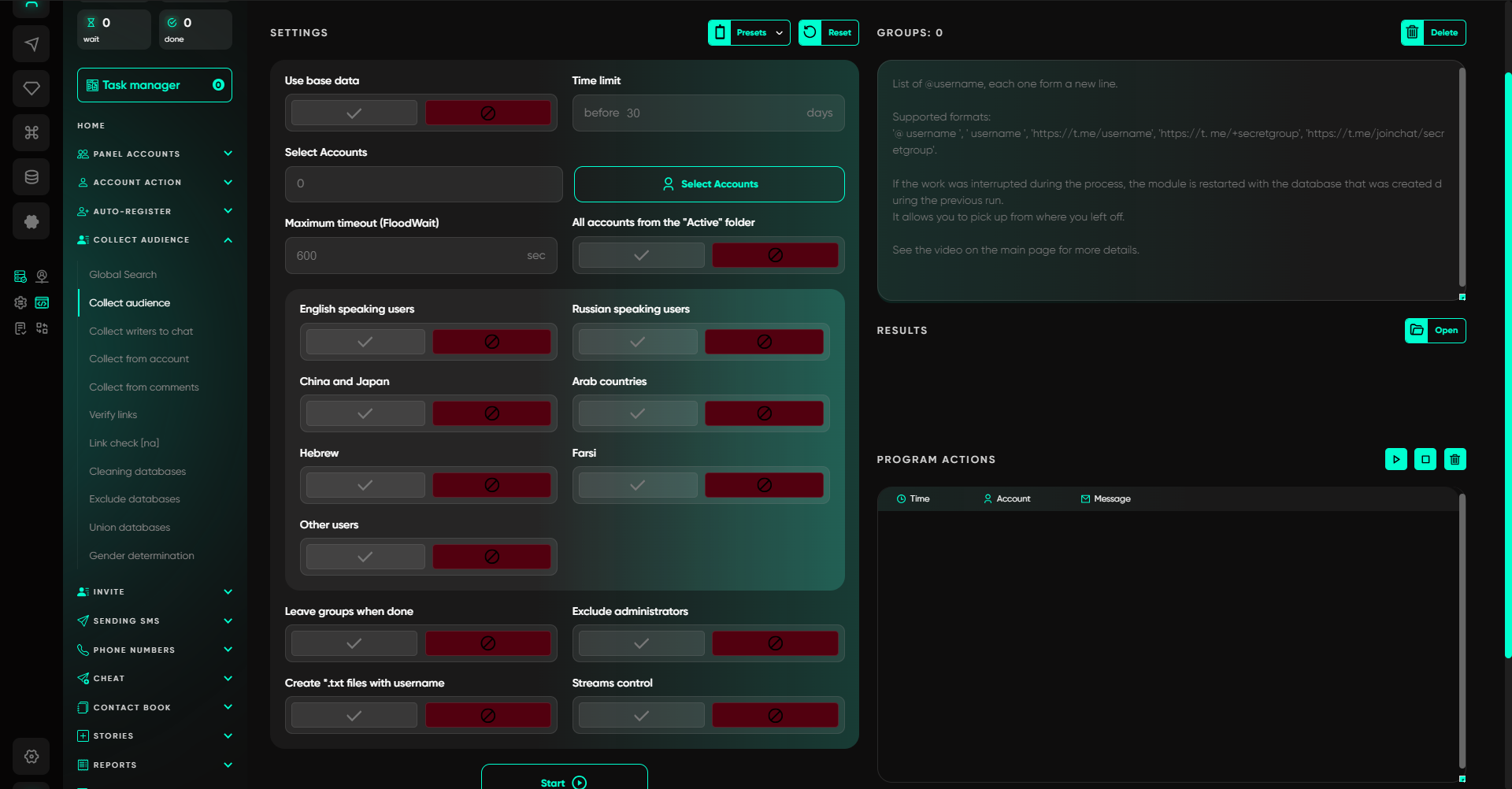
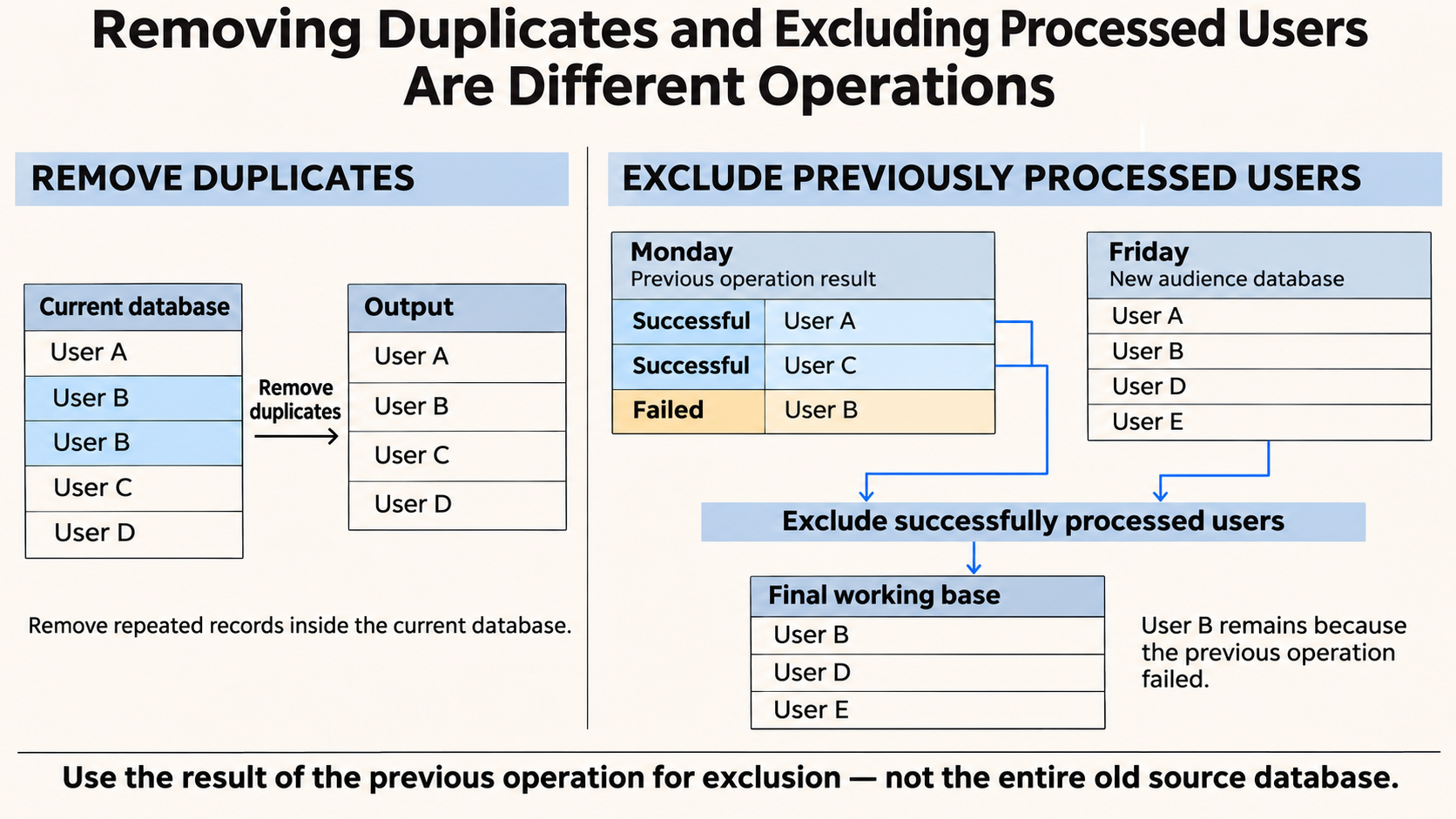
Check how previous campaign history is taken into account. Do not confuse two different procedures.
Deduplication removes repeated entries. For example, one person may have appeared in the file after being collected from several chats.
Excluding processed users removes people you have already interacted with from a fresh selection. This relies on the saved results of a specific messaging or invitation campaign.
Suppose you sent a notification on Monday and collected additional contacts from other sources on Friday. Previous recipients may appear among them again.
Compare the fresh selection with the list of successful sends. Do not substitute the entire original Monday file: otherwise, you will also exclude people whose notifications were not delivered because of an error.
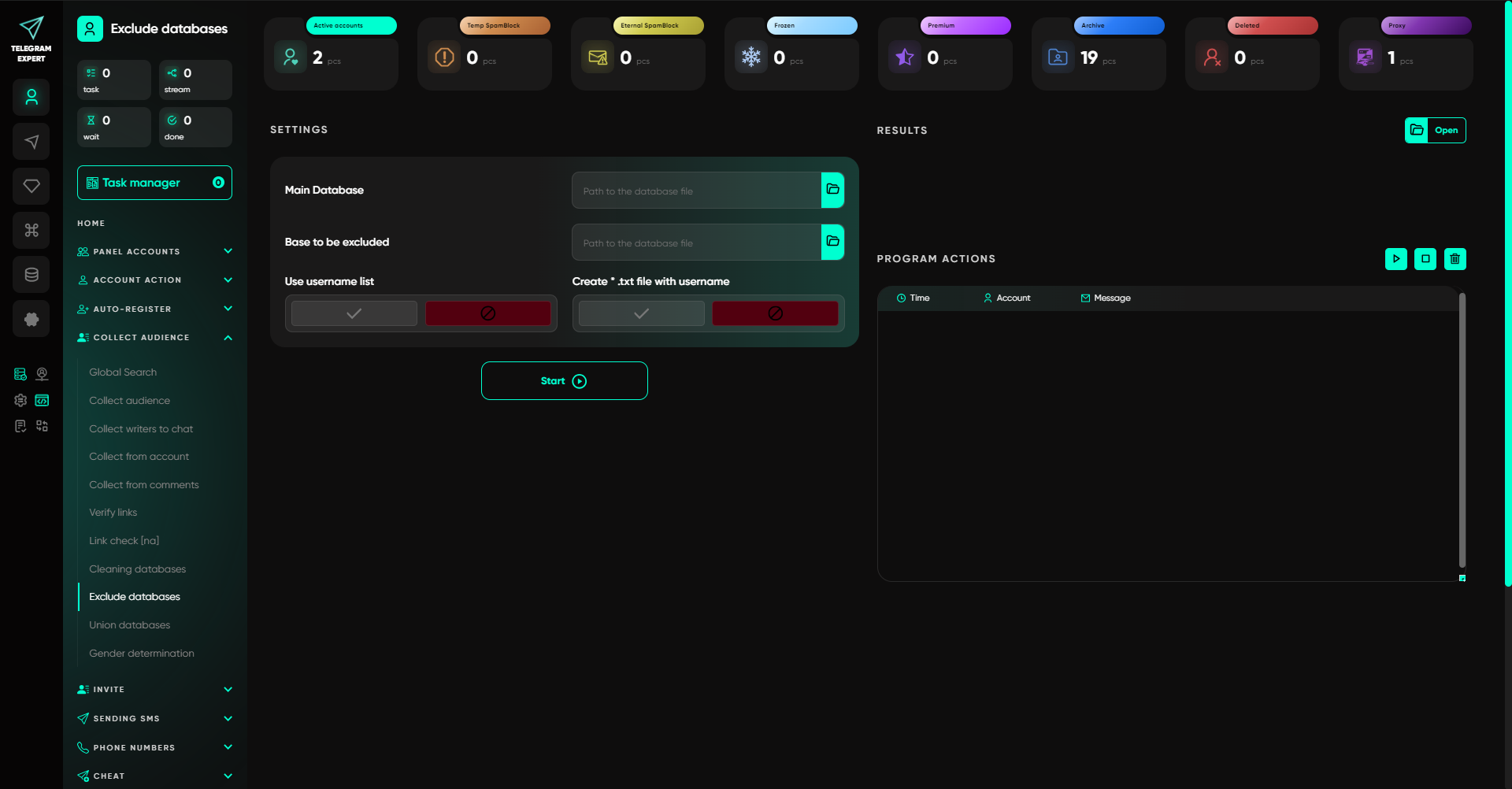
The report generator and database exclusion module are used to compare selections. A step-by-step guide is available in the article on excluding already processed users.
Stage 3. Choosing an Action for the Available Data
Now choose an action that matches the identifiers you have prepared.
Messaging and invitations serve different purposes. With the first, you write to recipients; with the second, you invite people to your own community. Each requires an appropriate source of contacts.
The following types are supported for messaging:
usernames;
Telegram IDs;
phone numbers;
contacts;
open conversations with an existing messaging history.
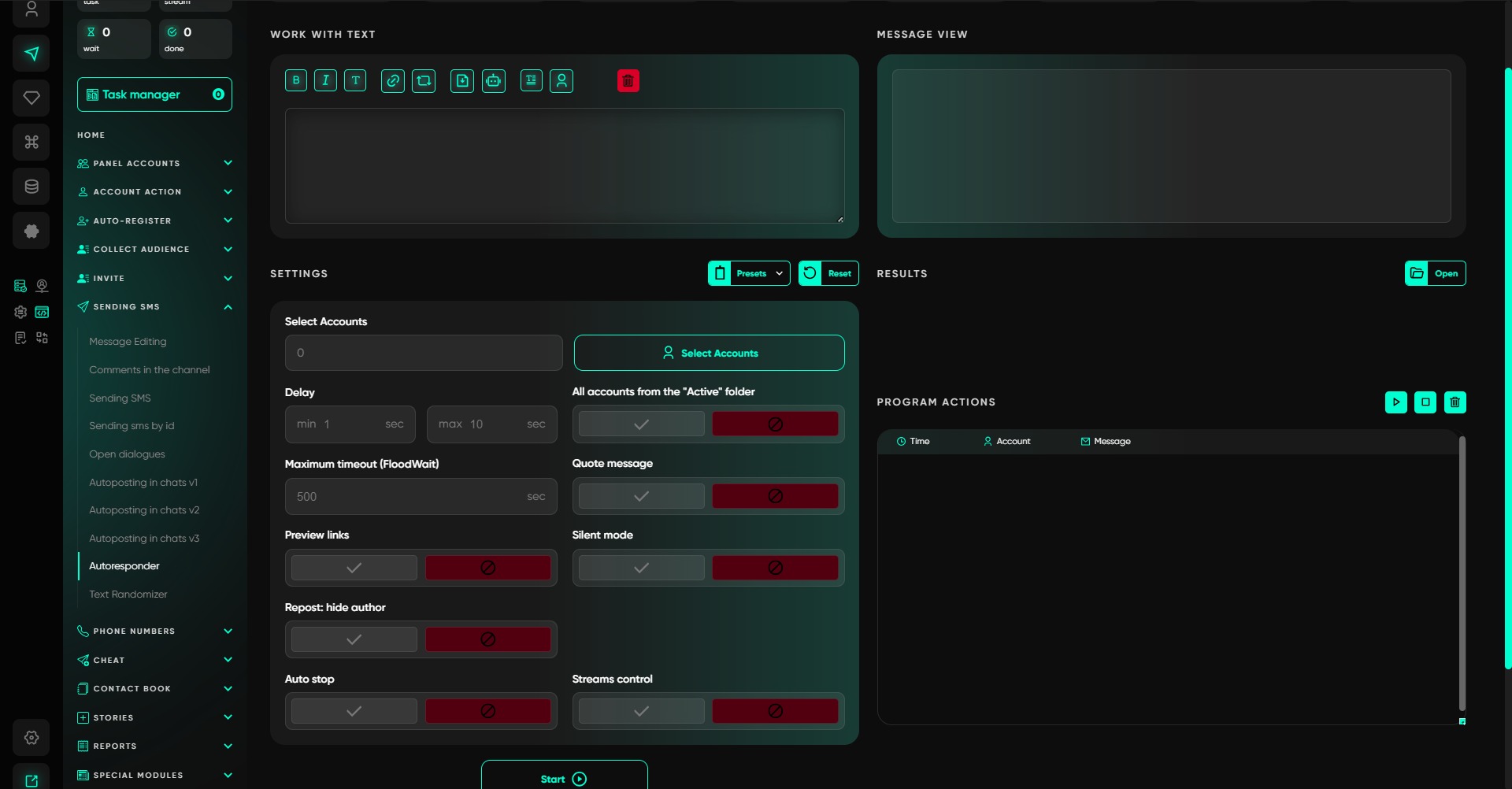
Messages can contain text, images, video, voice content, and buttons. An autoresponder is available for recurring inquiries. The messaging page lists the available modes and formats.
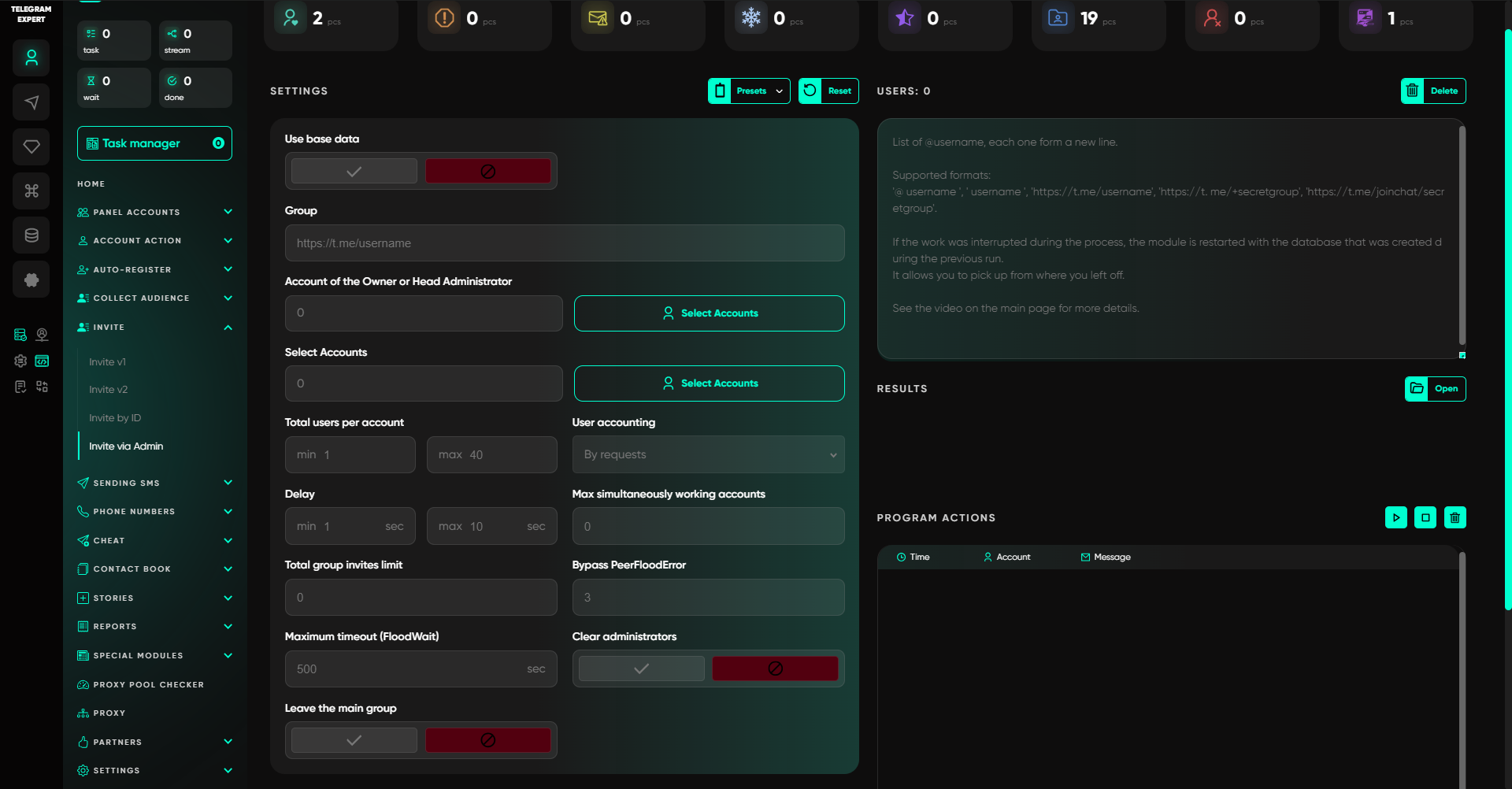
A dedicated tool is available for inviting users: the Telegram inviter. It supports usernames, IDs, phone numbers, and contacts. The program includes V1 and V2 invitation modes, while additional modules offer invitations through administrator tools for specific scenarios.
Match the identifier format to the selected mode. Support for phone numbers, usernames, and Telegram IDs may vary: having a list does not mean it works with every communication method.
Also consider the platform’s communication rules. Telegram restricts accounts following complaints about unwanted messages. For those profiles, messaging may remain available only to people who have saved the account’s number in their contacts. Before starting, check the audience source and the basis for contacting those users.
Stage 4. Handling Incoming Messages
After a campaign, recipients may ask about the terms, raise questions, or report a broken link.
Assign responsibility for incoming messages in advance and decide where to keep the conversation history. With a light workload, the profile owner can handle this. Telegram Expert provides an autoresponder with prepared replies for common questions.
Unusual inquiries must remain visible to the operator. Individual arrangements and complex situations are best passed to the responsible specialist.
This preserves context: the employee sees why the person got in touch and records the next step for that customer.
Stage 5. Saving Results
As you finish a campaign, save the information needed for evaluation and follow-up actions.
Check whether you can open the results database, distinguish successful actions from errors, and generate a report. You will need this after both messaging and invitation campaigns.
Telegram Expert includes results calculators and an HTML report generator. They help you review messaging and invitation outcomes using the saved database.
A CRM or spreadsheet is convenient for tracking inquiries and sales. Match them to the delivery history so you can see earlier customer interactions the next time you get in touch.
How to Complete a Workflow in Telegram Expert
Now apply these criteria to the example of notifying customers about a service update.
Step 1. Select Accounts.
Add senders and assess their condition. Organize them into folders and categories, then select a group for the current project.
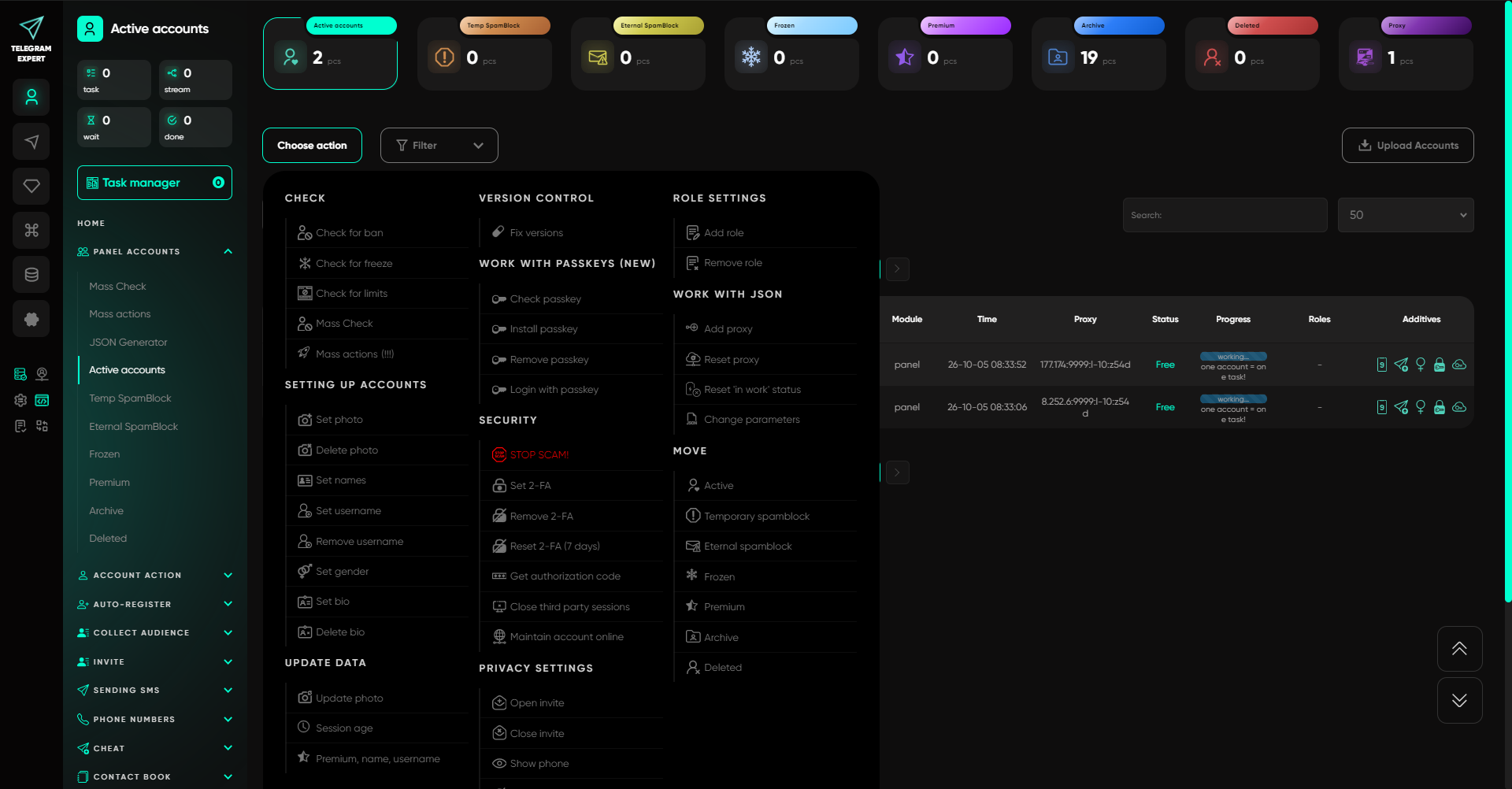
Step 2. Prepare Contacts.
Upload your own list or select open conversations if you have already exchanged messages with the recipients. Make sure the required fields are filled in and remove duplicates.
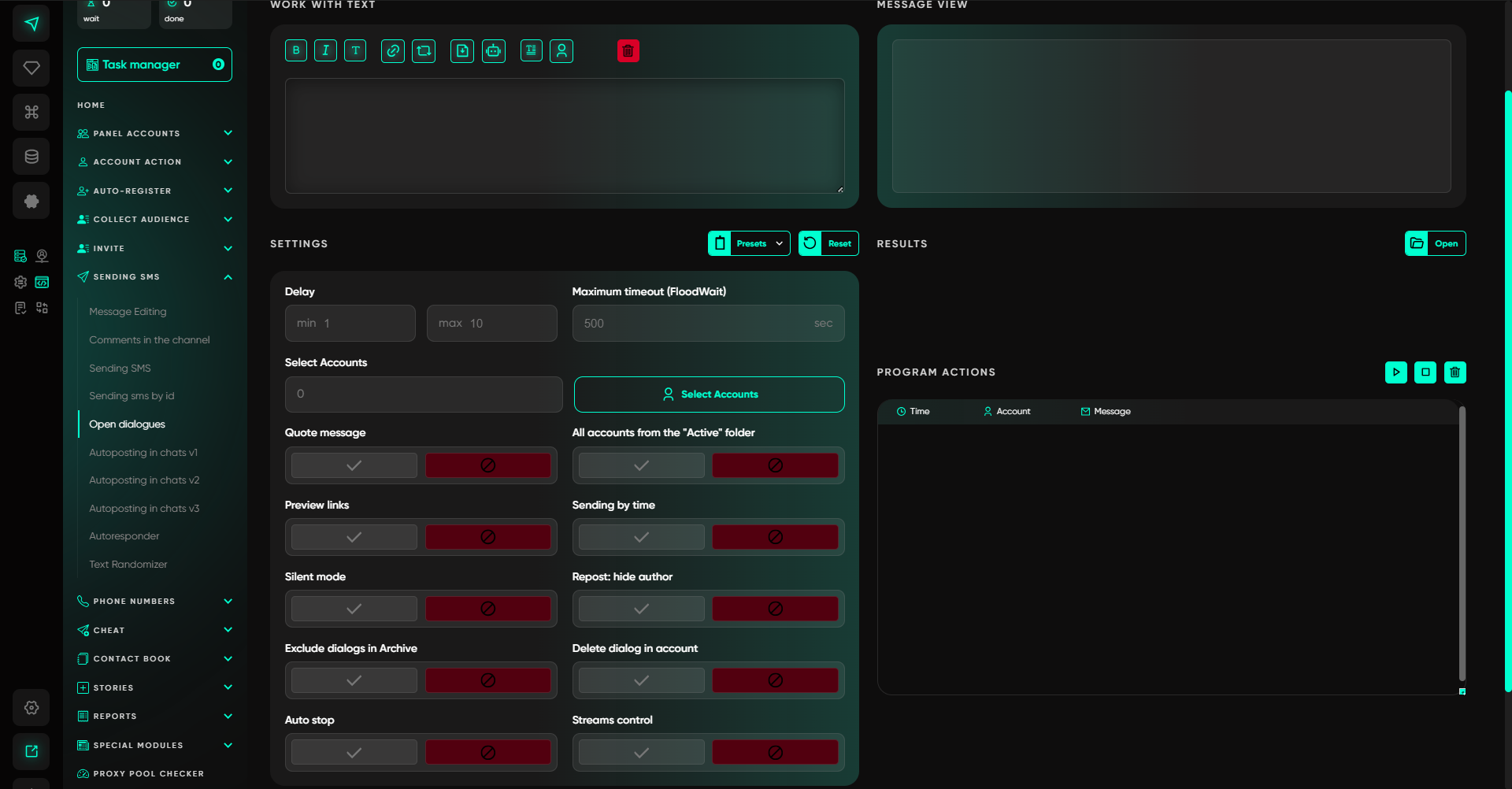
Step 3. Choose a Sending Method.
Select a mode that matches the identifiers you have. Compose the notification and add an image, video, or button if needed. First test the content and settings on a small group.
Step 4. Arrange Reply Handling.
Assign an employee to monitor incoming messages. Let the autoresponder handle common questions and route the rest to an operator.
Step 5. Review Results.
Open the results database and compare successful actions with errors. Use the calculator and generate an HTML report if necessary.
Step 6. Prepare the Next Run.
Save the outcomes. When updating the list, compare it with the delivery history and exclude people who have already received the notification.
The process is similar for inviting people to your own group. Choose the appropriate invitation mode instead of messaging, then assess whether users were added successfully.
The entire cycle stays in one interface: managing profiles, preparing recipients, contacting them, and reviewing outcomes. Test how smoothly these transitions work in practice.
What to Test in the Demo Before Buying a License
Before paying, run your own scenario in the demo. Assess how much manual work remains and which capabilities are missing for your usual workload.
Telegram Expert offers free demo access for 24 hours. It includes the basic modules, and additional tools can be requested separately.
A small scenario is enough for testing:
Add several work accounts and check their statuses.
Upload a small database of your own contacts with a known interaction history.
Perform the required action and check how the program saves the results.
Review the data available for further use and generate a report.
Test incoming message handling and the autoresponder if your process requires them.
Confirm what the selected license includes, the cost of additional modules, and the requirements for external resources.
Pay particular attention to transitions. After a test campaign, open the results database and make sure the statuses have been saved. Then use it to exclude recipients who have already been processed.
If you can complete all stages without constant manual reconciliation, the solution is worth evaluating for regular use. If you only need a few conversations, the messenger’s built-in capabilities are enough.
When Specialized Software Is Not Yet Necessary
A license is justified when a recurring process consumes time: you have to monitor profiles, prepare recipients, and reconcile outcomes manually.
For a one-off notification or a few personal conversations, a separate application may be unnecessary. It also will not make organizational decisions for you: decide in advance who to contact and why, what to offer, and who will handle incoming inquiries.
Choose Telegram software to match your actual workload. Complete one full cycle in the Telegram Expert demo and assess which modules you really need. This will help you choose a license without paying for unnecessary capabilities.

Download Telegram Expert - software for Telegram promotion
Telegram Expert is professional software for fast channel growth and sales in Telegram. Launch mass mailings and invites, warm up accounts without bans, consolidate dialogs in one place, and scale your team. All in one window - fast, safe, and tailored to your tasks.
What it can do:
- TDATA Converter - массово переводит session+json в TDATA.
- Booster - account warm-up via smart dialogs to increase trust.
- Registrar - account creation via any SMS services with the sms-activate standard.
- Duplicator - a second session for existing accounts for transfer and protection.
- Forwarder - routes incoming replies to a working group and sends replies to clients.
- Interceptor - catches messages by keywords from chats/channels and forwards them to you.
- Invite via admin - invitations even to restricted groups.
- Channel and chat cloner - full copies, including protected content.
- Reporter - mass complaints about messages/users/channels.
No one has left a comment yet
The Era of Synthetic Engagement: What Happens When AI Starts Talking to AI on Telegram
You look at the comments under a post: dozens of them, lively, full of emoji. An advertiser asks for engagement statistics. You send the numbers. But how do you know how many of those comments were written by real people, and how many by neural networks? The problem is not that AI can write text. The problem is that the familiar metrics no longer reflect reality. If you still judge a channel by likes and ER, you are mistaking noise for signal. And that will cost you money. Let us break dow...

Telegram Expert New Year Promo: 25% Off Until January 11 + Bonuses
[media mw=100]3156[/media] Dear friends and colleagues, the BLB.Team congratulates you on the upcoming New Year of the Fire Horse! 🐎 We hope that 2025 has been successful for you, and that 2026 will bring even more profit and achievements. We are truly grateful that you are with us. This really matters. A big year lies ahead, and we will do everything to ensure that Telegram Expert remains your main and most reliable tool for any tasks in Telegram. And we are already starting — our so...

Telegram Promotion: Software for Channel and Business Growth
Telegram as the Main Promotion Tool Today, Telegram has become one of the most popular platforms for communication and business. People create sales channels, launch online stores, promote personal brands, and run advertising campaigns here. But with rising competition comes the key question: how to effectively promote a Telegram channel and attract subscribers, clients, and orders? Traditional methods are no longer enough. Simply posting occasionally or sending rare newsletters will not bri...
How to Use Mobile Proxies for Social Media Marketing in 2026
Review By hamza [media mw=100]3542[/media] A social campaign can have an excellent video, a convincing offer and a broken customer journey. A visitor follows the link, lands on the wrong regional page, loses the discount or meets a form that will not submit. None of those problems becomes visible simply because the post looks good in an editor's preview. Mobile proxies can help a marketing team investigate one part of that journey: the network route used to reach a webs...