
How to Run Multiple Telegram Accounts Without Getting Banned: A Practical 2026 Guide
If you work with Telegram professionally, you probably have more than one account: one for clients, one for your channel, a couple more for support chats and testing. Problems start when the number grows beyond three or four: sudden limits on sending messages, a "spam block", repeated verification requests, and sometimes a fully banned number.
This guide explains which signals Telegram uses to link accounts together, how to prepare phone numbers, devices and IP addresses, how to warm up new profiles, and which actions most often lead to restrictions. The advice works both for individual users and for SMM teams.
Why Telegram restricts accounts
Telegram doesn't publish its anti-spam algorithms, but in practice the main signals are clear:
User reports. The biggest factor. If several people tap "Report spam" after your message, the account will almost certainly be limited from messaging strangers.
Mass repetitive actions. Dozens of identical messages, group invites or joins in a short time look like bot activity.
Shared infrastructure. When many accounts log in from the same IP address and device, a restriction on one of them raises the risk for the rest.
Account age. New profiles with no history, photo or contacts get much closer attention than accounts with years of activity.
Suspicious numbers. Virtual and repeatedly resold numbers are more likely to face extra checks.
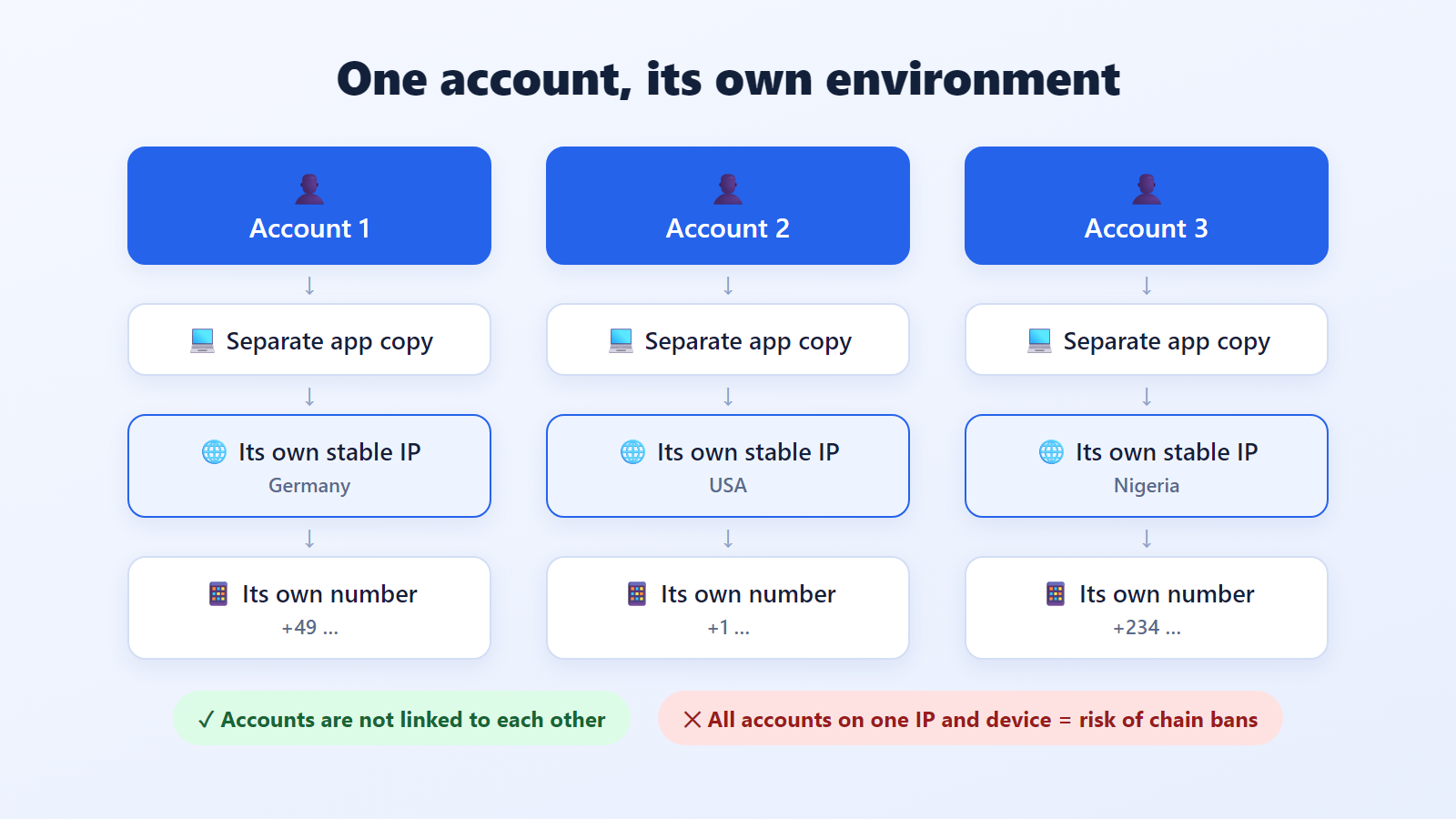
The takeaway is simple: for accounts to last, each one should look like a separate, ordinary user.
Step 1. Prepare your phone numbers
The phone number is the account's "passport", and a lot depends on its quality.
Use real SIM cards where possible. Accounts on physical numbers are noticeably more stable than those on disposable virtual numbers.
Keep access to the number. Telegram may ask you to log in again via SMS months later. Lose the number, and you lose the account.
One number, one account. Don't try to reuse a number after deleting a profile: it already has a history.
Match the country. If the number, interface language and IP address all point to different countries, that's an extra reason for a check.
Step 2. Separate the environment: device and IP address
This is the most important step, and the one most people skip. The official app lets you add several accounts, but they all run from the same device and the same IP. That's fine for two or three personal profiles, but not for work accounts.
How to separate accounts on a computer
Telegram Desktop can run as several independent copies. Create a separate folder for each account and launch the app with a working-directory parameter, for example:
Telegram.exe -workdir "D:\TG\account1"
Telegram.exe -workdir "D:\TG\account2"
Each copy keeps its own session and settings, including its own dedicated network gateway. It's convenient to create a separate shortcut for each one.
An alternative is Telegram Web in separate browser profiles, or in an anti-detect browser where every profile has its own fingerprint and its own network gateway.
Why each account needs its own IP
If all accounts go online from one address, it's easy to see that one person controls them. So work accounts should get their own IP addresses:
Residential network gateways are addresses from regular home internet providers. Traffic from them looks like an ordinary user's.
Mobile network gateways are addresses from mobile carriers. Thousands of subscribers share each such IP at the same time, so trust in them is the highest.
Datacenter network gateways are a poor fit for this task: their ranges are easy to recognize.
The IP must also be stable: if an account's address jumps to a new country every hour, that's no better than one shared IP for everyone. Choose a network gateway in the same country as the phone number and keep it assigned to that account.
You can get residential or mobile IPs for this setup from ProxyUniverse, for example. It brings together several popular networks with SOCKS5 support, accepts crypto or cards, and delivers the key right after payment.
How to add a dedicated network connection in Telegram
Telegram Desktop: Settings → Advanced → Connection type → Use custom connection → add a SOCKS5 gateway with host, port, username and password.
Android and iOS: Settings → Data and Storage → Gateway → Add Proxy.
After connecting, make sure the app shows "Connected", and only then log in to the account.
When the number of working profiles grows, Telegram Expert can serve as the Telegram software layer for centralized work with multiple accounts, chats and channels. ProxyUniverse remains the network layer: each account can keep its assigned connection, while Telegram-side operations are organized in one interface.
МЕДИА
Step 3. Warm up new accounts
A new profile that starts sending messages on day one is almost guaranteed to get restricted. Warming up means gradual, "normal" activity that builds the account's history.
A sample plan for the first two weeks:
Days 1–2. Fill in the profile: name, photo, bio. Subscribe to a few channels on your topic and read the feed. No outreach.
Days 3–5. Add a few people you know to your contacts and exchange messages. Join a couple of topic chats and post something relevant.
Days 6–10. Increase activity: voice messages, reactions, replies in chats. If the account will manage a channel, start publishing posts.
Days 11–14. You can start real work, but with small volumes, increasing them gradually.
The main principle: every next action should look like something a real person would do.
Step 4. Stay within reasonable limits
Telegram doesn't publish exact numbers, so it's safer to start with cautious values and grow them slowly:
Messages to strangers. Start with just a few per day. Write personal messages instead of copying the same text.
Group invites. Only add people who agreed to it: mass invites are a common cause of reports.
Joining chats and channels. Don't join dozens of groups in an hour.
Links. Don't send a link in your very first message to a stranger: those messages get reported as spam most often.
If a restriction does appear, check your account status with the official @SpamBot. It will tell you whether there are limits and when they will be lifted. The rules are explained in the Telegram spam FAQ.
For teams that already have account isolation and stable connections in place, Telegram Soft Expert can help organize recurring Telegram workflows: account management, search across chats and channels, different types of broadcasts, and auto-replies. This keeps the infrastructure layer separate from day-to-day Telegram operations as the number of accounts grows.
Step 5. Protect your accounts
Losing an account to a hack costs as much as losing it to a ban.
Turn on two-step verification (Settings → Privacy and Security → Two-Step Verification) and add a recovery email.
Check active sessions regularly (Settings → Devices) and end any you don't recognize.
Never share login codes with anyone, even "Telegram support": real support never asks for them.
Store credentials in a password manager, not in notes or chats.
Common mistakes
All work accounts in one app on one phone.
Free public shared gateways shared by hundreds of people at once.
Constantly changing the IP address and country of a single account.
Sending the same text with a link right after registration.
Lost SIM cards that make it impossible to recover access.
Pre-launch checklist
✓ ☐ Real phone number, access to it is kept
✓ ☐ Separate app copy or browser profile for each account
✓ ☐ Its own stable residential or mobile IP in the same country as the number
✓ ☐ Profile filled in: name, photo, bio
✓ ☐ 10–14 days of warm-up completed
✓ ☐ Two-step verification on, recovery email added
✓ ☐ Activity volume grows gradually
Conclusion
Telegram doesn't restrict accounts as such; it restricts behavior that looks like spam. If every profile has its own number, its own environment and a stable IP, if new accounts are warmed up and activity stays within reason, multiple accounts can work for years without a single restriction. Start with the checklist above and add the steps one at a time: even the first two will noticeably lower the risk of bans.

Download Telegram Expert - software for Telegram promotion
Telegram Expert is professional software for fast channel growth and sales in Telegram. Launch mass mailings and invites, warm up accounts without bans, consolidate dialogs in one place, and scale your team. All in one window - fast, safe, and tailored to your tasks.
What it can do:
- TDATA Converter - массово переводит session+json в TDATA.
- Booster - account warm-up via smart dialogs to increase trust.
- Registrar - account creation via any SMS services with the sms-activate standard.
- Duplicator - a second session for existing accounts for transfer and protection.
- Forwarder - routes incoming replies to a working group and sends replies to clients.
- Interceptor - catches messages by keywords from chats/channels and forwards them to you.
- Invite via admin - invitations even to restricted groups.
- Channel and chat cloner - full copies, including protected content.
- Reporter - mass complaints about messages/users/channels.
No one has left a comment yet

Automating Multi-Accounting in ChatGPT and Midjourney for Agencies
For an agency generating text, visuals, and content daily for dozens of clients, a single ChatGPT or Midjourney account quickly becomes the main bottleneck. Request limits, image-generation queues, and plan-tier restrictions can bring any volume-driven production process to a halt. The obvious answer is working with several accounts in parallel — different projects, different teams, different loads. But as soon as multiple accounts enter the picture, a new layer of complexity appears: how to ...
How to Pay for Telegram Services and Automation Tools Without Getting Blocked
Telegram has long since outgrown its role as just a messenger. Today, it is a full-fledged platform for marketing, sales, and project promotion. Companies, affiliate marketing teams, channel owners, and digital specialists use dozens of tools to automate their work: messaging services, audience parsers, account registration software, IP infrastructure providers, and analytics platforms. However, as infrastructure grows, another challenge appears - paying for all of these services. Users often...
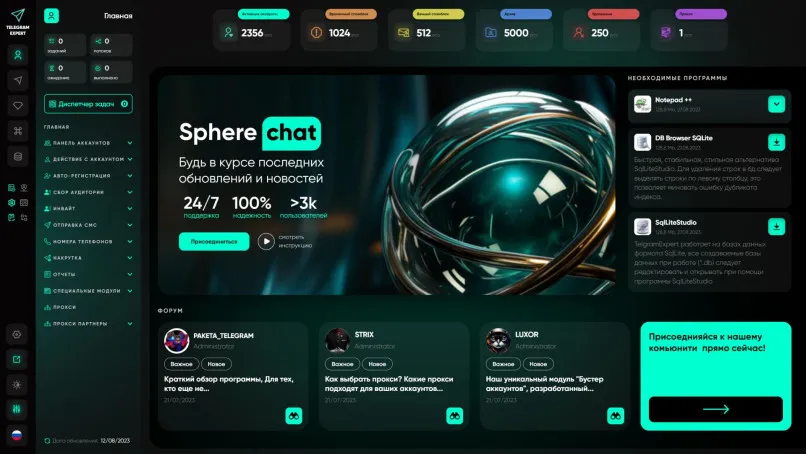
Telegram Gods key replacement program -> Telegram Expert (release)
We always strive to support our valued users and offer you an unprecedented key replacement program for owners of the Telegram Expert Beta or Telegram Gods program. All keys are replaced for FREE with the Telegram Expert Release program under the following conditions: 1. The «duplicator» and «invite through administrators» modules are connected for free. 2. Key validity period – lifetime Additional conditions: 1. Keys purchased before 18.02.2022 must be accompanied by indisputable confi...

A Telegram Channel for Affiliate Marketing: When It Beats Direct Traffic Buying
In affiliate marketing, the usual workflow is to choose an offer, select a traffic source, run a test, and use the results to decide whether to refine the campaign or scale it. You can get initial data without spending months building a publishing platform of your own. But when you stop advertising, new visits from that paid source stop too. If you have not maintained a connection with the user, reaching them again may mean paying again. Your own Telegram channel lets you retain some of the...