
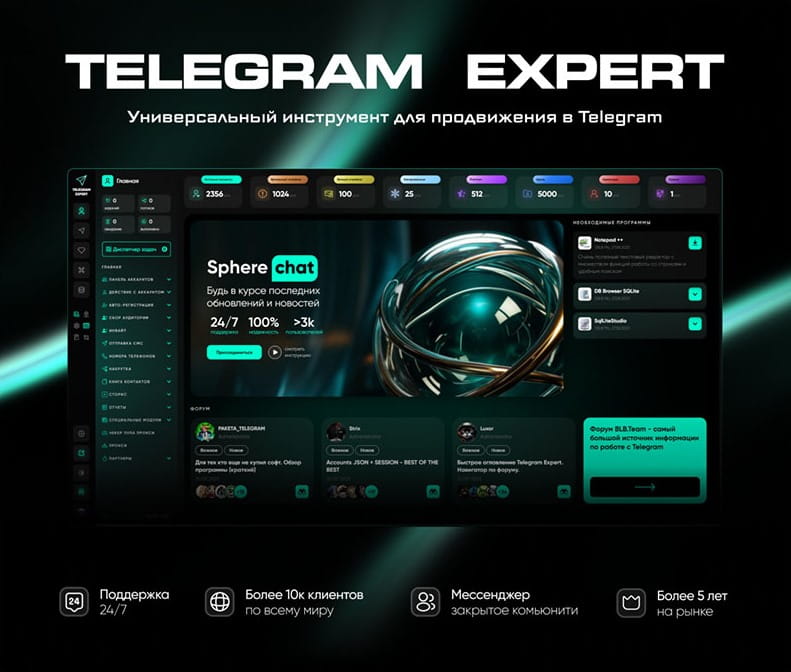
Download Telegram Expert - software for Telegram promotion
Telegram Expert is professional software for fast channel growth and sales in Telegram. Launch mass mailings and invites, warm up accounts without bans, consolidate dialogs in one place, and scale your team. All in one window - fast, safe, and tailored to your tasks.
What it can do:
- TDATA Converter - массово переводит session+json в TDATA.
- Booster - account warm-up via smart dialogs to increase trust.
- Registrar - account creation via any SMS services with the sms-activate standard.
- Duplicator - a second session for existing accounts for transfer and protection.
- Forwarder - routes incoming replies to a working group and sends replies to clients.
- Interceptor - catches messages by keywords from chats/channels and forwards them to you.
- Invite via admin - invitations even to restricted groups.
- Channel and chat cloner - full copies, including protected content.
- Reporter - mass complaints about messages/users/channels.
No one has left a comment yet
More Than Telegram: How to Safely Redirect Traffic to the Web and Interact with Strict Anti-Fraud Systems
Hello! You already know perfectly well that creating a powerful bot network and successful mailings within a messenger requires quality software, good network gateways, and competent session management. Within the Telegram ecosystem, our program handles tasks 100% effectively. But let's look wider. The ultimate goal of automation and traffic generation is almost always conversion on an external resource. Whether it's registration on cryptocurrency exchanges, farming accounts on Coinlist, uplo...
How to Pay for Telegram Services and Automation Tools Without Getting Blocked
Telegram has long since outgrown its role as just a messenger. Today, it is a full-fledged platform for marketing, sales, and project promotion. Companies, affiliate marketing teams, channel owners, and digital specialists use dozens of tools to automate their work: messaging services, audience parsers, account registration software, IP infrastructure providers, and analytics platforms. However, as infrastructure grows, another challenge appears - paying for all of these services. Users often...

How to Avoid Spam Blocks and Bans in Telegram in 2026
Telegram remains one of the most popular platforms for communication, marketing, and project promotion. Many companies, traffic arbitrage specialists, channel owners, and Telegram marketing professionals use the platform to attract audiences, make sales, and manage communities. However, as Telegram’s popularity grows, the platform is also strengthening its anti-spam measures. Users who actively interact with audiences, send bulk messages, invite people to groups, or operate multiple accounts ...
What Are Telegram Gateways, How Do They Work, and How to Use Them?
Telegram network gateways route the app’s connection through an intermediary server before it reaches Telegram’s infrastructure. They can support authorized regional testing, separate work environments, and more consistent connection routes for business operations. According to Statista, Telegram’s global user base represented 11.6% of the world’s population in 2025. Such a broad international reach makes stable, location-aware connection settings relevant for teams that use Telegram across d...