

More Than Telegram: How to Safely Redirect Traffic to the Web and Interact with Strict Anti-Fraud Systems
Hello! You already know perfectly well that creating a powerful bot network and successful mailings within a messenger requires quality software, good network gateways, and competent session management. Within the Telegram ecosystem, our program handles tasks 100% effectively.
But let's look wider. The ultimate goal of automation and traffic generation is almost always conversion on an external resource. Whether it's registration on cryptocurrency exchanges, farming accounts on Coinlist, uploading to affiliate networks, or managing a network of profiles in Facebook Ads. And as soon as your account farm ventures beyond the messenger into the "big Web," you encounter the harsh reality of anti-fraud systems.
In this article, we will examine why classical anonymization methods fail when working with websites, how exactly you are detected, and what solution will allow web setups to scale as easily as you invite on Telegram.
Why IP Gateways No Longer Prevent Web Bans?
Among beginners, there is still a myth: if you buy expensive residential IP relays and clear cookies, you will become a new user to the site. In practice, this is a direct path to a chain of bans.
Modern security systems (Cloudflare, Akamai, Google and FB protection) have long since stopped focusing solely on IP addresses. They analyze your digital fingerprint, gathering dozens of parameters into a single hash. Special attention is now given to deep technical metrics that cannot be concealed by ordinary extensions:
Graphics Rendering (Canvas and WebGL): Websites in the background force your browser to render invisible 2D and 3D elements. The way your graphics card and drivers render pixels creates a unique hardware identifier.
TLS Fingerprinting: The encryption packets that the browser sends when establishing a secure HTTPS connection instantly reveal bots, non-standard builds, and emulation attempts.
Fonts and Media Devices: Do they match the declared system language and GEO of your network gateway?
If you visit a site from 50 different IPs but with the same WebGL and TLS fingerprint, antifraud sees it as one person trying to deceive it.
How an Antidetect Browser Solves This Problem
To work with web resources, a tool is needed that alters fingerprints at the browser kernel level. Professionals use anti-detect browsers in conjunction with Telegram Expert. They create an isolated environment for each account where all parameters — from User-Agent to WebGL — appear to anti-fraud systems as a unique device of a real person.
Let's see how the right software solves the technical problems of the automator, using the example of Undetectable Browser:
1. Trust through up-to-date engines and a vast pool of configurations
Anti-fraud is instantly triggered if you attempt to emulate an outdated browser. Developers of Undetectable promptly update the Chromium core, making the fingerprints current and "green" for checkers.
But most importantly, the browser allows you to finely adjust fingerprints and mimic different operating systems. You can work not only with desktops (the browser is available for Windows 10/11 and macOS, including M-series and Intel processors) but also create profiles with mobile device fingerprints — Android and iOS.
Thanks to this, profiles have a 100% resemblance to real users.
2. Mass Profile Creation and Farm Management
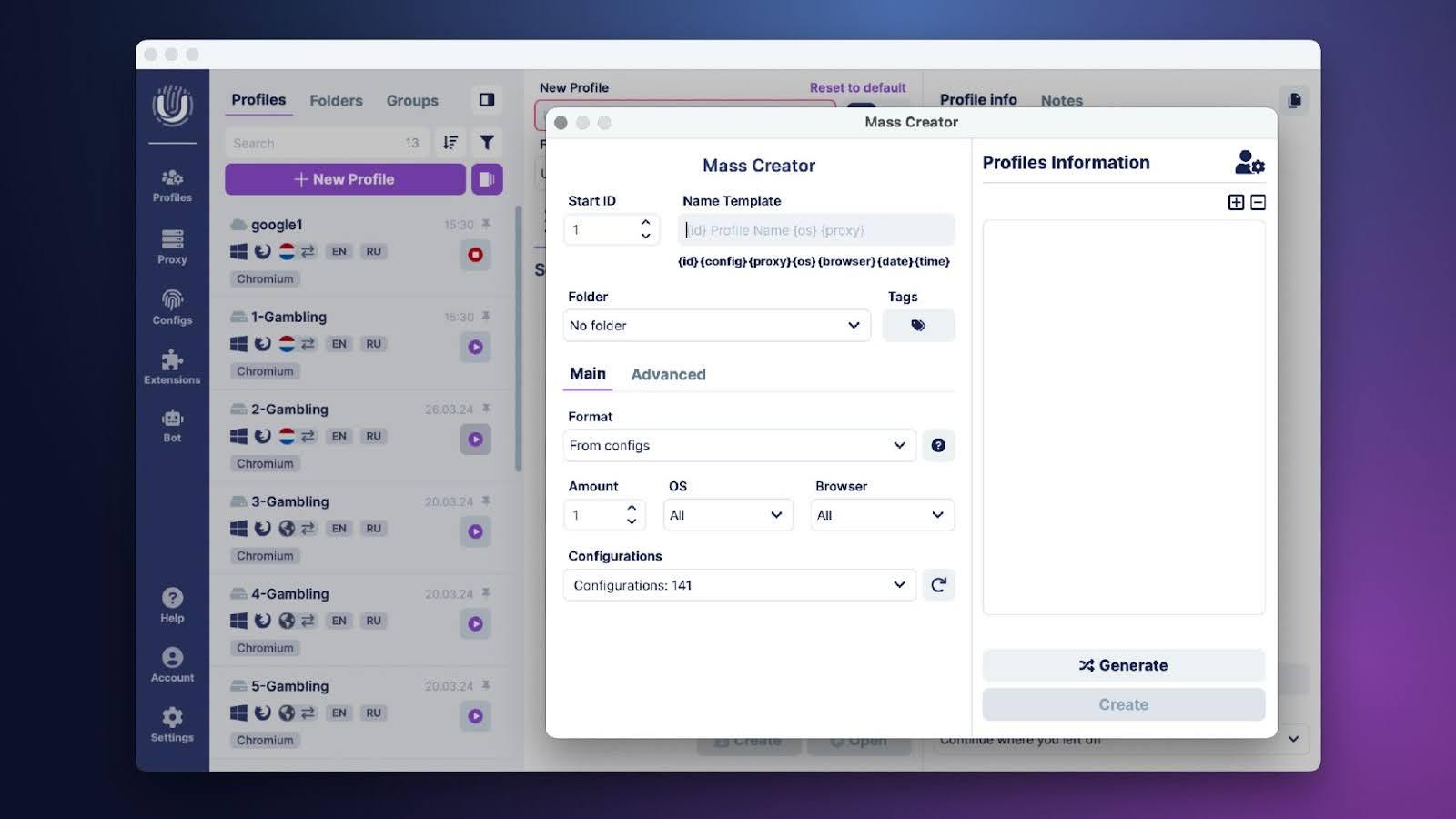
Manual configuration of each account is a waste of time. Undetectable is designed for scalability and easily handles working with more than 10,000 profiles.
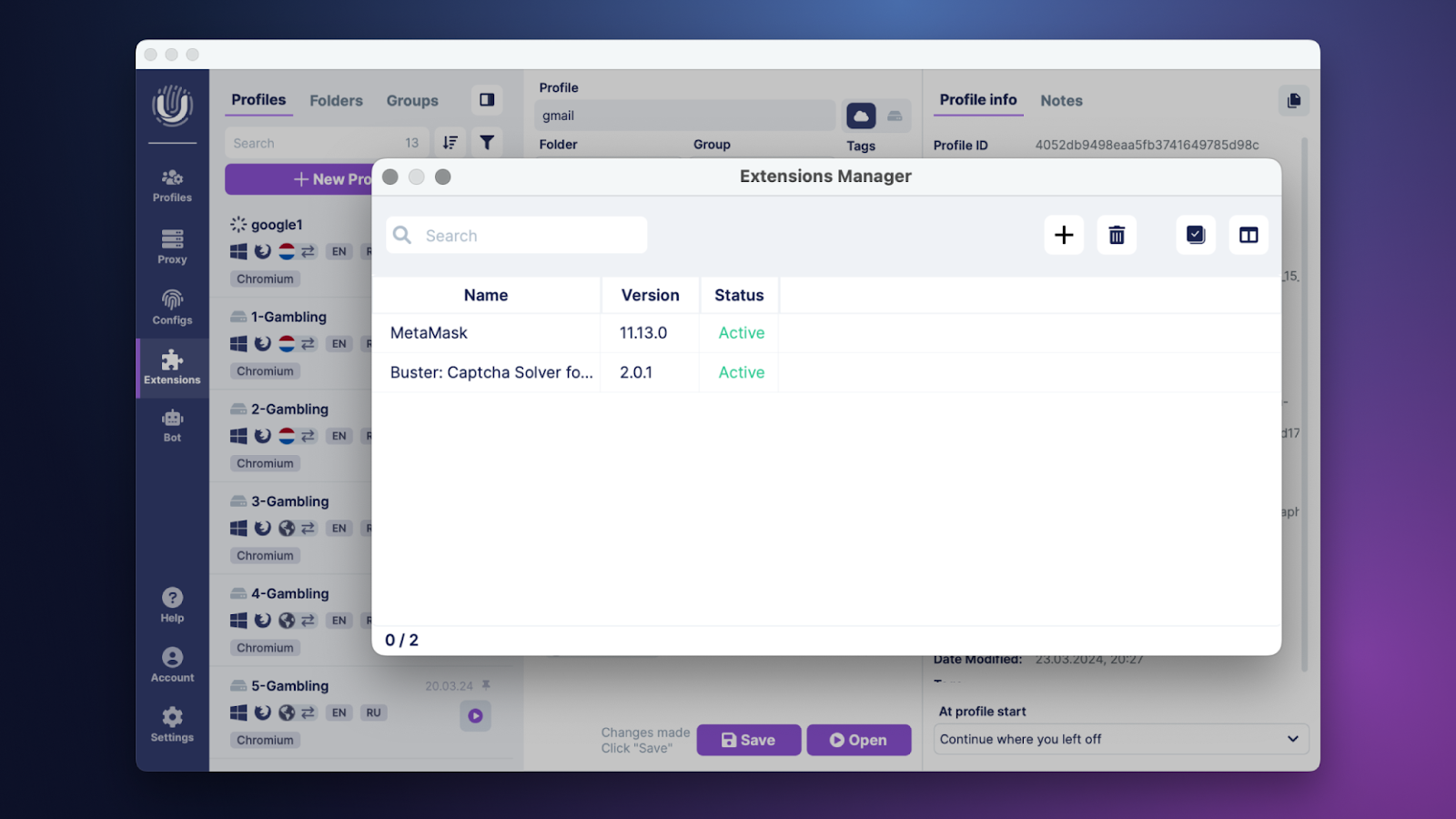
In a few clicks, you can create hundreds of unique accounts, and built-in managers allow you to bulk install or remove extensions across the entire farm.
For convenient database transfer, import and export of IP relays (with quick validation check), cookies, User-agents, and entire sessions are provided.
3. Getting Rid of Routine Tasks: Synchronizer and Cookie-Bot
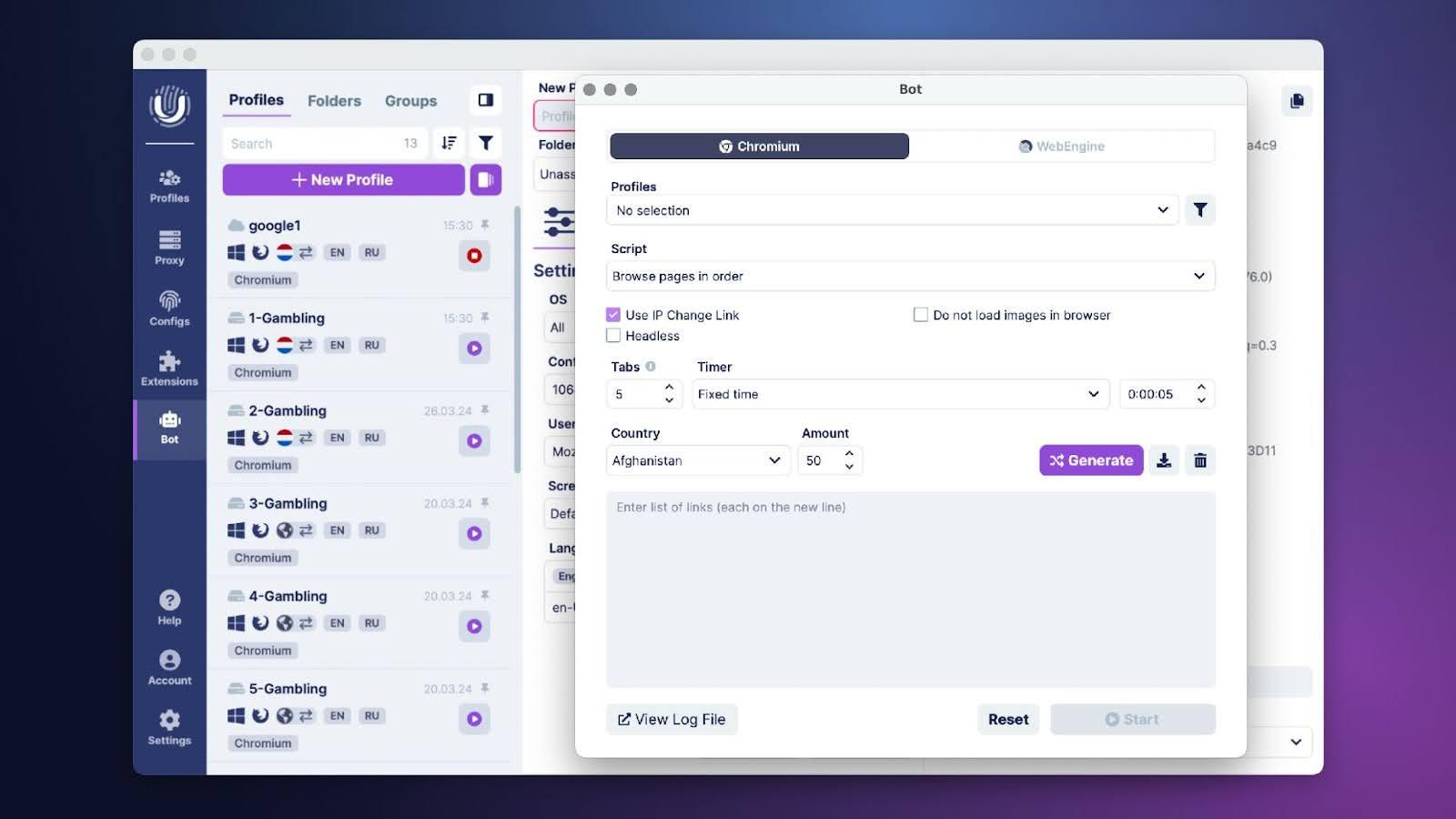
A bare profile with no browsing history always raises suspicions with security systems. The Cookie Bot is built into Undetectable and fully automates the cookie farming process.
In conjunction with the popular sites generator, it "browses" a history as relevant as possible to the geo of your network node.
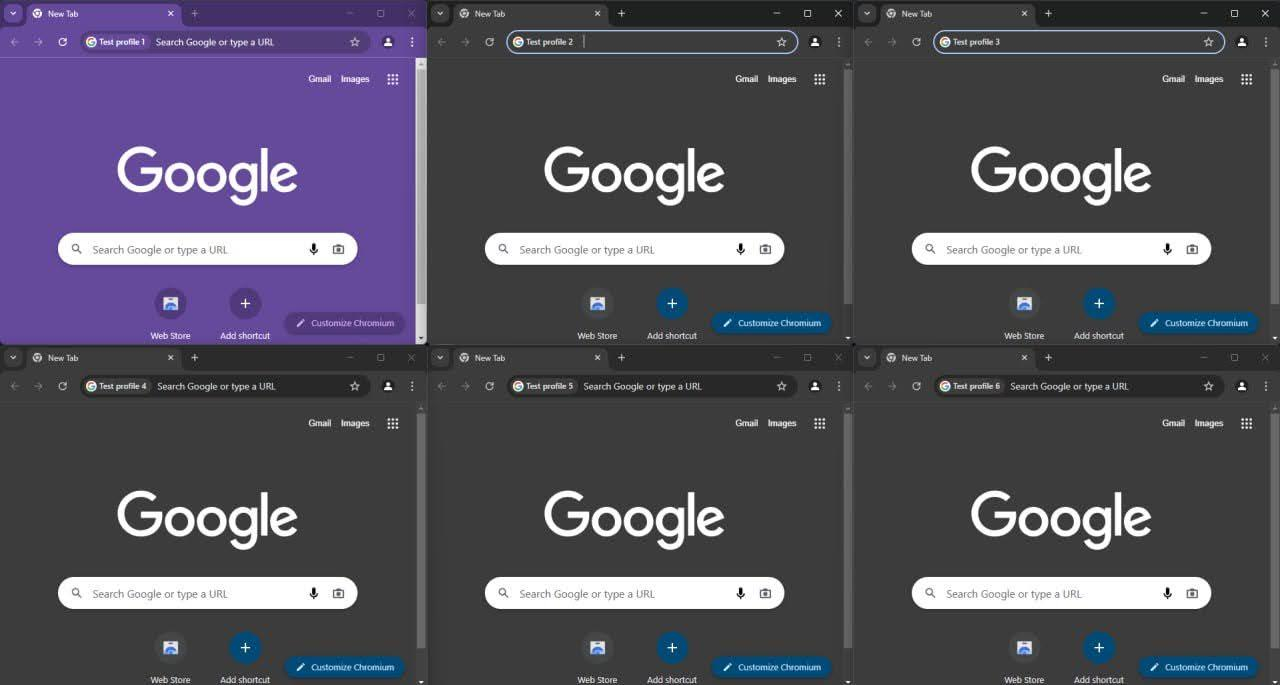
And if you need to pick up a drop or register accounts on ten tabs simultaneously, the Synchronizer helps out. You type the text, open the tabs, and click in one main window, and the browser perfectly duplicates these actions in the others.
For those who want to go further, full automation through the API is provided using popular libraries (Puppeteer, Playwright, Selenium).
4. Paste Like a Human
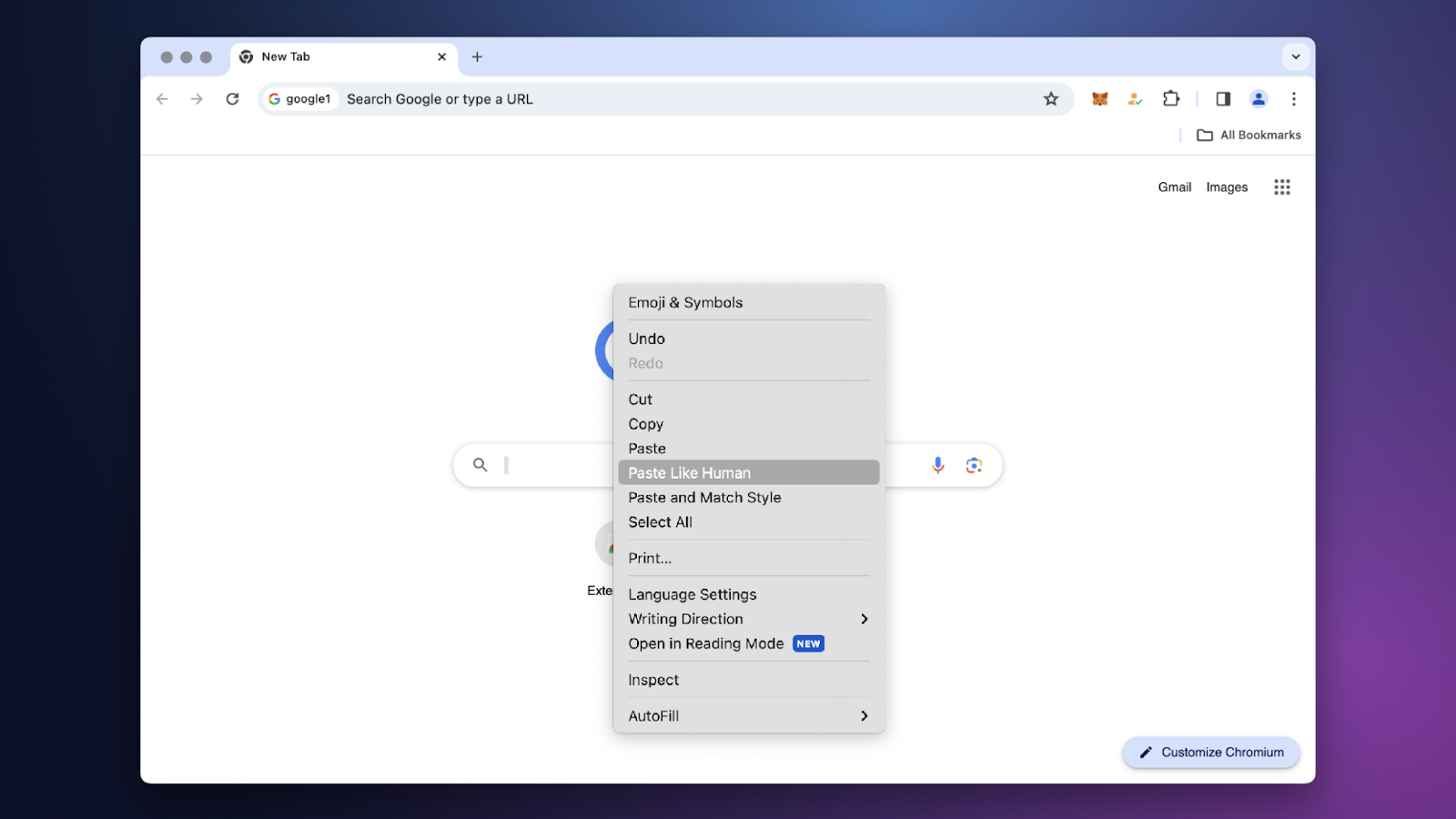
Inserting a copied password, seed phrase, or ad post within a millisecond is a classic automation mistake. The built-in "Paste Like Human" feature mimics real human behavior by adjusting the speed and incorporating natural pauses when pasting text.
This action looks as natural as possible and reduces the likelihood of detection by site scripts.
5. Local Data Storage and Advanced Team Collaboration
When working with crypto wallets or private links, security comes first. Undetectable offers flexibility: profiles can be stored in the cloud, locally on your PC or on your own server. This minimizes the risk of leaks, as access to confidential data remains only with you.
And if you are not working alone, the browser offers powerful functionality for teams. Administrators can use more than 33 access rights settings, create roles (for example, for farmers or fillers), and group profiles to efficiently distribute tasks and access within the team.
Summing Up
Integration of Telegram Expert and professional anti-detect is a combination that completes the full cycle. You gather and warm up your audience in the messenger, and then safely transfer this traffic and manage hundreds of web accounts without fear of losing them due to blocks.
Undetectable Browser takes care of all the technical magic of fingerprint spoofing, allowing you to focus on finding combinations and earning.
Especially for Telegram Expert users: You can test the browser's functionality absolutely free (Free plan). And for those ready for serious volumes, we offer the promo code TELEGRAMEXPERTPRO20 — it gives a 20% discount on the purchase of any license for a month.
For any questions, you can contact technical support:
And keep up with the latest news on social media:
Telegram Chat: https://t.me/UndetectableChat
News Channel: https://t.me/UndetectableBrowser
Important: this website is the only official website of the Telegram Expert project. Licenses, updates, and official technical support are available only through this website. Any other websites offering Telegram Expert are not affiliated with BLB.Team and are either unofficial or fraudulent.

Download Telegram Expert - software for Telegram promotion
Telegram Expert is professional software for fast channel growth and sales in Telegram. Launch mass mailings and invites, warm up accounts without bans, consolidate dialogs in one place, and scale your team. All in one window - fast, safe, and tailored to your tasks.
What it can do:
- TDATA Converter - массово переводит session+json в TDATA.
- Booster - account warm-up via smart dialogs to increase trust.
- Registrar - account creation via any SMS services with the sms-activate standard.
- Duplicator - a second session for existing accounts for transfer and protection.
- Forwarder - routes incoming replies to a working group and sends replies to clients.
- Interceptor - catches messages by keywords from chats/channels and forwards them to you.
- Invite via admin - invitations even to restricted groups.
- Channel and chat cloner - full copies, including protected content.
- Reporter - mass complaints about messages/users/channels.
No one has left a comment yet
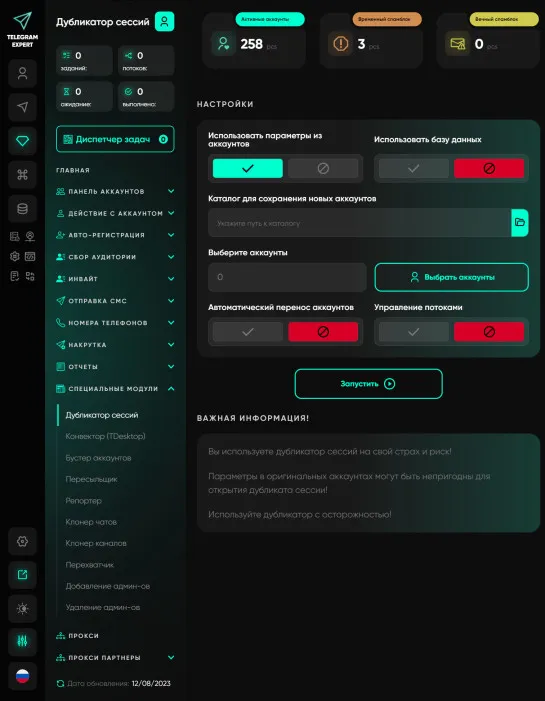
Duplicator
A module for opening an additional session on an account. The module is very useful and simply irreplaceable in your work. Opening a second session allows you to protect yourself from unscrupulous account sellers, test parameters and pairs, and perform mass actions in several copies of the program on the same accounts simultaneously. Let's consider the standard situation Let's say we need to send messages from 1000 accounts, and we want the accounts to automatically respond if prospects reply to...

Bypassing CAPTCHA in 2026: CaptchaAI Review for Automation Professionals
[media mw=100]3177[/media] CAPTCHAs (Completely Automated Public Turing tests to tell Computers and Humans Apart) were designed to block bots and protect websites. Yet, while securing systems, they slow down legitimate automation workflows, especially for professionals operating at scale. From data extraction and web scraping to account creation and bulk submissions, CAPTCHAs create delays, failed processes, and wasted resources. Modern systems like Google reCAPTCHA, Cloudflare Turnstile, ...

How to Manage Multiple Telegram Accounts Safely (Without Mixing Sessions)
Telegram Has Become a Business Tool Telegram is no longer just a messaging app. Today it's used by affiliate marketers, crypto communities, e-commerce businesses, customer support teams, and digital agencies to communicate with customers and manage online communities. As businesses grow, so does the number of Telegram accounts they need. One account may be dedicated to customer support, another to affiliate partnerships, while others are used for regional communities or different brands. ...
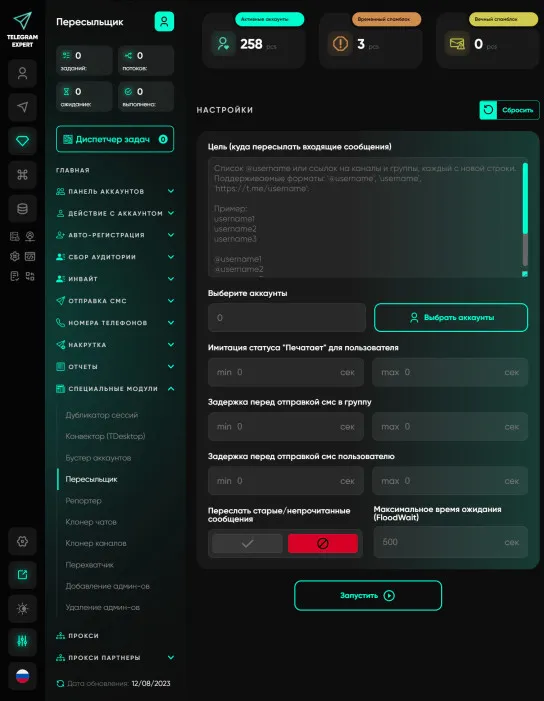
Forwarder
A unique module that works on the principle of message proxying. The principle is extremely simple, after you have sent messages from your accounts, you launch the forwarder and specify the group in which your sales managers are located. Proxy server accounts forward messages to the group, and when they see that someone from the group has responded to the message, the proxy server account forwards the response to your potential client. This allows you to communicate with a large number of people...