
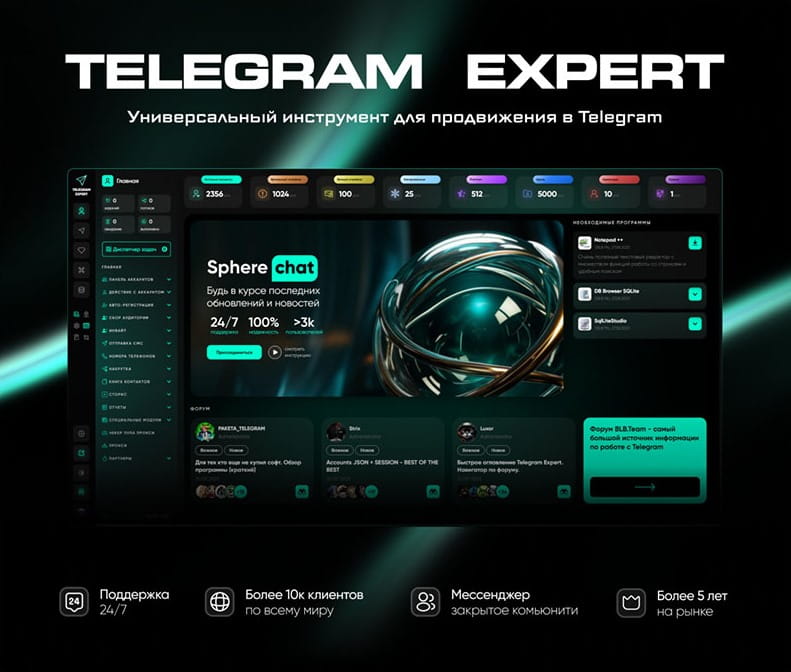
Download Telegram Expert - software for Telegram promotion
Telegram Expert is professional software for fast channel growth and sales in Telegram. Launch mass mailings and invites, warm up accounts without bans, consolidate dialogs in one place, and scale your team. All in one window - fast, safe, and tailored to your tasks.
What it can do:
- TDATA Converter - массово переводит session+json в TDATA.
- Booster - account warm-up via smart dialogs to increase trust.
- Registrar - account creation via any SMS services with the sms-activate standard.
- Duplicator - a second session for existing accounts for transfer and protection.
- Forwarder - routes incoming replies to a working group and sends replies to clients.
- Interceptor - catches messages by keywords from chats/channels and forwards them to you.
- Invite via admin - invitations even to restricted groups.
- Channel and chat cloner - full copies, including protected content.
- Reporter - mass complaints about messages/users/channels.
No one has left a comment yet
Telegram Infrastructure Without Weak Links: What to Check and How Telegram Expert and Pay2.House Help Cover Key Tasks
table { border-collapse: collapse; width: 100%; color: #ffffff; background-color: transparent; } th, td { border: 1px solid #666666; padding: 10px 8px; text-align: left; background-color: #1a1a1a; } th { background-color: #2a2a2a; } A Telegram advertising launch rarely fails because of one major issue. More often, the problem appears at the intersection of several small ones: an employee lacks the required access, a card fails ...

Which Anti-Detect Cloud Phone Is Best for Multi-Account Marketing in 2026?
In 2026, as account security and anti-fraud systems on platforms like TikTok, Instagram, and Facebook continue to evolve, cloud phones have become essential infrastructure for e-commerce and social media marketing teams. A cloud phone is an independent cloud-based Android device with unique hardware fingerprints including IMEI, MAC address, and Android ID. It provides complete isolation between accounts, solving the problems of high physical device costs and easy detection of Android emulators. ...
Telegram Marketing: How to Avoid Bans with the Right Gateway Setup
Scaling Telegram automation is often treated as a behavioral problem. Most operators focus on delays between actions, account warm-up, and message limits. Even when these elements are well optimized, issues such as random bans, session instability, and inconsistent performance still appear. At scale, this assumption breaks. The problem is not behavior. It is the network layer behind each connection. If you’ve worked with Telegram automation, you’ve likely seen this pattern: everything is “opt...
Mobile IP Infrastructure from MobileProxy.Space for Telegram: Multi-Account Management with Minimal Risks in 2026
A comprehensive guide to MobileProxy.Space mobile gateways for Telegram: how to launch multi-accounts, reduce ban risks, choose IP rotation, calculate ROI, and scale campaigns in 2026. Practical tips, case studies, checklists, and FAQs. [media mw=100]3176[/media] What are Mobile Relays and Why MobileProxy.Space Wins in 2026 Mobile IP: Briefly and to the Point Mobile relays provide internet access through 4G or 5G networks operated by telecom companies, where numerous users share a si...