
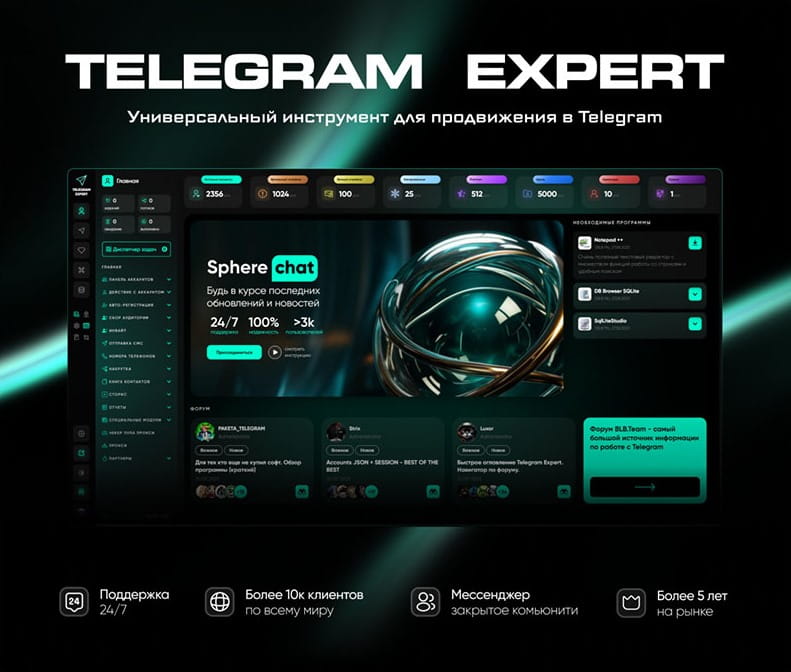
Download Telegram Expert - software for Telegram promotion
Telegram Expert is professional software for fast channel growth and sales in Telegram. Launch mass mailings and invites, warm up accounts without bans, consolidate dialogs in one place, and scale your team. All in one window - fast, safe, and tailored to your tasks.
What it can do:
- TDATA Converter - массово переводит session+json в TDATA.
- Booster - account warm-up via smart dialogs to increase trust.
- Registrar - account creation via any SMS services with the sms-activate standard.
- Duplicator - a second session for existing accounts for transfer and protection.
- Forwarder - routes incoming replies to a working group and sends replies to clients.
- Interceptor - catches messages by keywords from chats/channels and forwards them to you.
- Invite via admin - invitations even to restricted groups.
- Channel and chat cloner - full copies, including protected content.
- Reporter - mass complaints about messages/users/channels.
No one has left a comment yet
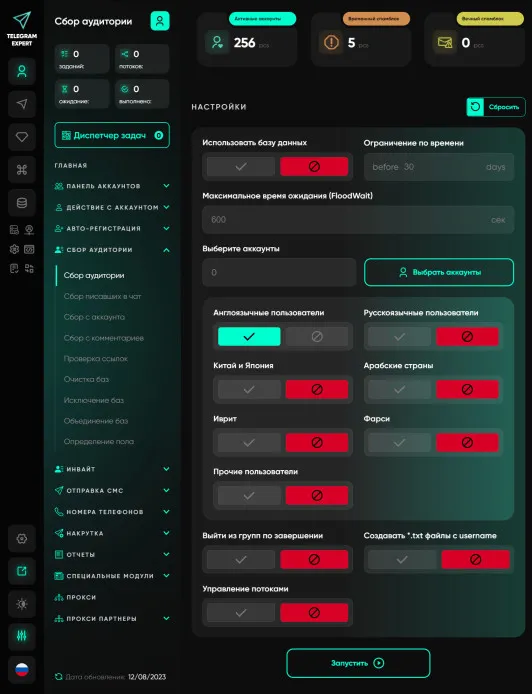
Audience gathering
An audience is an essential component of any business. No matter what you sell, you need customers, you need an audience. Telegram Expert has truly enormous functionality; it has everything you need - collecting chat participants, collecting chat writers, collecting users from comments, etc. And all these modules are included in the base module. But this is not the main advantage; with Telegram Expert you will be able to work more efficiently, this is achieved through the introduction of advance...
What functionality Telegram offers to companies for business
What Functionality Does Telegram Offer for Businesses Telegram provides many tools that can be useful for businesses. Familiarizing yourself with them and using them will help you run your activities more effectively and make them as profitable as possible. Communication Methods in the Messenger In Telegram, there are 4 types of communication: Personal chat – encrypted private messaging with one person; Groups – communication between multiple users in a single chat; Channels – essen...
Which Anti-Detect Cloud Phone Is Best for Multi-Account Marketing in 2026?
In 2026, as account security and anti-fraud systems on platforms like TikTok, Instagram, and Facebook continue to evolve, cloud phones have become essential infrastructure for e-commerce and social media marketing teams. A cloud phone is an independent cloud-based Android device with unique hardware fingerprints including IMEI, MAC address, and Android ID. It provides complete isolation between accounts, solving the problems of high physical device costs and easy detection of Android emulators. ...
How to use network gateways in Telegram: real-world use cases and tools
[media mw=100]3235[/media] Network gateways in Telegram are used to manage IP addresses and network connections. They let you build a traffic routing layer: distribute requests across addresses, define access conditions, and separate sources of activity. Using IP relays is used to solve the following tasks: connecting to Telegram in networks with access restrictions; distributing the load across IPs - reducing the concentration of requests on a single address; separating sessi...